Roblox Classic Noob Pack

Roblox Classic Noob Pack
Seventy seven burnt ears@rebornguestProfile Photo

Joined:Sep 14, 2023

Uploads:17

Features:0

UC Wins:2

subscribermega-noderuc-winner-lvl1

File:Roblox-Classic-Noob-Pack.zip (7.6 KB)

Date:May 28, 2023

Category:Packs
People

Jun 1st, 2023
( 6 thumbs )
Profile Photo1stProfile Photo2ndProfile Photo3rd
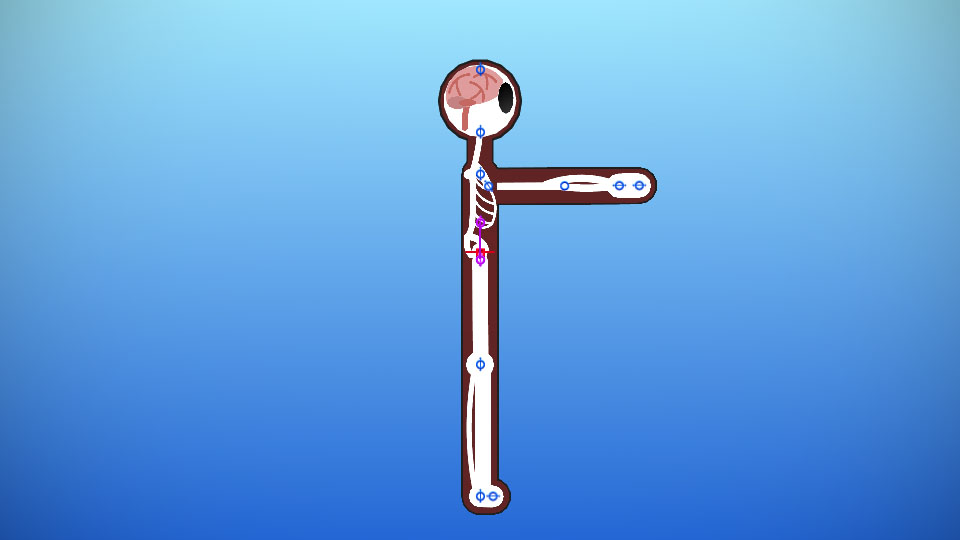
Just a simple noob account with a colored torso and legs to resemble a shirt and pants with a simple smile forever stuck to its face

#Roblox #noob #tower
Jun 1st, 2023
( 6 thumbs )
Profile Photo1stProfile Photo2ndProfile Photo3rd
Download File

Downloaded 15,924 times

(Downloaded 28 times this week)


Rate this stickfigure!
It helps choose the daily feature.

Vote count: 18

This download is a ZIP of 7 files

  • Roblox_Noob_Front (3.30kb)

  • Red_Tower_Doomspire_Brickbattle (15.27kb)

  • Roblox_Bomb (1.16kb)

  • Roblox_Bomb_Exploding (0.75kb)

  • Roblox_Noob (3.05kb)

  • Roblox_Noob_Back (2.72kb)

  • Roblox_Noob_Diagonal (3.30kb)

Android How to download stickfigures & sounds:

  • As of 3.2.0, Stick Nodes will no longer automatically find downloaded files in your /downloads/ folder. You must open the file with Stick Nodes explicitly for it to be moved into the correct folder.
  • Download a NODES (or STK) or ZIP file. When done, tap it and "Open With" > "Stick Nodes". See this image for an example.
  • Sounds: Download an MP3 file < 256kb. When done, tap it and "Open With" > "Stick Nodes"..

IOS 13+ How to download stickfigures & sounds:

  • If using Chrome or Firefox, download a NODES (or STK) or ZIP file, select the file and "Open in Stick Nodes" after finished downloading.
  • If using Safari, download a NODES (or STK) or ZIP file, follow these directions.
  • Also for ZIP files, check out this quick and informative tutorial by Auto-Angel.
  • Sounds: With Safari, follow these directions.

Problem with this submission?
Please log in to report this file.

avatar
4 Comment threads
8 Thread replies
0 Followers
 
Most reacted comment
Hottest comment thread
6 Comment authors
HoseDamianSeventy seven burnt earsIdkA random guy Recent comment authors
Stickguy

where’s the blue green and yellow towers

Seventy seven burnt ears

I’ll be making a collect them all kinda thing

Seventy seven burnt ears

Also this is a prototype of the pack so there’s no shading on the diagonal one and it’s arms just look bad in general

Seventy seven burnt ears

Working on the green one it can attach to the red one btw

Hose
Hose
A random guy
A random guy

Oof

A random guy
A random guy

Also you can change the color of the tower by changing the hue shift

Seventy seven burnt ears

Well yeah but just making a green tower stick is just kinda better in my opinion so yeah. already uploaded the remastered version just waiting for it to be put up so look out for that

A random guy
A random guy

Ok

Idk
Idk

I WANT BOBUX….. NOW

Seventy seven burnt ears

No ask politely

Damian
3

Yea