

Joined:Jan 23, 2023
Uploads:1
Features:0
UC Wins:0
Hello, if this gets accepted it will be the first of mine to get accepted on this site.
INSTRUCTIONS
Pro & Standard:
Adjust handle to fit character’s hand
Adjust blade to your liking
Pro:
Set glow to 0.79
Set glow intensity to 1.12
Set blur to 0.33
Set motion blur to 203
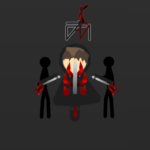
Change stick colors on blade to light colors (as seen in thumbnail,) and set the glow color to the normal version of the color.
Standard:
Change stick colors on blade to light colors (as seen in thumbnail)
#starwars #lightsaber
INSTRUCTIONS
Pro & Standard:
Adjust handle to fit character’s hand
Adjust blade to your liking
Pro:
Set glow to 0.79
Set glow intensity to 1.12
Set blur to 0.33
Set motion blur to 203
Change stick colors on blade to light colors (as seen in thumbnail,) and set the glow color to the normal version of the color.
Standard:
Change stick colors on blade to light colors (as seen in thumbnail)
#starwars #lightsaber
This download is a ZIP of 2 files
Lightsaber Blade (0.18kb)
Lightsaber Handle (4.20kb)
Problem with this submission?
Please log in to report this file.





Other popular submissions in weapons category


bruv
just submit it as a movieclip with all that nonsense you be talking about applied already
thx for the tip, I didn’t know that movie clips would save with the effects
movieclips:
Nice job. Brother, keep doing…