


Joined:Sep 17, 2020
Uploads:28
Features:0
UC Wins:7


Mar 13th, 2024
( 4 thumbs )
( 4 thumbs )
 1st
1st 2nd
2nd 3rd
3rd
HOW TO USE:
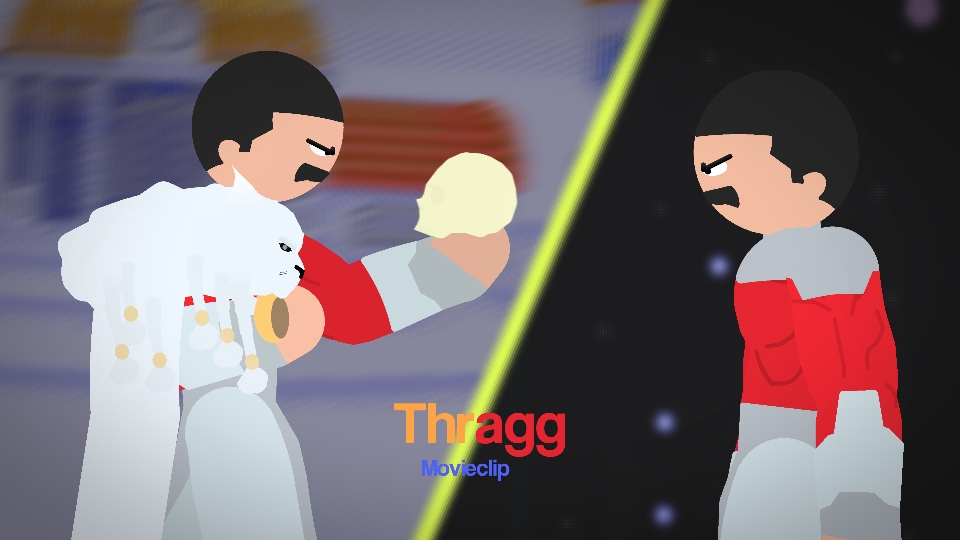
1. Download and open movieclip in Stick Nodes (Pro) 2. Click on Movieclip and select between frame 1 (THE WORLD) or 2 (STAR PLATINUM) 3. Click "Break Apart Movieclip" to use the stickfigures.
Finally, after a bit I've uploaded my first stand pack of 2024.
I wanted to release the others too, but they'll have to wait since I have yet to fully recreate them. For now, enjoy this pack that I'm finally going to submit to the website for all to download.
(Note: Jotaro and DIO are very clearly not part of the pack, just to clarify.)
#JOJO #jotaro #dio
1. Download and open movieclip in Stick Nodes (Pro) 2. Click on Movieclip and select between frame 1 (THE WORLD) or 2 (STAR PLATINUM) 3. Click "Break Apart Movieclip" to use the stickfigures.
Finally, after a bit I've uploaded my first stand pack of 2024.
I wanted to release the others too, but they'll have to wait since I have yet to fully recreate them. For now, enjoy this pack that I'm finally going to submit to the website for all to download.
(Note: Jotaro and DIO are very clearly not part of the pack, just to clarify.)
#JOJO #jotaro #dio
Mar 13th, 2024
( 4 thumbs )
( 4 thumbs )
1st2nd3rdHow to use: This download is a Movieclip file. If it contains a joined figure, you can access it by going into the Movieclip object (edit it) and then copying the entire assembled figure inside.Filters: Remember, Movieclip objects may use filters, and if you don't have Stick Nodes Pro these filters will not work and the Movieclip may look very different.
Download File
Downloaded 3,906 times
(Downloaded 11 times this week)
Problem with this submission?
Please log in to report this file.




Other popular submissions in people category


They call them stands but they are always floating, what the flip
lmao “Floats” doesn’t have the same ring to it
Jesus man great job, you should’ve gatekept this because good sticks arent meant to be on the site!!!! 10/10 though