

(Guest)
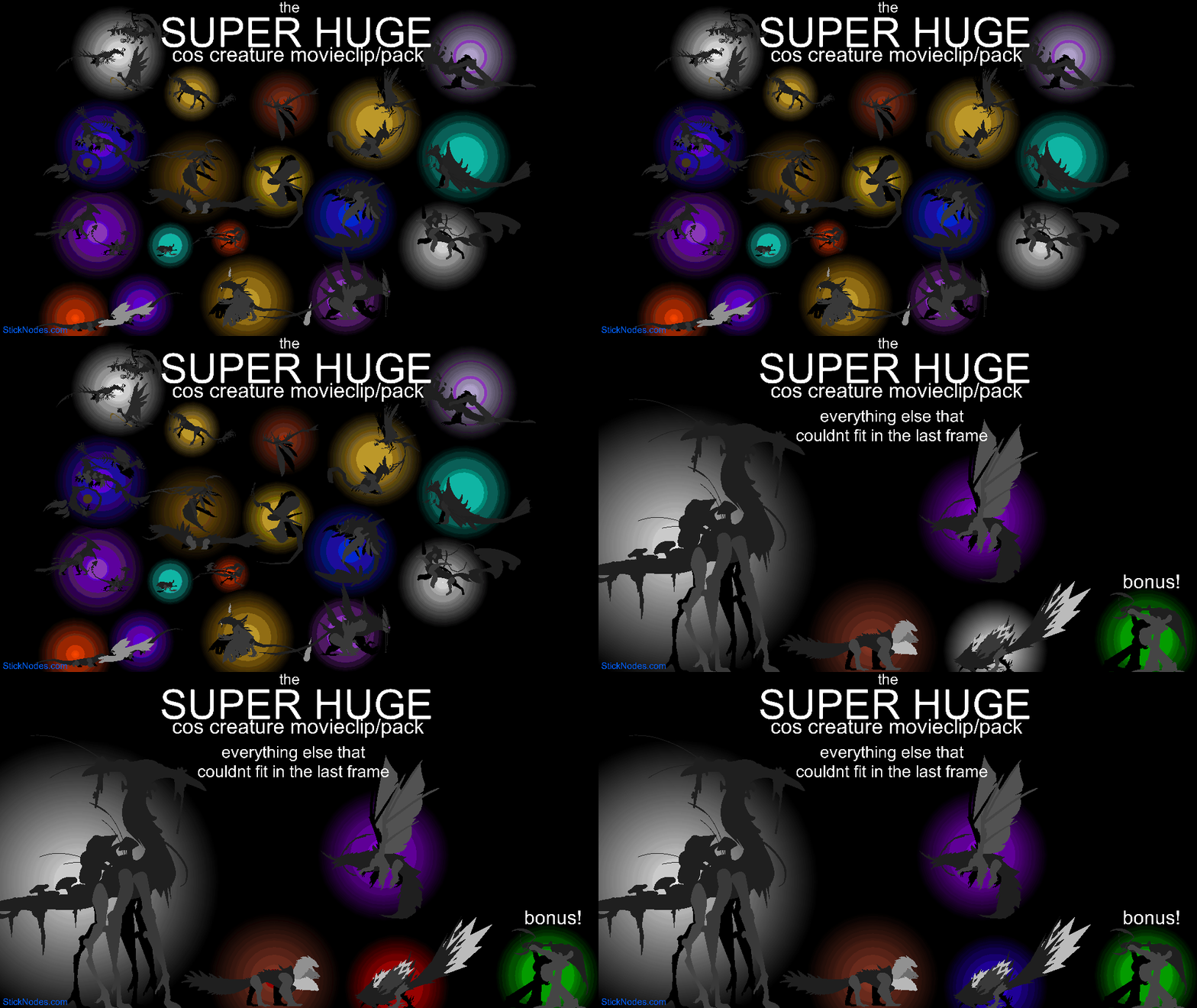
Includes 28 creatures from the Roblox game creatures of sonaria that I have hadn’t submitted to the website
Extra stuff:
I gave each creature a pose
Qurugosk and mekmek get eyes because I like them
Idk why I gave oxytalis eyes
Dabaemura has a retractable stinger
Most of them have certain limbs that are detachable like the yeba idi or jabblebashe
Includes a Wix’pectro with and without its cloak
Firakai’s little hat thing on its head can move
Comes with bonus dabblebashe
Possibly others that I forgot to list
Might have sent this submission twice since the window thing just closed out of nowhere so if it did then sorry 🙁
#COS #creature
Extra stuff:
I gave each creature a pose
Qurugosk and mekmek get eyes because I like them
Idk why I gave oxytalis eyes
Dabaemura has a retractable stinger
Most of them have certain limbs that are detachable like the yeba idi or jabblebashe
Includes a Wix’pectro with and without its cloak
Firakai’s little hat thing on its head can move
Comes with bonus dabblebashe
Possibly others that I forgot to list
Might have sent this submission twice since the window thing just closed out of nowhere so if it did then sorry 🙁
#COS #creature
How to use: This download is a Movieclip file. If it contains a joined figure, you can access it by going into the Movieclip object (edit it) and then copying the entire assembled figure inside.Filters: Remember, Movieclip objects may use filters, and if you don't have Stick Nodes Pro these filters will not work and the Movieclip may look very different.
Download File
Downloaded 4,438 times
(Downloaded 18 times this week)
Problem with this submission?
Please log in to report this file.



Other popular submissions in miscellaneous category


Now that is awesome
I really wanna see dragon adventures dragons in your style
Yooo this is Sick bro well done
Really cool pack, is there anyway to color them?