


Joined:Jan 15, 2025
Uploads:27
Features:2
UC Wins:4


Need 3 thumbs for Users Choice badge!
 1st
1st
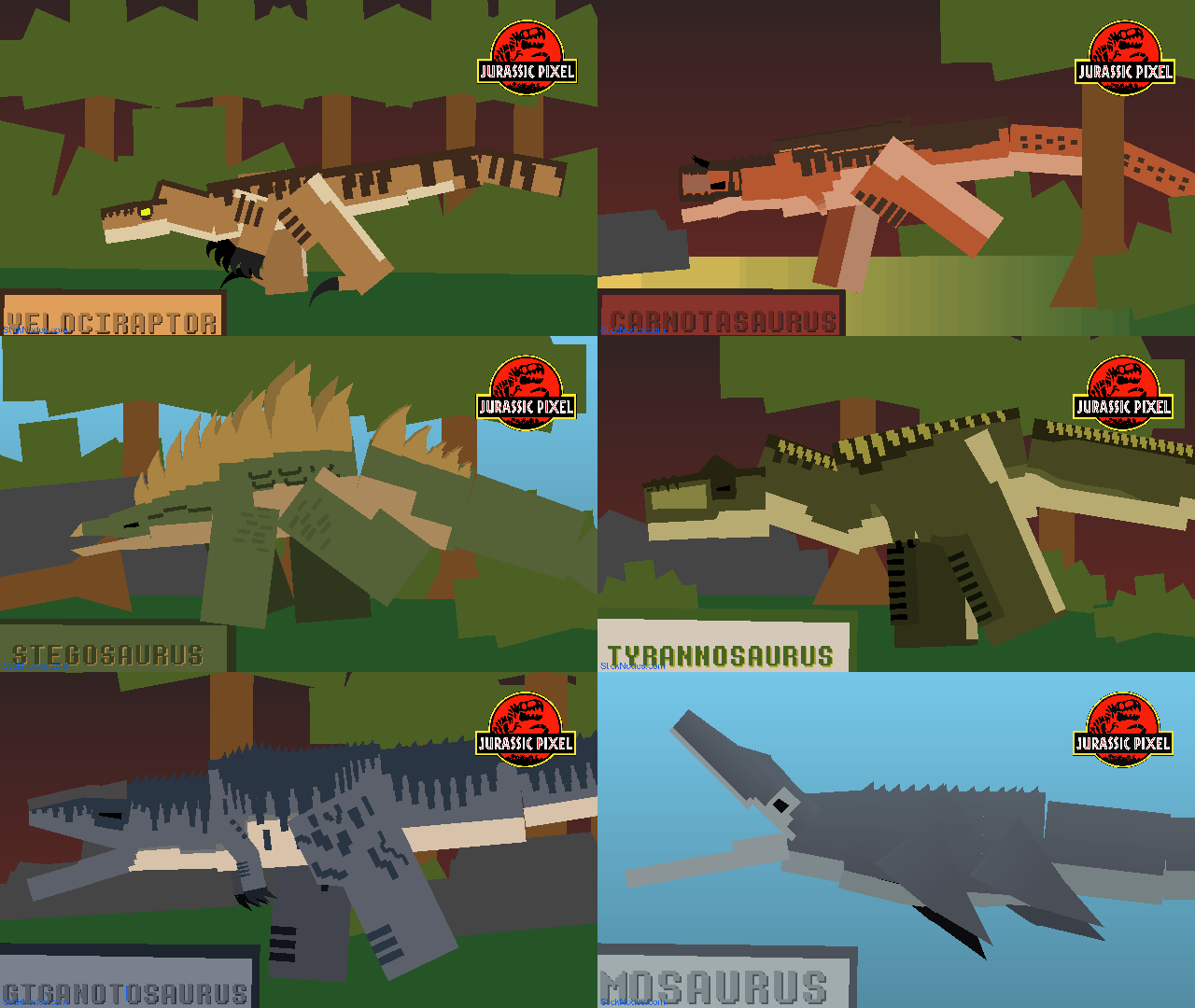
This is an old subscriber pack I made back in 2024 around February on my original YouTube channel and I ain't telling you what my old channel is, anyways this pack includes 6 different creatures or 5 different dinosaurs from different time periods and 1 winged reptile perhaps the tallest one among the 6
Also the sizes of these Stickfigures are based on my Google search so you don't have to really change the scales of these Stickfigures and they're uncolored because I wasn't aiming at detailed Stickfigures until now in 2025
Although this was my idea I mean after I made this Sticknodes website account I would post this so here I am anyways if you wanna use this Stickfigure please credit me it took me days to finished these Stickfigures for just 1 zip pack and I might remake one of these Stickfigures in the future if I wanted to though
Friendly Reminder: Do not use these Stickfigures for bad stuff
#100Subs #Dinosaur #Pack #Dino #Theropoda #Ornithopoda #Herbivore #Carnivore #Jurassic #Cretaceous #Saurischia #Ornithisichia #Mesozoic
Also the sizes of these Stickfigures are based on my Google search so you don't have to really change the scales of these Stickfigures and they're uncolored because I wasn't aiming at detailed Stickfigures until now in 2025
Although this was my idea I mean after I made this Sticknodes website account I would post this so here I am anyways if you wanna use this Stickfigure please credit me it took me days to finished these Stickfigures for just 1 zip pack and I might remake one of these Stickfigures in the future if I wanted to though
Friendly Reminder: Do not use these Stickfigures for bad stuff
#100Subs #Dinosaur #Pack #Dino #Theropoda #Ornithopoda #Herbivore #Carnivore #Jurassic #Cretaceous #Saurischia #Ornithisichia #Mesozoic
Need 3 thumbs for Users Choice badge!
1stHow to use: This download is a Movieclip file. If it contains a joined figure, you can access it by going into the Movieclip object (edit it) and then copying the entire assembled figure inside.Filters: Remember, Movieclip objects may use filters, and if you don't have Stick Nodes Pro these filters will not work and the Movieclip may look very different.
Download File
Downloaded 3,267 times
(Downloaded 13 times this week)
Problem with this submission?
Please log in to report this file.




Other popular submissions in miscellaneous category


This helped me a lot for my animations
You’re welcome lmfao