
And two months later, another Stick Nodes update!
Changelog 2.4.3 (August 13)
- Version 2.4.3 fixes a bug introduced in 2.4.2 that broke opening projects made with 2.4.1. …Wait what.
Changelog 2.4.2 (August 12)
Sorry about that. Apparently 2.4.1 broke stuff for a lot of Android users (because I updated the Android build tools behind the scenes, which unknown to me included new security measures I wasn’t taking into account). If you couldn’t see your files and import lists were blank, couldn’t load a background image, couldn’t export, etc – UPDATE NOW.
- BUG FIX FOR ANDROID USERS. If you were having trouble seeing your files, exporting, saving, etc – this should be fixed. Please give the Stick Nodes app permission to use your device storage when you are asked.
- Textfields now have a “text shadow” property.
- Can now change limb type in “Modify Branch” window, in Creation Mode.
- Added “intensity” to stickfigure glow filter (Pro only).
The extra features were already in the works, so I included them in this update. They will be coming to iOS shortly.
Changelog 2.4.1 (August 7)
Just some quick fixes and tweaks, this update is live for both Android and iOS as of this writing – but the App Store seems delayed in showing there is an update. Give it a couple hours.
- (iOS) Fixed downloading sound crash (stknds:// method) – spaces in filename no longer crash the app.
- (iOS) Updated launch image, because why not?
- (iOS) All 2.4.0 changes come to iOS (see 2.4.0 changelog below).
- Requirement to enable anti-aliasing removed from GIF export
Requirement of exporting at 1280×720 to have the “anti-alias” button available is still in place for MP4 export. Smooth lines on video exports is pointless unless the video is sharp and crispy. This isn’t the same case for GIFs. - Undo/redo button size increase (culling option will move somewhere else in a future update).
Changelog 2.4.0 (July 24)
- All 2.3.7-2.3.9 changes come to iOS
- (Android) Background behind frame numbers to make them easier to see
- (Android) Memory display always visible near “Add frame” buttons
- (Android) Fixed rare crash when loading background image
Changelog 2.3.9
- Performance improvements, app should start up faster.
- Also added a “culling” option – if enabled, nodes outside of view aren’t drawn.
- Stage area made larger.
- Added some sounds, search “239” in sound import window (Pro only).
- (Fix) Sometimes-upside-down background image bug.
Changelog 2.3.8
- (Fix) Laggy import menus
- (Fix) Rotated text positioned incorrectly
- (Fix) Rare color-picker crash
- A couple other tweaks and fixes
Changelog 2.3.7
- Auto-Camera (look under “Camera Tools”).
Allows you to select a start/end frame – the camera will automatically move and tween between those two frames. Camera will automatically update and keep the camera movement smooth even if you add/delete frames in between. - Lock stickfigure to camera (look under “Camera Tools”).
As the name implies, you can now select stickfigures to lock to the camera. Also comes with parallax option for advanced users to get proper background depth and movement. - Modify branch (in Creation Mode only).
You can now mass-modify a node and all of it’s children at the same time. Replace a color, make all nodes static, move the nodes of an entire limb to the back/front, and more. - All import lists have changed. You can now preview stickfigures/sounds before importing them, and you can also select more than one stickfigure/sound to import at the same time. This applies for sending/submitting files as well.
- Text can now rotate and be transparent.
- Individual segments can now be flipped in Animation Mode, too.
- Color picker now shows a list of recently copied colors.
- Many small changes and fixes.
Auto-camera and using parallax are two “advanced” features that I went over quickly in this video, check it out if you want to get a basic understanding of what they’re about.
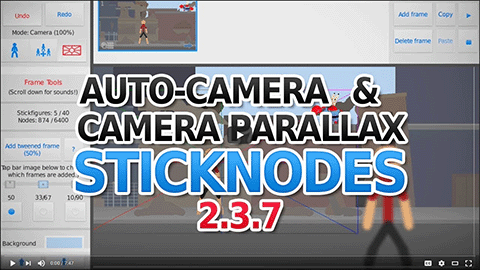
Otherwise the rest of the changes are pretty simple…
You all have your text rotation and opacity now ARE YOU HAPPY?
Also you can flip segments in Animation Mode now, too. That will make flipping things like arms/legs easier to do when animating (and not having to create a new stickfigure) to get better poses, etc…
Import lists
Import lists – stickfigures, sounds, and sending/submitting files – have all changed. You can now preview stickfigures/sounds before importing them and you can also import/send multiple files at a time.
This makes submitting packs easier, just submit multiple stickfigures and the app will ZIP them before attaching to the email.
- Do not submit multiple stickfigures (in one email) that are not meant to be a pack, submit them individually one-by-one
- Do not submit to me a pack of nonsense/unrelated stickfigures just because now it’s easy to do so, I won’t even bother going through the pack if it’s low-effort
This means not only making sure the stickfigures are “good”, but the filenames are clean and organized - Do not use “Send Files” button to submit stickfigures, this is to send project/stickfigures/sounds to a friend
- Do not modify the subject line of stickfigure submissions, you’ll break the automated process and I likely won’t receive it
This includes if a “Fwd” or “Re” is inserted in the subject, remove it
Those last two aren’t specific to this update but I wanted to point them out anyway.
Modify Branch
In Creation Mode, you can select a segment and use the new “Modify Branch” window to set properties of every node in that branch (the selected node itself, and all of it’s children).
Selecting the main node will let you modify every node in the stickfigure.
Using “Modify Branch”, you can then easily set every node to be static/not static, adjust thickness/length/etc, change and even replace colors. It makes applying a small change across many nodes instant.
What’s next?
Stick Nodes 2.3.8, silly.

Make the gray text line rotate with text, Y’know… to make it kind of easier to remember what is says…
2.4.3 will be out for iOS Shortly? More like 2.4.3 will be out for iOS In a very frickin long time
And good, we have the update now
Ralph… u have not uploaded anything new in 3 weeks… plz… I wanna see a new video
How do i download stick nodes on my pc/Mac
Ralph: I suck at making apps
Me: I HATE MY FRICKIN LIFE
I predict that the next update will be bug fixes
Thanks for stick nodes.My new YouTube Chanel kimonokimo thanks Ralph so mush.
Ralph how how I make add friend for you Ralph and how I Change my photo profile pleas