New Version (1.6.3) – iOS “Sounds” Update Released!

(Edit: March 14th, this update has been pushed out to Android users, too.)

There. Now all of you iOS users can stop bothering me. Here’s that “sounds” update you all wanted to much.
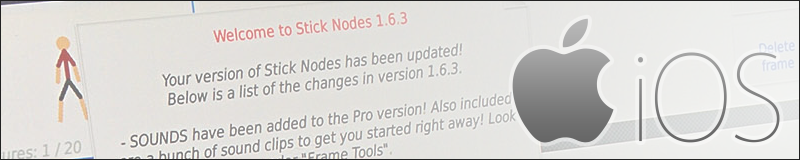
Go check out the App Store and look for an update to Stick Nodes and Stick Nodes Pro!

So what does this mean?

Well, for one, iOS users are now actually a version ahead of Android users. How did that happen!? (Android users you’ll be getting 1.6.3 in a day or two, though it doesn’t introduce much other than some fixes and some added sound effects).

iOS 1.6.3 changelog

  • SOUNDS have been added to the Pro version! Also included are a bunch of sound clips to get you started right away! Look under “Frame Tools”.
  • Exporting GIFs and MP4s no longer locks up your device.
  • Added an option to display onion skin on top (will help when animating stickfigures in front of other stickfigures). Look under “Project Tools”.
  • Removed “Play” and “Stop” buttons from under “Animation Tools”, use the buttons to the right of the frame thumbnails instead.
  • Added functionality to permanently delete projects, stickfigures, and sounds off of your device from within the app.
  • Open/import lists are now always alphabetized.
  • Fix for potential crashes when saving large projects/stickfigures.
  • Fix for when a stickfigure wouldn’t save properly.
  • Fix for when MP4 export would crash if exported at odd-numbered dimensions.
  • Fix for potential weird color artifacts in MP4 exports.
  • Many other minor tweaks and fixes.

So there you have it, iOS users can now go create animations just like this one I made announcing 1.6.0 all those months ago!

Can’t wait to see what you guys make. If you upload to Youtube, make sure to include the words “Stick Nodes” somewhere in the title/description so I can find your stuff!

Have fun!

What’s next?

Well, I have to get the Android version of 1.6.3 out. That will take just a day or so though.

After that, I’ll probably take a few days off of Stick Nodes stuff to explore some ideas I have for a new game project. But don’t worry, I already have big plans for Stick Nodes 1.7.0!
Random Site News!

Hey guys. Just wanted to put out a quick update. Some things have changed around the site, have you noticed them?

Two new pages

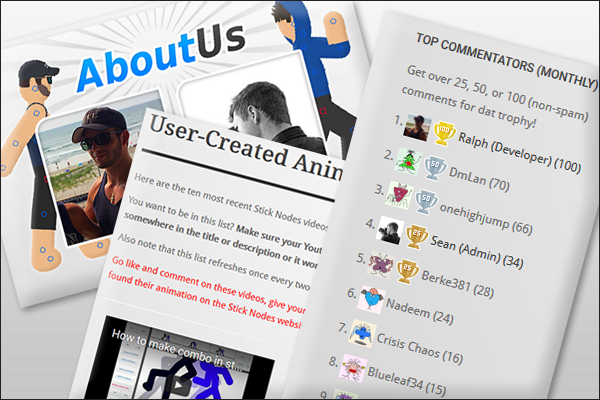
First off, the two biggest additions are the new About Us and User-Created Animations pages!

Check out the About Us page for some insights into just who Sean and I are, maybe have a laugh or two along the way or criticize some of our favorite things.

The User-Created Animations page auto-refreshes every two hours and shows you the latest Stick Nodes videos uploaded to Youtube. To get included in this list just be sure your uploaded video contains the words “Stick Nodes” in the title or the description!

Comments, comments everywhere

I decided to make commenting a competition.

If you check out the lower-left sidebar you’ll notice a new Top Commentators widget. This widget displays the top 10 commentators of the month! You’ll also get a shiny trophy next to your name if you leave 25, 50, or 100 comments. What does the trophy get you? Nothing! Well, bragging rights, I suppose.

Where are the new stickfigures?

I’ve tried to start uploading new stickfigures again, but my database still isn’t playing nice with me, so I’m trying to figure out what’s wrong. Don’t worry, new stickfigures are coming soon so keep checking the Stickfigures page!

Yeah, yeah, that’s all nice – WHERE’S THE IOS SOUNDS UPDATE?

I actually cancelled it, sounds will not be coming to iOS.

I’m kidding. It’s nearing completion and will be done in February. However, it takes Apple at least a week to release and update to an app, so expect it in early March.

But wait, there’s more!

Go check out Sean’s latest post on AnimationAlpha.com!

He’s going to be making weekly posts showing off the greatest Stick Nodes videos of the week! Make sure to use the words “Stick Nodes” somewhere in the title and/or description of your Youtube video so Sean and I can find your animations!

New Version (1.6.2) and Thumbnails Fixed!

Alright first let me get it out of the way, yes, there’s another new update for Android users while iOS users are still waiting for sounds. Oops.

No but seriously, I’m nearly complete with the iOS version of this same update (1.6.2) so you guys can expect it soon, too.

New version 1.6.2

This update doesn’t add many new features, it was mainly for fixes. There is one big main addition though, and that’s the ability to toggle the onion skin as showing behind (like normal) or in front. This will help when you’re animating a stickfigure that is in front of another stickfigure (typically a background) and you can’t see the onion skin behind it.

Here’s an example showing the normal onion skin (behind) and the onion skin shown in front:

Here’s the full changelog for 1.6.2:

  • Added option to show onion skin in front, helps when animating stickfigures in front of other stickfigures.
  • (Pro only) Added more default sounds.
  • (Pro only) Fixed MP4 files sometimes exporting with weird colors.
  • (Pro only) Fixed MP4 export crash with odd-numbered resolution.
  • Many other minor fixes.

Thumbnails fixed

Also, as I’m sure most of you are aware, the thumbnail images for the stickfigure pages have been broken for the past week or two. It was a long process trying to get it fixed, lots of nonsense was getting in the way, but they’re finally back to normal.

In the end, an out-of-date database backup was applied, which is why the latest 40 uploads are now gone, I’ll have to reupload those as well as get back on track with uploading all of the ones in my email inbox, so expect that soon!