

Joined:Aug 11, 2020
Uploads:99
Features:0
UC Wins:22


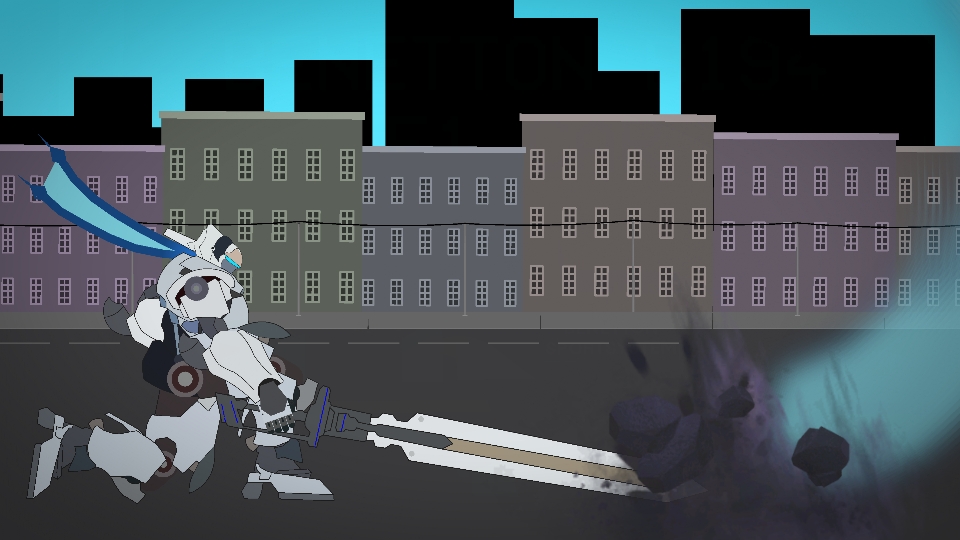
Rom's JP voice is Gilgamesh's VA so I guess Gilgamesh finally fulfilled his wish to ride Arthur
From the game "Super Mecha Champions" made by NetEase which got shutdown last month
In-game description:
"Once the ace fighter in the Singularity War, Arthur now returns with chevalier appearance and valiant fighting style to become the most popular Mecha of the league."
Piloted by Rom, Arthur is a fearsome mech renowned for its high mobility, devastating close combat capabilities, and the formidable EMT Blade, its signature long-range attack that can stun enemies. Designed to excel in melee battles, Arthur is a straightforward yet lethal mech, making it an ideal choice for beginners seeking a deadly edge on the battlefield while more dangerous on a skilled player.
#Mecha #mech
From the game "Super Mecha Champions" made by NetEase which got shutdown last month
In-game description:
"Once the ace fighter in the Singularity War, Arthur now returns with chevalier appearance and valiant fighting style to become the most popular Mecha of the league."
Piloted by Rom, Arthur is a fearsome mech renowned for its high mobility, devastating close combat capabilities, and the formidable EMT Blade, its signature long-range attack that can stun enemies. Designed to excel in melee battles, Arthur is a straightforward yet lethal mech, making it an ideal choice for beginners seeking a deadly edge on the battlefield while more dangerous on a skilled player.
#Mecha #mech
How to use: This download is a Movieclip file. If it contains a joined figure, you can access it by going into the Movieclip object (edit it) and then copying the entire assembled figure inside.Filters: Remember, Movieclip objects may use filters, and if you don't have Stick Nodes Pro these filters will not work and the Movieclip may look very different.
Download File
Downloaded 732 times
(Downloaded 4 times this week)
Problem with this submission?
Please log in to report this file.


Other submissions by Asmodeus


