

Joined:Nov 6, 2020
Uploads:97
Features:4
UC Wins:35


Feb 15th, 2025
( 4 thumbs )
( 4 thumbs )
 1st
1st 2nd
2nd 3rd
3rd
"Let me get a whopper, no cheese no onions, extra pickles."
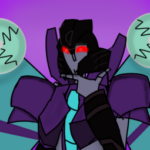
This movieclip contains optimus prime, his truck mode, and his ion gun. The swords are a part of him that you can retract or hide as well. If you don't like the look of the swords you can just delete them in the edit sickfigure mode for his hands.
How to pull out the swords:
Move the connector node that is above the hand down until the pointy bits of the sword reach the cylinder thing on his feet.(Look at the second frame of the movieclip for a celarer picture) After that, move the connector node for the energon part of the sword down until it looks like it's coming out of the hand and there are no parts going last the hand. After that, move the node for the tip of the sword up until the segment at the bottom of the sword matches up with the sword.
#optimus #prime #transformers #truck #semi
This movieclip contains optimus prime, his truck mode, and his ion gun. The swords are a part of him that you can retract or hide as well. If you don't like the look of the swords you can just delete them in the edit sickfigure mode for his hands.
How to pull out the swords:
Move the connector node that is above the hand down until the pointy bits of the sword reach the cylinder thing on his feet.(Look at the second frame of the movieclip for a celarer picture) After that, move the connector node for the energon part of the sword down until it looks like it's coming out of the hand and there are no parts going last the hand. After that, move the node for the tip of the sword up until the segment at the bottom of the sword matches up with the sword.
#optimus #prime #transformers #truck #semi
Feb 15th, 2025
( 4 thumbs )
( 4 thumbs )
1st2nd3rdHow to use: This download is a Movieclip file. If it contains a joined figure, you can access it by going into the Movieclip object (edit it) and then copying the entire assembled figure inside.Filters: Remember, Movieclip objects may use filters, and if you don't have Stick Nodes Pro these filters will not work and the Movieclip may look very different.
Download File
Downloaded 5,176 times
(Downloaded 40 times this week)
Problem with this submission?
Please log in to report this file.
Other popular submissions in vehicles category


> “Let me get a-uhhhhhhhhhhhhhhhhhh whopper, no cheese no onions, extra pickles.”
ftfy
OPTIMUM BRIME!!! oouuggh ouuhgg aouhgga uaaagh yagahha
“I… am Optimus Prime. And I send this message to any surviving Autobots taking refuge among the stars. We are here. We are waiting.”
This deserves a UC
Awesome
This…this is beautiful, how??? I beg for you to make megatron or maybe starscream.
Ofc hopefully i figure out a way to make them transformable though that’s a very slim chance
If it’s 2007 megatron it shouldn’t be that hard of a challenge considering his uhmm “cybertronain jet” mode
No need for them to be transformable
I know a truck you should make this gu
OH MY GOD! THIS WAS MY CHILDHOOD!