

Joined:Jul 5, 2020
Uploads:10
Features:0
UC Wins:0


Several angles of a house made using 3D architecture app. Along with several layers to put behind windows or doors that open.
Main part is the living room, I made sure to number them, #1 farthest forward and moving back with higher numbers. I`m sure that you will all get it...
And for dessert, some random piece of furniture, some stretchy, like the office chair.
Credit to:
THANE for "Fade Beam" in Thumbnail. FIERCEFIRE for "Back of TV" (with a little added stretch magic) Lazy Kyle DKO Stickfigure not included. Or his hair.... Sorry.
(Couch, Desk, Dining Room, House, Chair, TV Stand)
#thatrichlife #ineedalife
This download is a ZIP of 22 files
Fancy Grassy BG DKO (3.03kb)
Fancy House SR DKO (9.94kb)
Fancy House FSR DKO (11.13kb)
Fancy House FSR Kitchen Window DKO (8.42kb)
Fancy House F DKO (7.96kb)
Fancy House F Entrance View DKO (9.37kb)
Fancy Dining Room DKO (15.32kb)
Fancy Dining Room 2nd DKO (0.85kb)
Fancy Dining Room Kitchen 3rd DKO (7.79kb)
Fancy Dining Room 4th DKO (1.75kb)
Fancy Couch FS DKO (4.14kb)
Fancy Couch BS DKO (2.99kb)
Fancy Couch S DKO (3.53kb)
Fancy Table FS DKO (8.34kb)
Fancy TV Stand BS DKO (2.19kb)
Fancy TV Stand S DKO (1.54kb)
Fancy TV Stand FS DKO (2.72kb)
Fancy Desk F DKO (7.50kb)
Fancy Office Chair B DKO (3.06kb)
Fancy Office Chair S DKO (6.73kb)
Fancy Office Chair FS DKO (7.52kb)
Fancy Office Chair F DKO (3.61kb)
Problem with this submission?
Please log in to report this file.
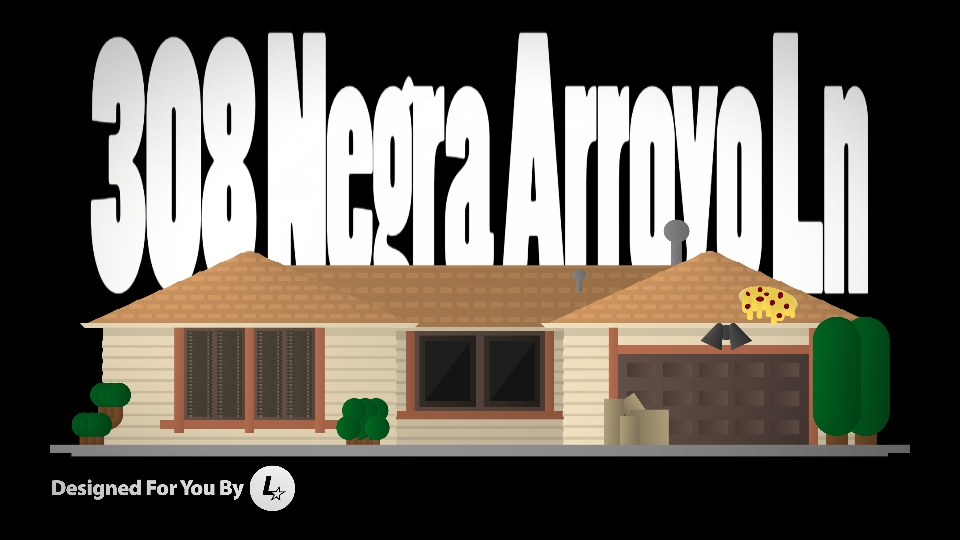



you got interesting ideas with your packs which is good, however these types of perspectives are gonna be hard to really do anything with, other than just be purely aesthetic background images
still good job tho, you traced over (I assume) the images from the 3D program quite well
also pls make future thumbnails more clearly show what’s in the pack, i know you like to do a little camera/scene showoff but it’s hard to tell what exactly the pack contains
thx m8
Yeah, to much for a little thumbnail to use as more practice really. But hey, I appreciate the praise and will take that into consideration. And I guess I should probably look into that shadowy section called tutorials…
P.S. Have you ever seen Vegeta blow the kitchen out of a house? Now that is possible! Useful, probably not but slightly more than aesthetics I might say lol
Just wondering: How do I make a moving thumbnail thing like that?
What if we didn’t get out
You’d be protected by the squatters law, but would have to do dishes.
Hmmmmm?? how does he make his camera do that
lazy Kyle it says in description huh…. THAT THING DETAILED AS FRICK HOW IS HE LAZY
Haha. Appreciate that. Just wait till you open it up.
No it’s fine
Only fine