

Joined:Aug 11, 2020
Uploads:99
Features:0
UC Wins:22


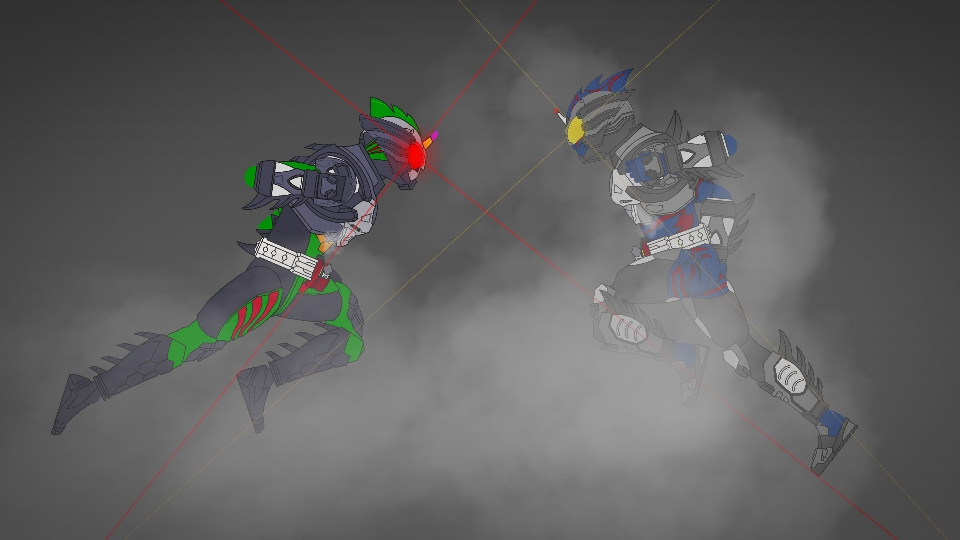
Amazon New Omega (アマゾンニューオメガ, Amazon Nyū Omega) is Amazon Omega's armored form accessed by using the Neo Amazons Driver.
Much like Amazon Neo, Amazon New Omega's usage of the Neo Amazons Driver grants him with additional armor which covers parts of his original Amazon Omega form. However, for some reason, Amazon New Omega's armor appears to be incomplete-looking, exposing some sections of mechanical parts within. Like Amazon Neo, he can use the Amazon Driver's blade function to arm himself with the New Omega Sword, though he only did so in the movie.
Haruka lost access to this form when Amazon Neo Alpha destroyed his Neo Amazons Drive
(Forgot to make the sword)
#KamenRider
Much like Amazon Neo, Amazon New Omega's usage of the Neo Amazons Driver grants him with additional armor which covers parts of his original Amazon Omega form. However, for some reason, Amazon New Omega's armor appears to be incomplete-looking, exposing some sections of mechanical parts within. Like Amazon Neo, he can use the Amazon Driver's blade function to arm himself with the New Omega Sword, though he only did so in the movie.
Haruka lost access to this form when Amazon Neo Alpha destroyed his Neo Amazons Drive
(Forgot to make the sword)
#KamenRider
How to use: This download is a Movieclip file. If it contains a joined figure, you can access it by going into the Movieclip object (edit it) and then copying the entire assembled figure inside.Filters: Remember, Movieclip objects may use filters, and if you don't have Stick Nodes Pro these filters will not work and the Movieclip may look very different.
Download File
Downloaded 1,216 times
(Downloaded 12 times this week)
Problem with this submission?
Please log in to report this file.


Other submissions by Asmodeus


Aw man, Shame that his sword is not added…
Hello again. Sorry if asked. How are you?