

Joined:Apr 12, 2021
Uploads:85
Features:1
UC Wins:56


Nov 18th, 2023
( 3 thumbs )
( 3 thumbs )
 1st
1st 2nd
2nd 3rd
3rd
I think I'm crazy. I think I'm crazy. I think I'm crazy. I think I'm crazy. I think I'm crazy.
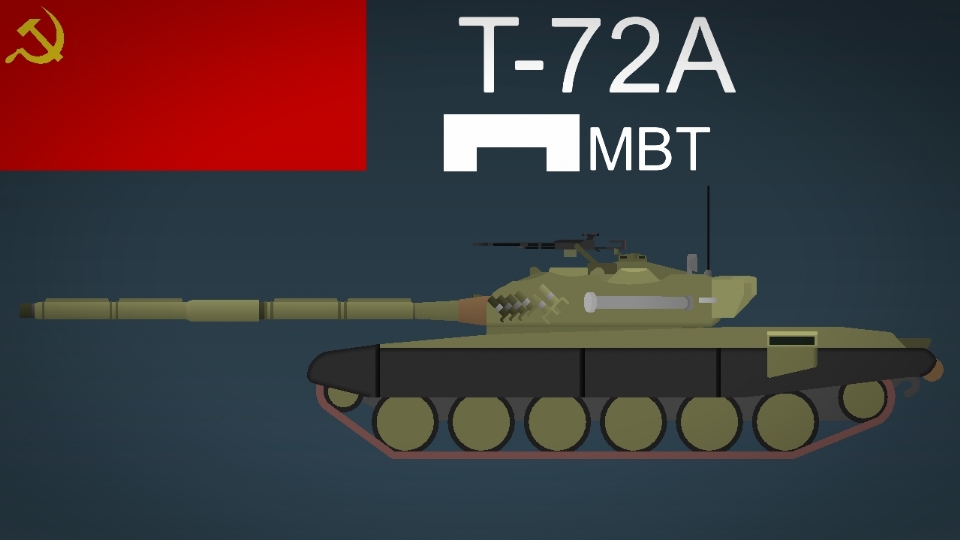
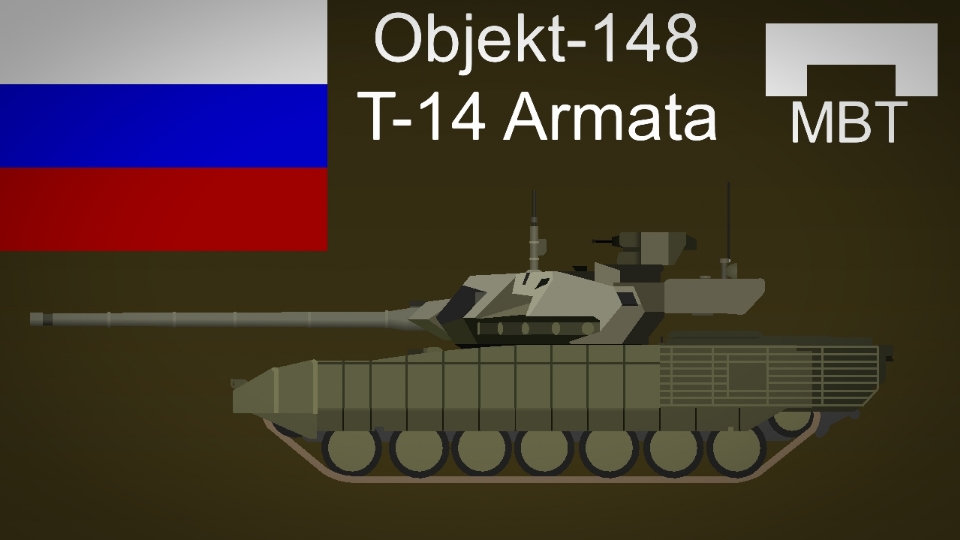
This package includes the turret and the T-72A Chassis front and rear with respective asymmetry. The chassis also has the standard version (green) and the version with black side skirts.
I also included the Dshk and NSV secondary weapons, both 12.7mm.
FOR THE LOVE OF GOD, FOR GREATER FREEDOM IN THE FIGURE, TAKE HIM OUT OF THE MOVIECLIP!!!
If you don't do this, the Russian army will knock on your door
#tank #russia #soviet
This package includes the turret and the T-72A Chassis front and rear with respective asymmetry. The chassis also has the standard version (green) and the version with black side skirts.
I also included the Dshk and NSV secondary weapons, both 12.7mm.
FOR THE LOVE OF GOD, FOR GREATER FREEDOM IN THE FIGURE, TAKE HIM OUT OF THE MOVIECLIP!!!
If you don't do this, the Russian army will knock on your door
#tank #russia #soviet
Nov 18th, 2023
( 3 thumbs )
( 3 thumbs )
1st2nd3rdHow to use: This download is a Movieclip file. If it contains a joined figure, you can access it by going into the Movieclip object (edit it) and then copying the entire assembled figure inside.Filters: Remember, Movieclip objects may use filters, and if you don't have Stick Nodes Pro these filters will not work and the Movieclip may look very different.
Download File
Downloaded 2,429 times
(Downloaded 2 times this week)
Problem with this submission?
Please log in to report this file.





Other submissions by Chrisshark


Thanks bro, really appreciated it.
Np
uh bro, i know i might sound dumb but i don’t really know how to use movieclip models like this
Go to edit, edit the figures and save
Is there a way to take the model out from the movie clip
Yes, But you will need to save the figures present.
You enter, take the movieclip → put it in edit, and click on the figure. → then you click copy and that’s it, you go to the pictures tab and click “paste”
Is there a way to save the separated models
I don’t know lol, I’ll see here
*WarThunder FlashBacks*
Can you make a BTR70? Like the one with the HMG for it’s main weapon, like the BTR70 from STALKER.
(This is a account made with a fake email, I may be unable to respond to any comments.)
☠️
Congratulations on this tank, very nice design