
Joined:Nov 1, 2019
Uploads:66
Features:0
UC Wins:6


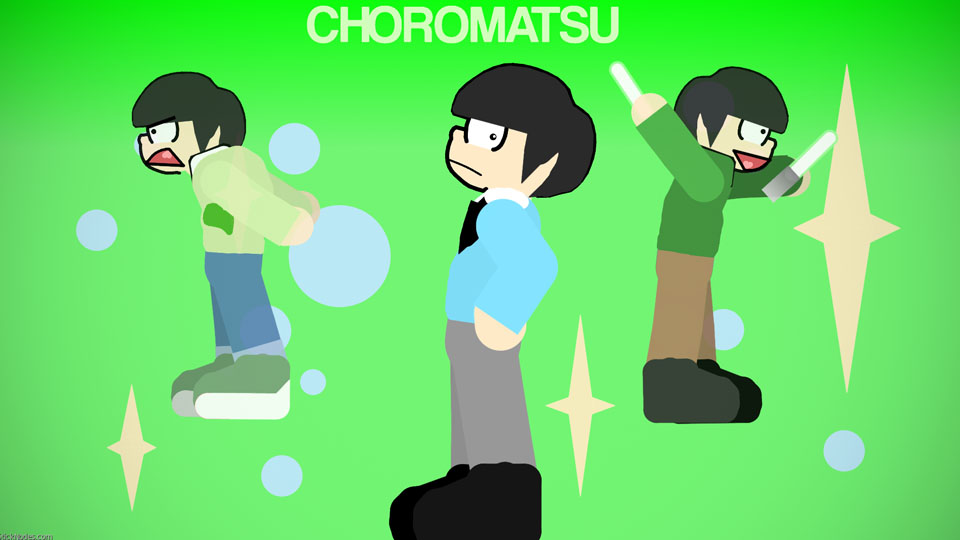
Choromatsu Matsuno is a character from the anime series Osomatsu-kun and Osomatsu-san. He is one of the protagonists of the series
Personality:
Choromatsu acts mostly like a straight man to his brothers, he also acts like the eldest brother, he is very reasonable. He also said that he should have been the eldest son and not Osomatsu due to because of Choromatsu acting like the older one.
He is also an otaku, he can also have some mental breakdown whenether seeing girls. Especially his idol Nyaa-chan and Totoko Yowai.
Choromatsu berates his brothers most of the time, and he screams ALOT.
Description:
He is the third son of the Matsuno Brothers.
To identify him, he has smaller pupils and an angular mouth (which makes people call him a frog)
Personality:
Choromatsu acts mostly like a straight man to his brothers, he also acts like the eldest brother, he is very reasonable. He also said that he should have been the eldest son and not Osomatsu due to because of Choromatsu acting like the older one.
He is also an otaku, he can also have some mental breakdown whenether seeing girls. Especially his idol Nyaa-chan and Totoko Yowai.
Choromatsu berates his brothers most of the time, and he screams ALOT.
Description:
He is the third son of the Matsuno Brothers.
To identify him, he has smaller pupils and an angular mouth (which makes people call him a frog)
This download is a ZIP of 7 files
Choromatsu (Formal Outfit) (23.85kb)
Choromatsu (Green and White Hoodie) (27.17kb)
Choromatsu (Green Plaid Outfit) (22.62kb)
Choromatsu (Grey Hoodie) (25.66kb)
Choromatsu glasses (1.10kb)
Choromatsu Mouth (2.53kb)
Choromatsu (25.86kb)
Problem with this submission?
Please log in to report this file.




Other submissions by Unsense


Anime boi