


Joined:Mar 6, 2020
Uploads:20
Features:3
UC Wins:10


Mar 13th, 2020
( 5 thumbs )
( 5 thumbs )
 1st
1st 2nd
2nd 3rd
3rd
Ever since the first steve and zombie pack that was made by deadlock anims, i have been constantly making a lot of minecraft characters that i think you guys will like.
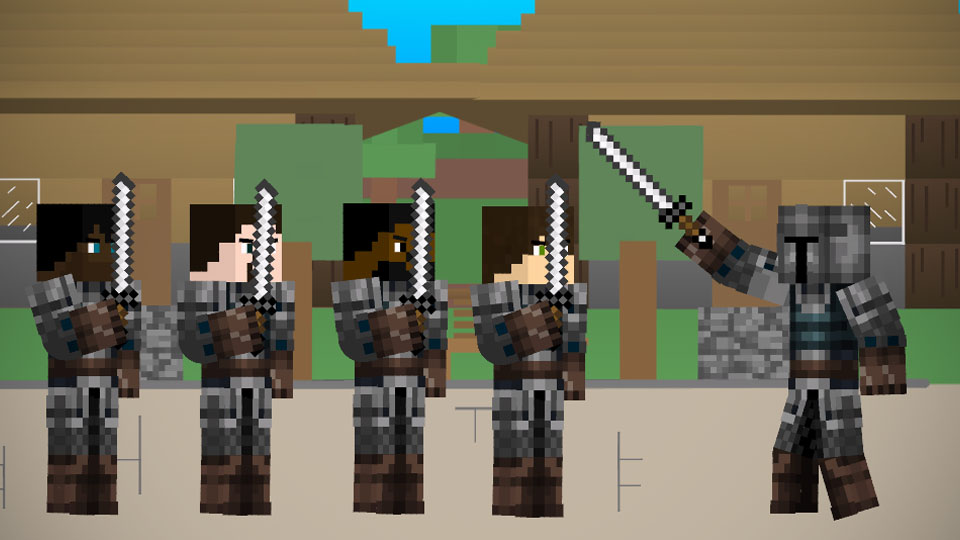
Here are my first two character that i made. I hope you guys like them.
P.S Especially you ralph, i had to make you and sean first.
#ralph #sean #minecraft
Here are my first two character that i made. I hope you guys like them.
P.S Especially you ralph, i had to make you and sean first.
#ralph #sean #minecraft
Mar 13th, 2020
( 5 thumbs )
( 5 thumbs )
1st2nd3rdThis download is a ZIP of 8 files
minecraft ralph 3D arm (10.56kb)
minecraft ralph 3D Body (13.22kb)
minecraft ralph 3D head (11.89kb)
minecraft ralph 3D leg (10.56kb)
minecraft Sean 3D arm (10.56kb)
minecraft Sean 3D Body (13.22kb)
minecraft Sean 3D head (12.05kb)
minecraft Sean 3D leg (10.56kb)
Problem with this submission?
Please log in to report this file.


Other submissions by Gabrielnova2456


That’s so weird
yo, im gonna be the first person to make this an actual minecraft skin
watch
need a ralph multiverse mashup
…i have so many ideas i want to do with part6 and im never gonna make it lmao
YOU HAVE SUCH INCREDIBLE AMOUNTS OF WISDOM, OH RALPH THE WISE!!!