E-11 Blaster Rifle 2

E-11 Blaster Rifle 2
Esquecido@esquecidoProfile Photo

Joined:Jun 21, 2019

Uploads:70

Features:1

UC Wins:20

subscriberfeatured-lvl1occiferuc-winner-lvl3master-noderuc-votercrusader

File:E-11-Blaster-Rifle-2.nodes (26.2 KB)

Date:August 9, 2020

Category:Weapons

Aug 9th, 2020
( 3 thumbs )
Profile Photo1stProfile Photo2ndProfile Photo3rd
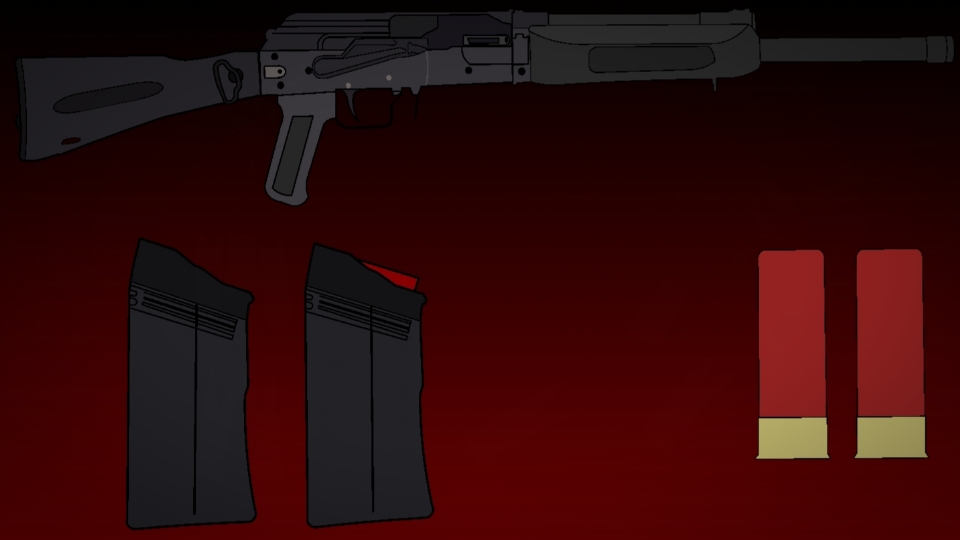
The E-11 blaster rifle was a light but powerful blaster rifle manufactured by BlasTech Industries. It served as the standard issue weapon of Imperial stormtroopers. The blaster rifle was the successor to BlasTech's E-10 blaster rifle and was based on the DC-15A blaster carbine used by clone troopers during the Clone Wars.

I made this fully functional, with all the functions you would expect plus a collapsible stock, as shown in the gif below.


#Starwars #Gun #Blaster (Star Wars)
Aug 9th, 2020
( 3 thumbs )
Profile Photo1stProfile Photo2ndProfile Photo3rd
Download File

Downloaded 7,715 times

(Downloaded 13 times this week)


Rate this stickfigure!
It helps choose the daily feature.

Vote count: 33

Android How to download stickfigures & sounds:

  • As of 3.2.0, Stick Nodes will no longer automatically find downloaded files in your /downloads/ folder. You must open the file with Stick Nodes explicitly for it to be moved into the correct folder.
  • Download a NODES (or STK) or ZIP file. When done, tap it and "Open With" > "Stick Nodes". See this image for an example.
  • Sounds: Download an MP3 file < 256kb. When done, tap it and "Open With" > "Stick Nodes"..

IOS 13+ How to download stickfigures & sounds:

  • If using Chrome or Firefox, download a NODES (or STK) or ZIP file, select the file and "Open in Stick Nodes" after finished downloading.
  • If using Safari, download a NODES (or STK) or ZIP file, follow these directions.
  • Also for ZIP files, check out this quick and informative tutorial by Auto-Angel.
  • Sounds: With Safari, follow these directions.

Problem with this submission?
Please log in to report this file.

avatar