


Joined:Mar 28, 2019
Uploads:60
Features:14
UC Wins:15


Need 3 thumbs for Users Choice badge!
 1st
1st
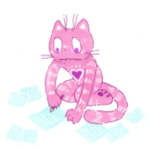
This stickfigure was one voted by my viewers to be uploaded! There was a vote on my channel, (Which recently reached 400 subs :D) and Bendybot here won the vote. I will try to upload new stuff more, as I have not been uploading much recently.
Channel: https://www.youtube.com/channel/UCVFuZ-82J-nqoifkxvT6SFA/
If you want to edit this, go ahead. Just remember to credit me.
And please, do not request me to make anything. I have a lot to do, and not a lot of time to do it.
#BendyBot #BATIM
Channel: https://www.youtube.com/channel/UCVFuZ-82J-nqoifkxvT6SFA/
If you want to edit this, go ahead. Just remember to credit me.
And please, do not request me to make anything. I have a lot to do, and not a lot of time to do it.
#BendyBot #BATIM
Need 3 thumbs for Users Choice badge!
1stThis download is a ZIP of 6 files
Bendybot head (30.02kb)
Bendybot arms 4 (11.11kb)
Bendybot arms 3 (19.00kb)
Bendybot arms 2 (10.80kb)
Bendybot arms (18.38kb)
Bendybot torso (26.11kb)
Problem with this submission?
Please log in to report this file.


Other submissions by TSM


So detailed , so COOL!
Keep begin amazing bro!!
Nice
WOW
Phenomenal work dude
Wait when was this a thing