


Joined:Jun 27, 2021
Uploads:39
Features:0
UC Wins:17


Jul 30th, 2023
( 6 thumbs )
( 6 thumbs )
 1st
1st 2nd
2nd 3rd
3rd
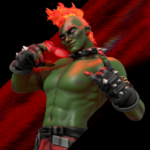
Meet Kingston!
Kingston "King" Evergreen is bright young inventor who grew up in the city of Stick Nodes Central. Kingston always displayed a love for archery and sharing his gift with the world. One day, he crashed a car into several factories which gave him a wide variety of powers. His tech combined with his unique abilities makes him a powerful force. He owns a shop where he sells his inventions, but in his free time he dedicates himself to protecting those who can defend for themselves.
Join Kingston in his adventures in the upcoming series, Arched! Full series arriving 2024
#bow #arrow #archery #king #glk #oc
Kingston "King" Evergreen is bright young inventor who grew up in the city of Stick Nodes Central. Kingston always displayed a love for archery and sharing his gift with the world. One day, he crashed a car into several factories which gave him a wide variety of powers. His tech combined with his unique abilities makes him a powerful force. He owns a shop where he sells his inventions, but in his free time he dedicates himself to protecting those who can defend for themselves.
Join Kingston in his adventures in the upcoming series, Arched! Full series arriving 2024
#bow #arrow #archery #king #glk #oc
Jul 30th, 2023
( 6 thumbs )
( 6 thumbs )
1st2nd3rdHow to use: This download is a Movieclip file. If it contains a joined figure, you can access it by going into the Movieclip object (edit it) and then copying the entire assembled figure inside.Filters: Remember, Movieclip objects may use filters, and if you don't have Stick Nodes Pro these filters will not work and the Movieclip may look very different.
Download File
Downloaded 1,599 times
(Downloaded 9 times this week)
Problem with this submission?
Please log in to report this file.


Other popular submissions in people category


Nice!
Hey King
We have the same name!
Im want to die
Wait a minute…
Ill never forget you kingston
Ye
Congrats Kingston your in the cast of the StickNodes demon