
-

🏔️🌲Bootlegsnake🌲🏔️


 2026-05-24 16:56:25 UTC
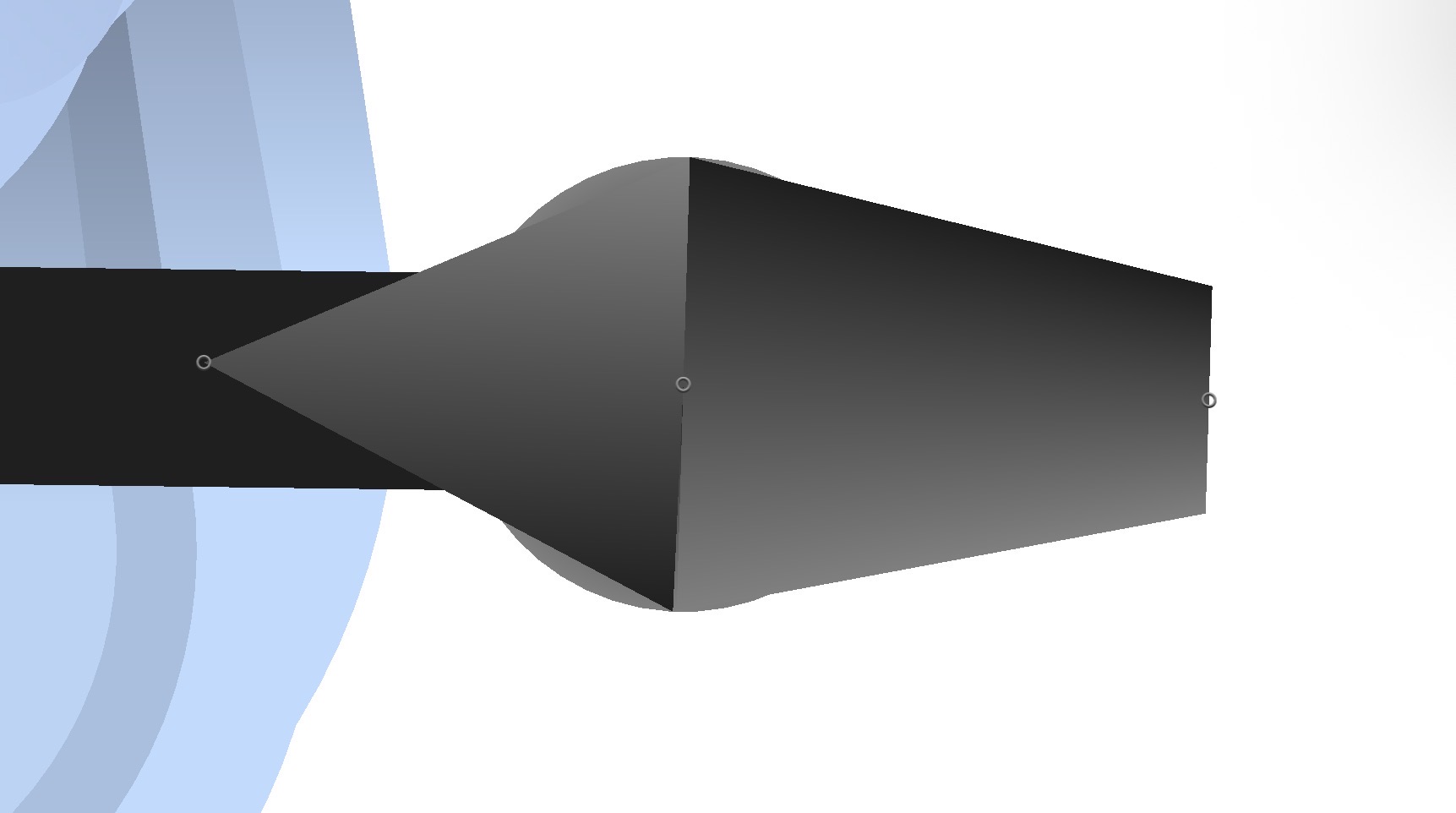
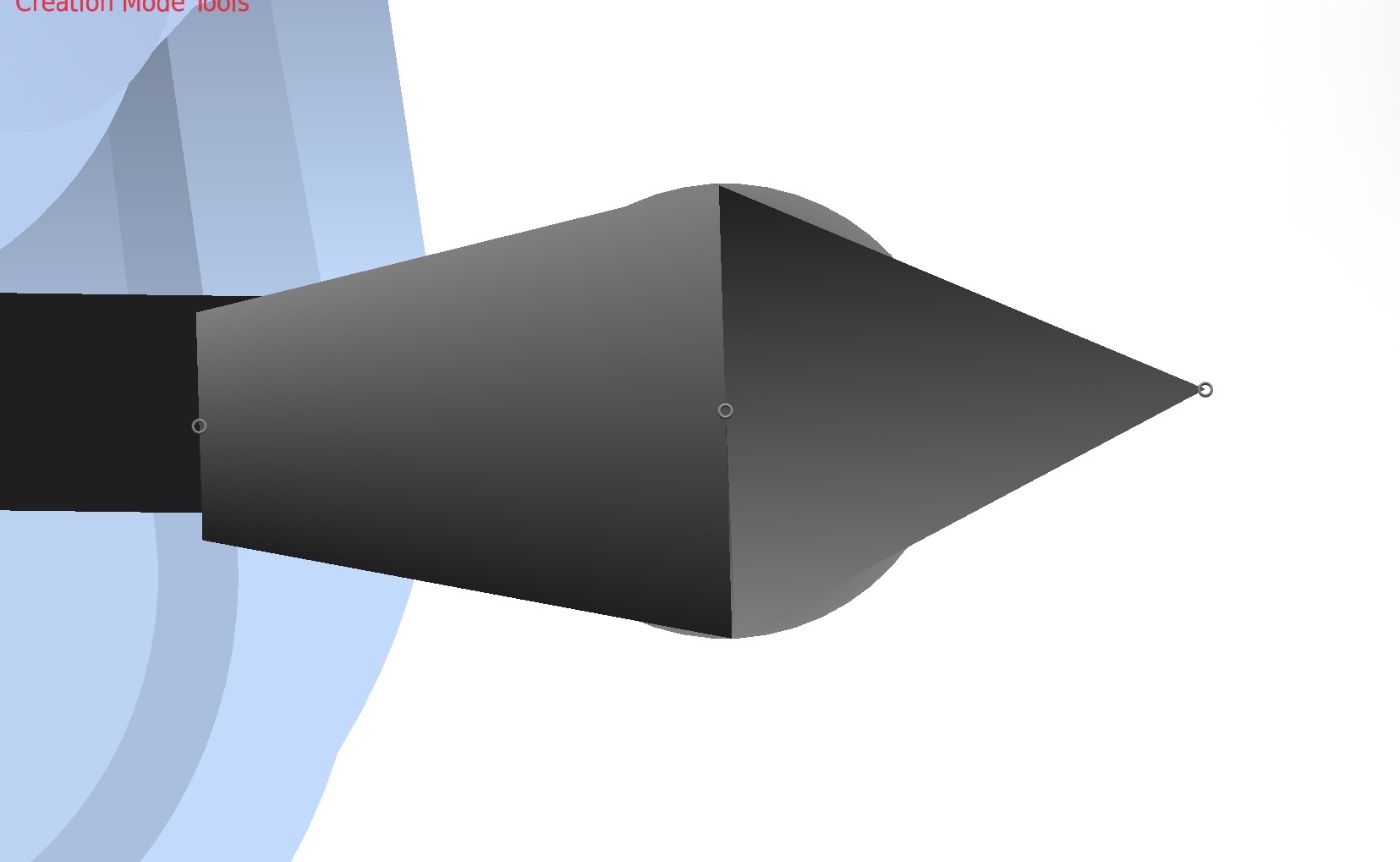
 Anyone else experiencing a bug where flipping a segment/figure horizontally causes its gradients to invert? It seems to only affect triangles and trapezoids.
@ralph fix now or I will destroy the west.
Stick Nodes®
A stickfigure animation app created for mobile devices!
Create your own stickman animations on your Android or iOS device!


I hate this bug so much I’m gonna cry 😭
It’s SO annoying because it’s not just exclusive to the editor. On my Breakloose post, his right arm’s fingers have fucked up gradients because of this bug. If I wanted to work around that problem, I’d have to open the editor, flip the figure, fix the gradients manually, and import it as a new figure.
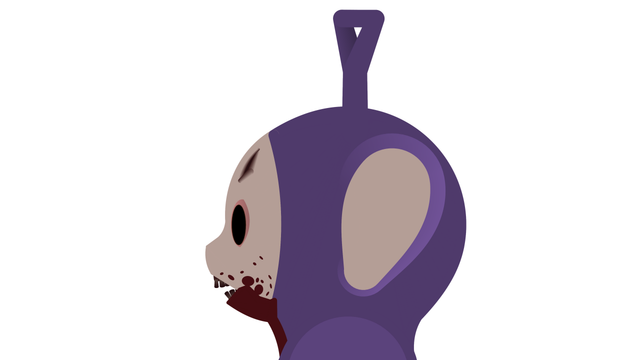
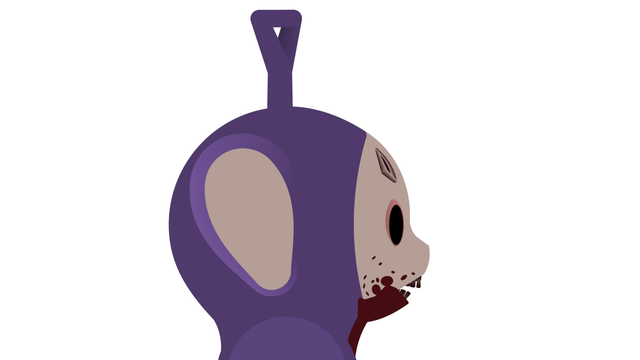
yep. It happens with the head wound on my tinky figure.
are you using 4.3.0?
i can’t get the flipping issue to occur with trapezoids like you’re showing here, only triangles
i only ask because the flipping trapezoid gradient issue was a thing in an earlier version
yes
can you send me that tinky figure because i can’t reproduce the issue with trapezoids
please and thank
“send files” it to [email protected]
ok
It has been sent.
just got it, thank you
and sure enough, there is the bug
the gradient on those trapezoids is somehow set to radial
i think the issue is you can’t cause this to happen in new SN, but since the files were saved like that, when they’re loaded in it keeps that incorrect property
i’ll just have to figure out the specific circumstance and now have it load in any segment that has itself incorrectly set to “radial” to not allow that regardless of what the file says
@boot2 btw i got it now so no need for the files
thanks tho
I’m glad you got it figured out. Sorry I couldn’t send my files sooner but I’m just happy it’s gonna be dealt with.
It’s almost like the app itself is trying to invent new gradient features. Maybe you should….y’know…maybe totally do that?
Check what sort gradient it is in the quick tools bar
Chances are it’s somehow set to radial
So change the gradient
with i assume 4.3.0?
this was a bug before but, i fixed it
what Ramage said though, somehow the segment/triangle has radial gradient probably through some wickid concoction of actions
@boot2 can you please send me an affected figure/project to [email protected]
im putting an update out in a day or so so i’d like the quickly fix this before that
@ralph any figure that I make has this problem, it’s nothing exclusive to any specific figures or projects. It’s happening to both trapezoids and triangles, and it occurs when the node is gradiented and I flip either the segment or the figure as a whole horizontally.
Return to me if you cannot recreate this bug and I will send you a figure that’s experiencing this problem. As I stated, this isn’t specific to a figure or a project, and happens when I flip a gradiented node horizontally.
are you sure with trapezoids?
i just tried and you’re right, but i’m only seeing it with triangles which makes sense bc the new update introduced new gradient for those and i done goofed a little
but trapezoids seem okay?
Try it with curved trapezoids?
yeah nothing
curved, with/without rounded edges
its gotta be a very specific use case i’m just not doing here
i might need a figure with this particular issue from you if you have one please and thank
Yeah I’ll send it over once I get back from work. thanks for investigating this issue
@boot2 thanks, no rush I understand you’re busy but the sooner the better
i want to upload this version tomorrow
i’m like 92.4% sure that trapezoids aren’t an issue in 4.3.0 though and that may somehow be a misunderstanding
(triangles are, and those are fixed rn for 4.3.1)
Yeah I think it’s the latest update because this wasn’t happening before the sprite skewing update.