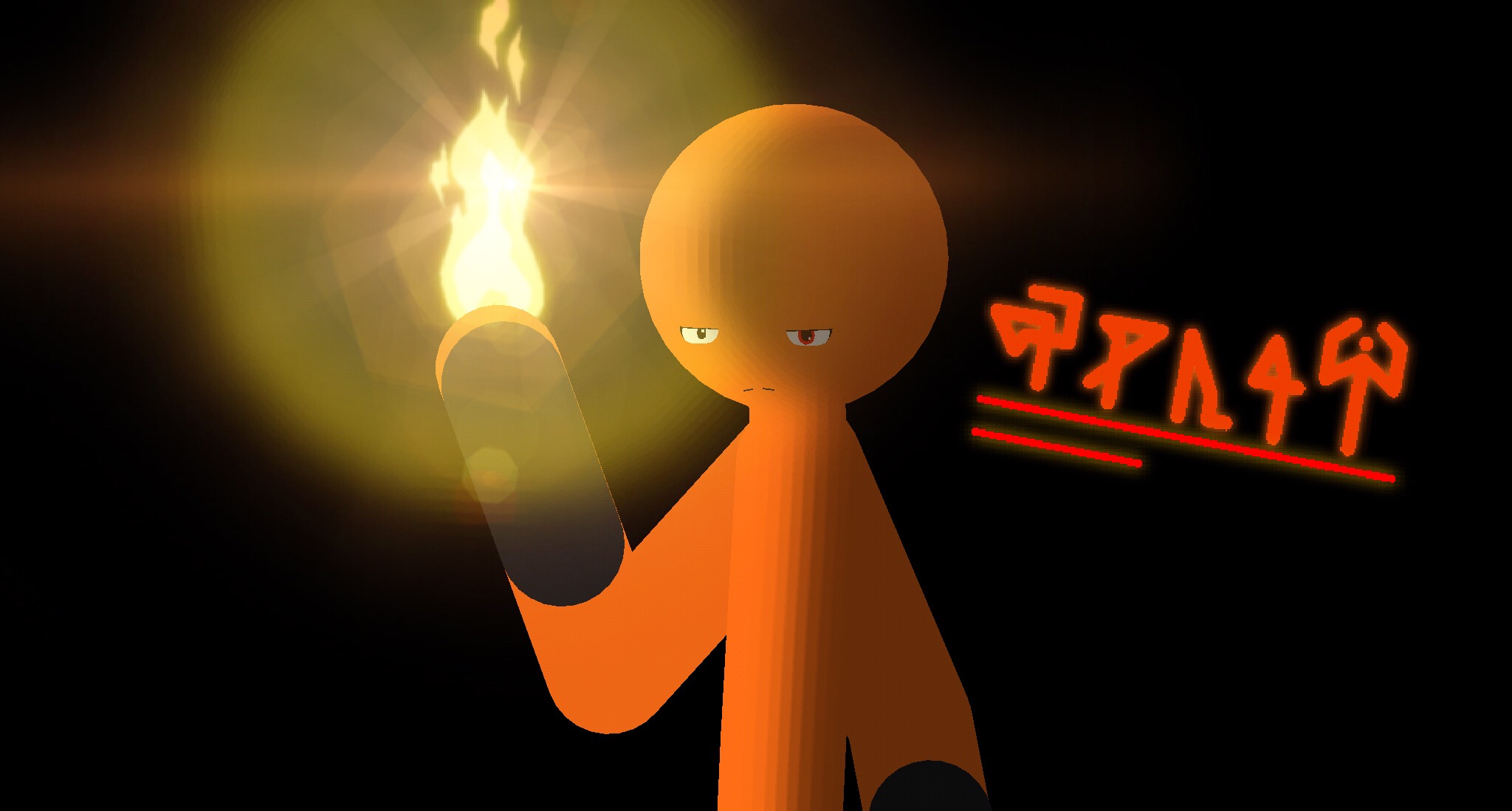
Activity Catt 2018-07-24 08:21:44 UTC Some art for mah boi, Stick Fenix. 0 Unknown · 7 years, 10 months ago User Banned Cool but you have to agree his character’s design is boring. PS: how did you do the fire? 2018-07-24 08:24:38 UTC 0 Catt · 7 years, 10 months ago Replying to: UnknownCool but you have to agree his character’s design is boring. It’s not my character, it’s Stick Fenix’s. And fire is His element. 2018-07-24 08:25:44 UTC 0 Unknown · 7 years, 10 months ago User Banned Replying to: CattIt’s not my character, it’s Stick Fenix’s. And fire is His e No, how did you draw it! 2018-07-24 08:27:02 UTC 0 Unknown · 7 years, 10 months ago User Banned Replying to: UnknownNo, how did you draw it! The fire! 2018-07-24 08:27:10 UTC 0 Mouser64 · 7 years, 10 months ago Replying to: UnknownThe fire! I’m loving Epitaph being trolled 2018-07-24 08:35:33 UTC 1 Catt · 7 years, 10 months ago Replying to: UnknownThe fire! I used PicsArt to add the lens flare on the fire, everything else is stick nodes 2018-07-24 20:37:14 UTC 0 ronin · 7 years, 10 months ago Replying to: UnknownNo, how did you draw it! you need – Gradient ball and lower opacity, next, slight blur, full glow. – Hexagon stig, lower opacity, little blur, anothe full glow – Circle, higher opacity than all. Same process with gradient ball – Gradient triangle (black edge), same process with gradient ball i have no fking idea how he did the other effect, other than photshop or drawn 2018-07-24 12:15:34 UTC 0 Unknown · 7 years, 10 months ago User Banned Replying to: roninyou need - Gradient ball and lower opacity, next, slight bl I meant in drawing software, for art lol 2018-07-24 12:16:35 UTC 0 ronin · 7 years, 10 months ago Replying to: UnknownI meant in drawing software, for art lol lmao similar process i think but use layers 2018-07-24 12:19:45 UTC 0 Unknown · 7 years, 10 months ago User Banned Replying to: roninlmao similar process i think but use layers I just realised i could just use a fire PNG. Lol 2018-07-24 12:23:39 UTC 0 ronin · 7 years, 10 months ago Replying to: UnknownI meant in drawing software, for art lol use soft eraser for gradient like effect lower opacity from layer options depends on the software, but there are some in which provides an option in the layer for “glow” if not, you’ll have to use soft eraser to do the job 2018-07-24 12:21:32 UTC 0 Unknown · 7 years, 10 months ago User Banned Replying to: roninuse soft eraser for gradient like effect lower opacity from There’s no Glow option on Medibang Paint Pro unfortunately. 2018-07-24 12:24:22 UTC 0 BigxB · 7 years, 10 months ago Replying to: CattIt’s not my character, it’s Stick Fenix’s. And fire is His e the funny thing is my character is named pheonix and he also controls fire 2018-07-24 08:32:15 UTC 0 Unknown · 7 years, 10 months ago User Banned Replying to: BigxBthe funny thing is my character is named pheonix and he also EVERYONE CONTROLS FIRE. At least i came up with something original, forming solid light 2018-07-24 08:52:45 UTC 0 BigxB · 7 years, 10 months ago Replying to: UnknownEVERYONE CONTROLS FIRE. At least i came up with something or Tru that 2018-07-24 09:33:46 UTC 0 Ralph (Developer) · 7 years, 10 months ago blasphemy 2018-07-24 12:04:16 UTC 0 Catt · 7 years, 10 months ago I like how this one picture made a huge debate on how to make a fire effect xD 2018-07-24 20:39:11 UTC 0
User Banned
Cool but you have to agree his character’s design is boring.
PS: how did you do the fire?
It’s not my character, it’s Stick Fenix’s. And fire is His element.
User Banned
No, how did you draw it!
User Banned
The fire!
I’m loving Epitaph being trolled
I used PicsArt to add the lens flare on the fire, everything else is stick nodes
you need
– Gradient ball and lower opacity, next, slight blur, full glow.
– Hexagon stig, lower opacity, little blur, anothe full glow
– Circle, higher opacity than all. Same process with gradient ball
– Gradient triangle (black edge), same process with gradient ball
i have no fking idea how he did the other effect, other than photshop or drawn
User Banned
I meant in drawing software, for art lol
lmao
similar process
i think
but use layers
User Banned
I just realised i could just use a fire PNG.
Lol
use soft eraser for gradient like effect
lower opacity from layer options
depends on the software, but there are some in which provides an option in the layer for “glow”
if not, you’ll have to use soft eraser to do the job
User Banned
There’s no Glow option on Medibang Paint Pro unfortunately.
the funny thing is my character is named pheonix and he also controls fire
User Banned
EVERYONE CONTROLS FIRE.
At least i came up with something original, forming solid light
Tru that
blasphemy
I like how this one picture made a huge debate on how to make a fire effect xD