


@funny132


Joined on September 4th, 2017, this user has been a member for 3,203 days and is the 2,363rd person to register an account.
Has 16 submissions, the first one uploaded on February 26th, 2018 and the most recent on November 26th, 2021.
Of those, 2 have been featured and 1 has won Users' Choice.
On average, each submission earns 8,061 downloads.
In total, they have been download 128,981 times.
Counting every individual stickfigure, including the contents of all packs, this user has technically made and submitted 68 stickfigures.
On average, when this user rates stickfigures, they are 87% positive.
Also, they are typically 100% positive when rating animation spotlights.
Has made 117 comments on non-activity pages of the site. Alternatively, this user has made 1,238 comments on actual activity pages of the site.
They have visited the site consecutively for 1 day, their best streak being 52 days. On average, they post 0 updates and 0 comments per week.
This member is not a Users' Choice voter.
Show More


-
 Replying to comment by:
Fair enough.
-
Replying to comment by:
5 days later…
-
Well, the sprite update has been out for a day or so now, and I think now is a good time to ask:
How is everyone finding it so far?For me in particular, it’s fried all my muscle memory related to tapping some of the buttons, but I’m sure that’ll recover overtime.
-
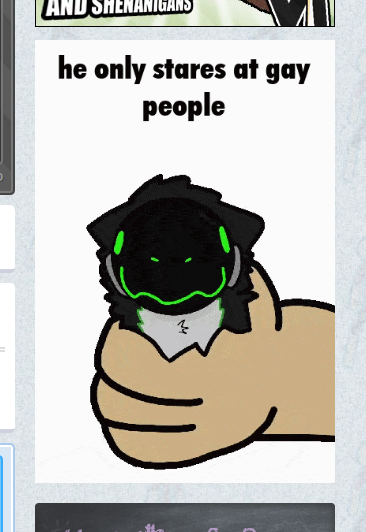
Well, that sidebar is not what I was expecting to open up the Stick Nodes website to see this morning. For those of you that’re wondering, that is a Protogen, a cyborg furry species. It’s the species of my ‘sona, in fact. I just don’t use said ‘sona as a profile picture on this website.
-

Is there a hybrid protogen?
-
I am a living shitpost
Audio: https://t.co/nVm5DcutVC
Figures used (that weren't made by me): https://t.co/9ub1wR2WXV, https://t.co/BDRYIyEvH0 pic.twitter.com/3RQI9NQoHA— Wingidon (@ProtoWingidon) May 21, 2023
-

User Banned
Needs more types of fighters
2023-05-21 06:12:34 UTC
-
Replying to comment by:
I mean, the app has a unique little indicator for buttons that you can tap and hold to do useful things with them… It\’s an icon of a hand pressing something, along with a clock – press down on the button for at least a little bit of time. Here are some examples:


-
-
Okay, so I’ve got a few to be implemented in the next “large” update after the Sprite Update.
First off, I want to bump a few suggestions from other users forward:
-Inverse Kinematics (Suggested by MelodyMuse)
-Polyfill Layering (Suggested by Downwardghostly)
-Smart Stretch Scale (Suggested by MelodyMuse)
-Temporarily Turning Off Segments (Suggested by noobish)
-File folders (Suggested by ely)
-More than one guide on each axis (Suggested by Downwardghostly)
-Favourite Files (Suggested by Axel_StickNodes)
-After Images Filter (Kinda suggested by Unreal)
-Auto Figure (Suggested by Melon Lord)
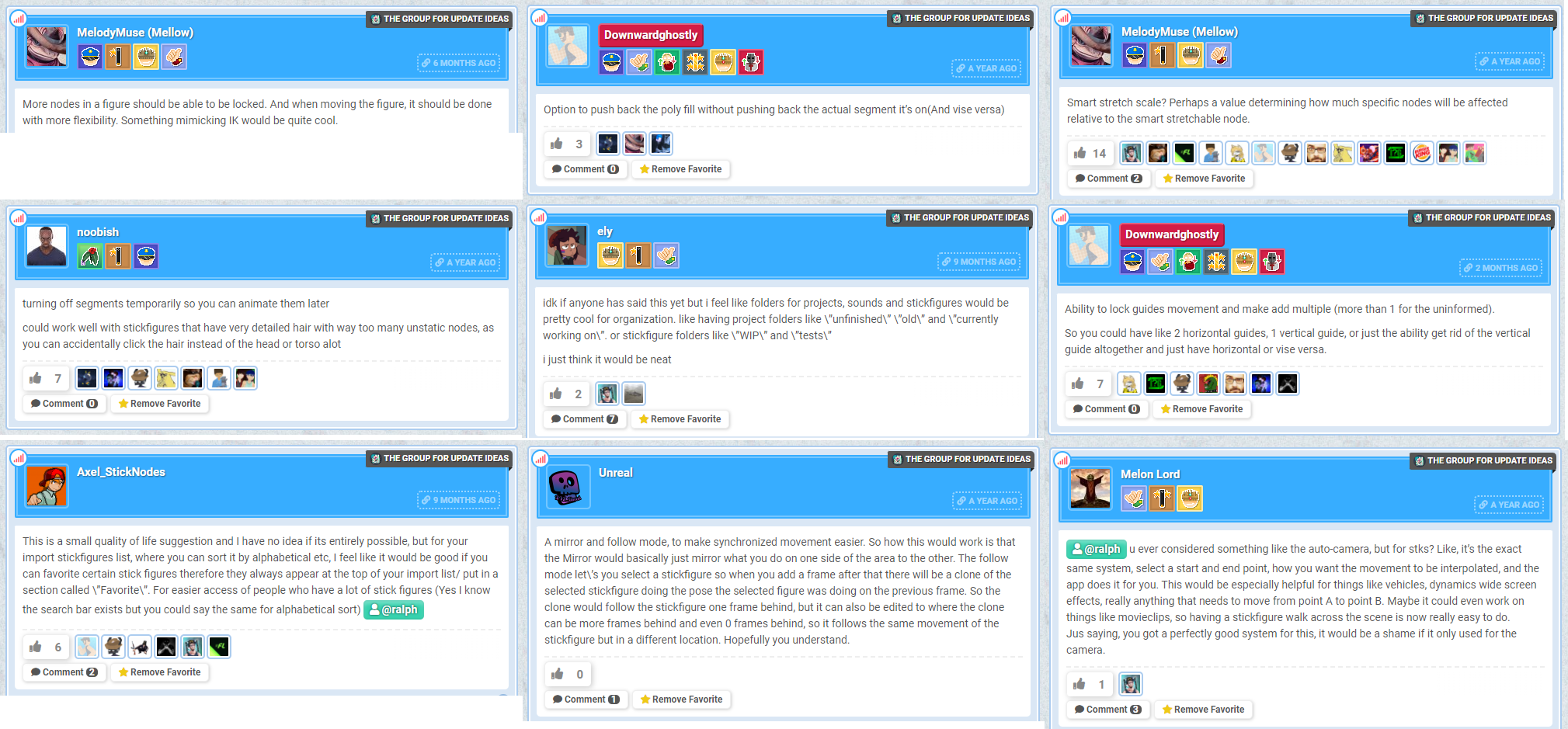
I have attached an image file that contains the full messages for each of these suggestions, in order.
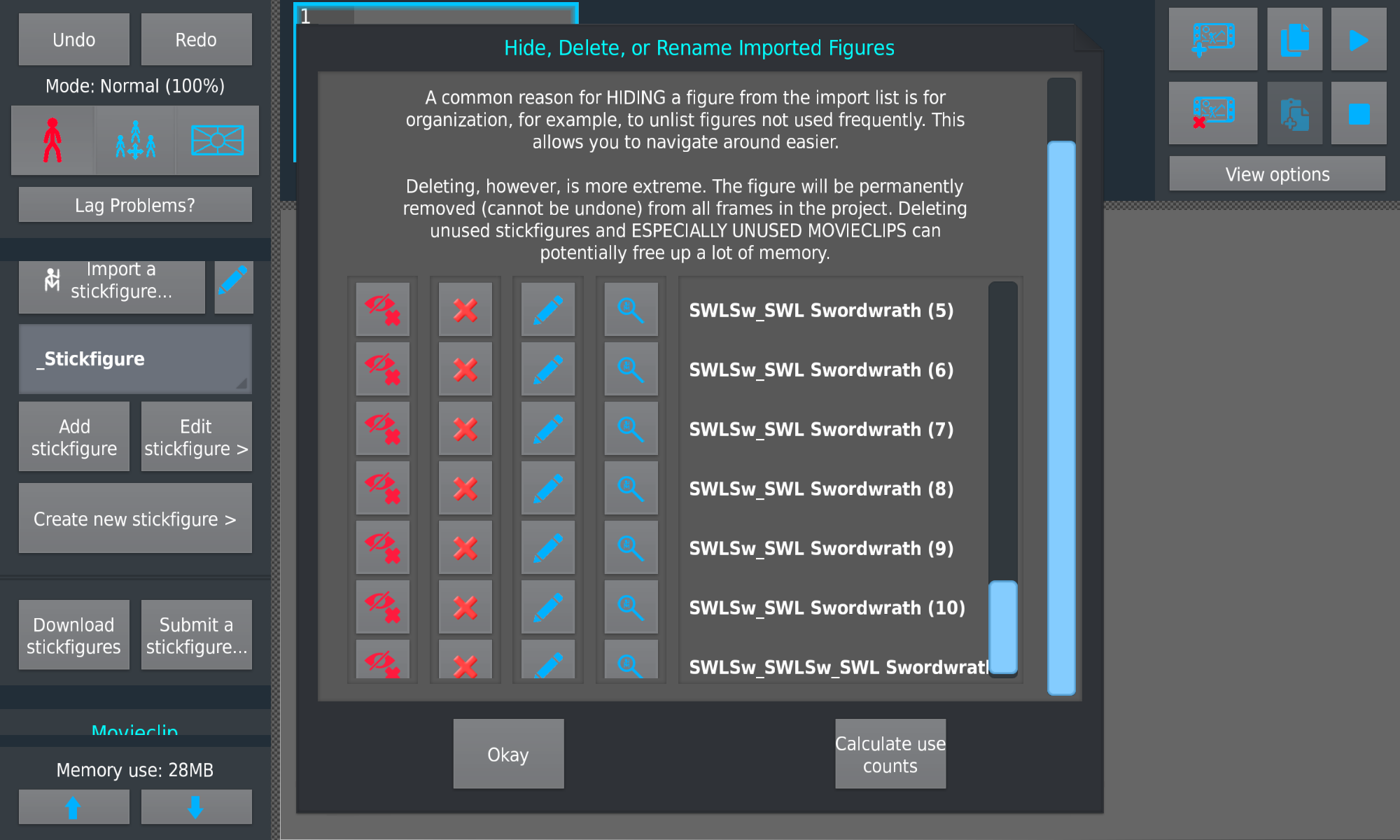
Now, the second thing I thought of, and this one is to conserve memory. In the app’s settings, there should be an option to turn on, well, “Duplicate Figure Checking” (Could probably use a name change). Turning this on would give the user a warning (“This may cause bugs and possibly crashes, and may also break your movieclip imports. It will also make it take far longer to import movieclips.” or something), and what it would do is, when importing a movieclip, it will go through each stickfigure file of the movieclip, and check if any of them are identical to a file already in the project. If so, it will use the file already in the project. That way, when importing multiple movieclips of the same character/figure, your library will go from this:
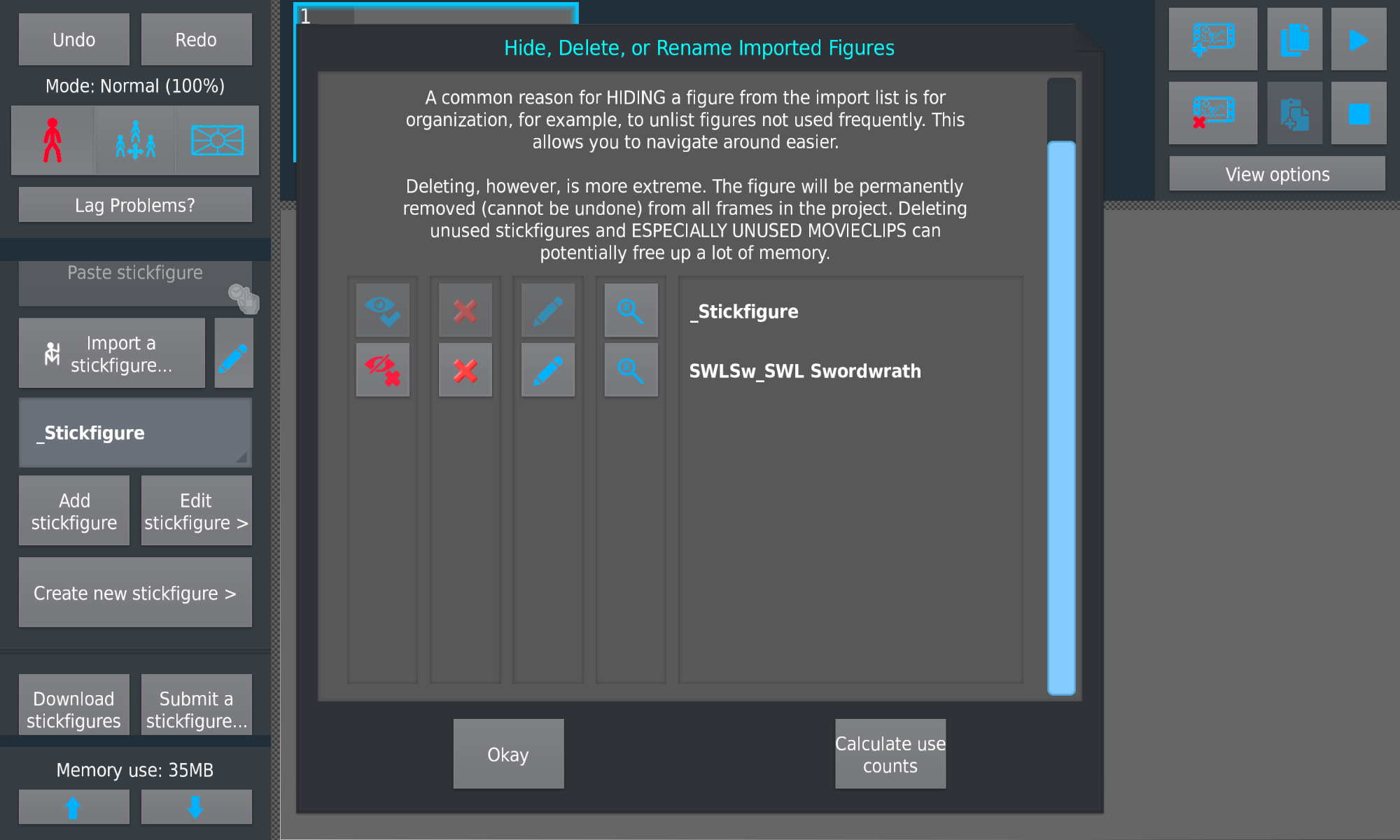
To this:
-
And I’m just gonna… @ralph
2023-05-18 07:39:30 UTC
-
Your Local Toaster (Wingidon) joined the group
 Stick Maker’s Group 3 years ago
 -

Empress Naze and
Your Local Toaster (Wingidon) are now friends 3 years, 1 month ago -
Poll idea for Ralph:
What framerate do you animate at in Stick Nodes?
Options:
– less than 10
– 10-15
– 16-20
– 20-24
– 25-30
– more than 30
– I don\’t animate/I don\’t use Stick Nodes (what?)-

you know i don’t think i did this one yet, thanks
2023-05-07 22:26:23 UTC -

You’d be surprised how many votes the last one will actually get
2023-05-07 23:31:59 UTC
-
Your Local Toaster (Wingidon) joined the group
 <i> Obunga </i><i></i> 3 years, 1 month ago
 -
Replying to comment by:
Dunno, I\’m Australian so this has no effect on me. Probably somewhere in the negative billions though, idk.
-
-
Your Local Toaster (Wingidon) joined the group
 Stick Maker's Channel 3 years, 2 months ago
 - Load More


lol was there really that much UI chance besides the libraries being merged?
if you want the +/- buttons to be back permanently, change the setting in the app
but it does clear up space
This
Yes, this exactly, especially for Chromebook users tbh
why especially for chromebook users?
ngl
i didn’t once test this on a chromebook lmfao
The entire stick figure creation screen was already really tedious for the mouse, obviously being designed for mobile, and making it like this made it worse. Honestly tho could be solved with a touchscreen.
who thought this was a good idea
Yeah but it’s also super annoying and finicky
Glad you included an option to have them back permanently
I don’t know if it’s intentional but it doesn’t completely change everything to the original +/- buttons, for some it works, but then there’s others that doesn’t have it.
It’s alright.
Very good update, I feel sprites make SN a much more powerful animation app and the potential they create is unimaginable, especially for animators. The QOL changes made it a big harder to navigate on Chromebook but that’s a skill issue on my part.
Don’t have a true opinion yet until I’ve fully gotten the hang of it
Let them come