
-

Your Local Toaster (Wingidon)


 2021-09-10 21:09:46 UTC
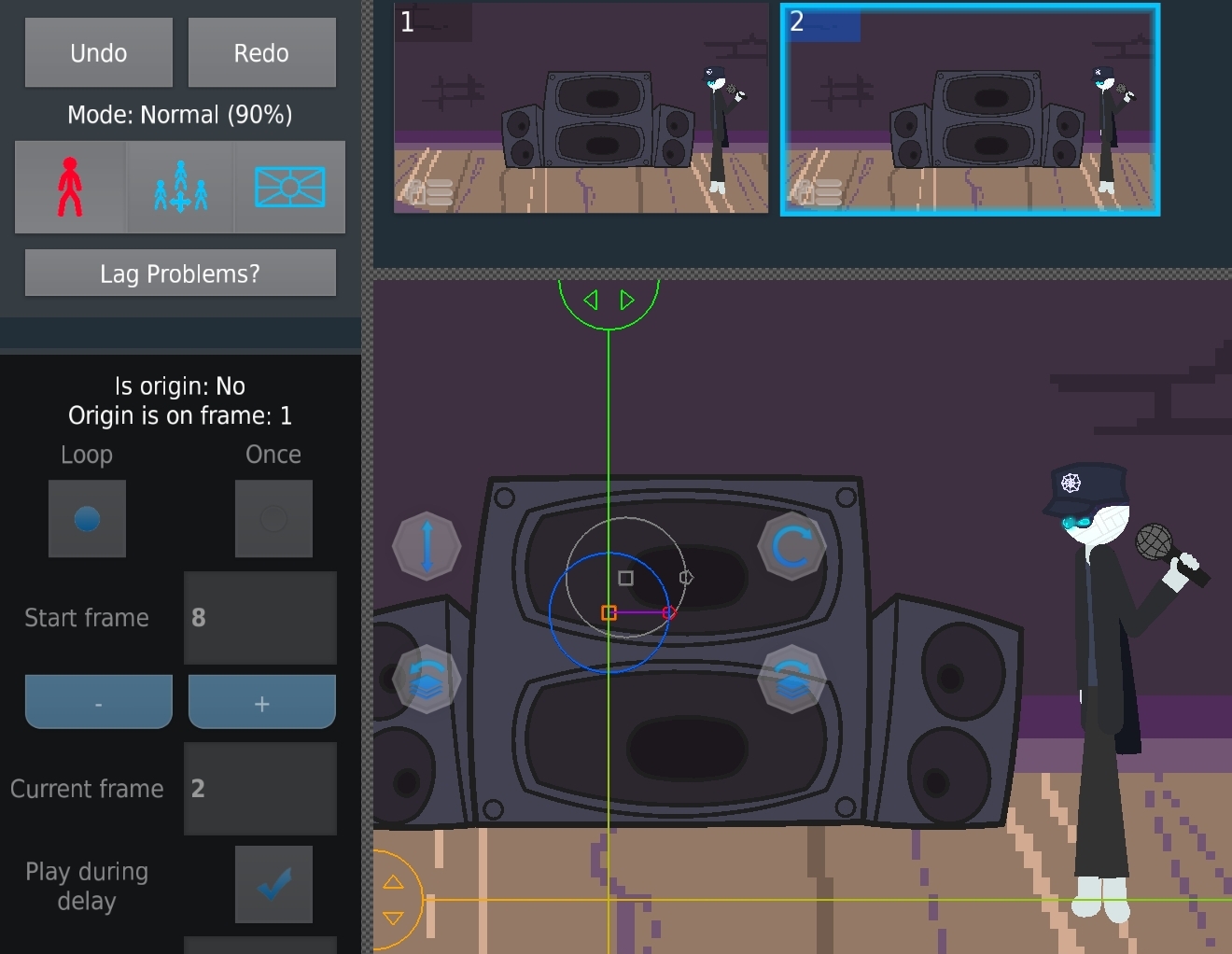
 And again, it hasn’t been a quarter of a year, but @Ralph I got a bug to report. It basically goes like this: This movieclip has 8 frames. It is set to Loop and told to Start On Frame 8. This project has 2 frames. This movieclip continued straight to its own Frame 2 and skipped Frame 1 for some reason.
Stick Nodes®
A stickfigure animation app created for mobile devices!
Create your own stickman animations on your Android or iOS device!


That’s not a bug that’s how movie lips work-
I don’t think you read the text in the post. Look. Logically, the movieclip is on Loop. Movieclips loop back to frame 1, even if Tween Loop Protection is on. This movieclip has looped back to frame 2 instead of frame 1.
User Banned
I might not use move clips that much but I’m pretty sure that’s how it works I don’t really understand what u mean what so ever
what
What
That’s how movie clips work??
Explain this better I don’t understand
what frame is “current frame” for the mc on frame 1?
it should be 1, since on frame 2 “current frame” is 2
as for why it says “start frame: 8” that’s odd
can you reliably make this happen all the time?
interesting, i see it now in the app
if you set the start frame to the last frame, the MC skips frame 1 when it goes to the next frame
weird bug, surprised nobody has found it before this
thx
np