
-

I had always wondered why my pc was so trash when animating Neoty.
Today I found out.
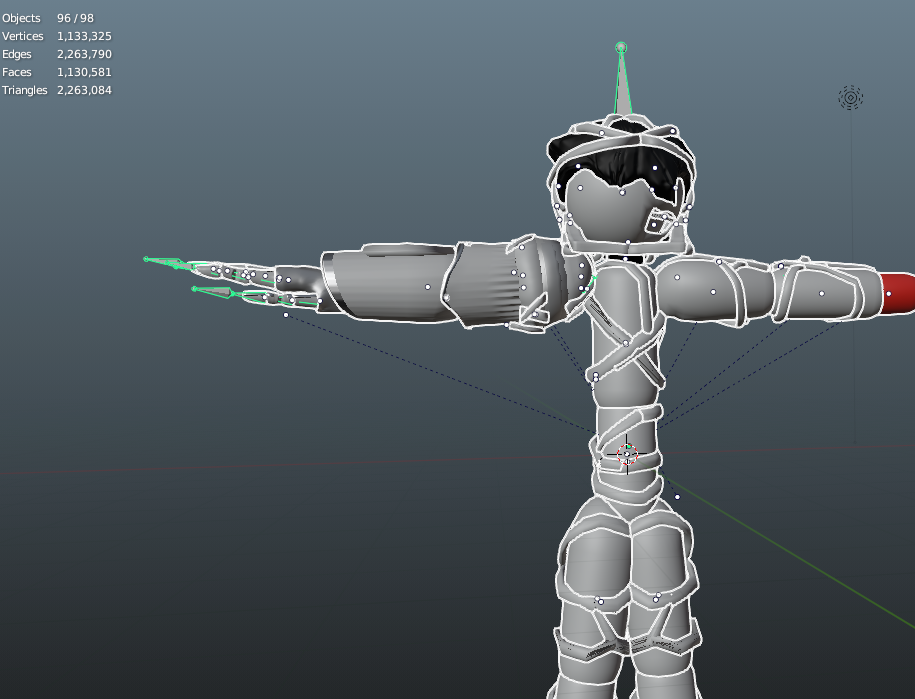
2M EACH?! TF
No wonder why Falkor was so hard to animate with, my pc was begging for help and it still worked it enough to be animateable.
I feel sorry for all the times I’ve punched my pc and called it bad, it deserves more for its contribution.
Tho, suffer no longer little PC. Damon has found a way to did you.
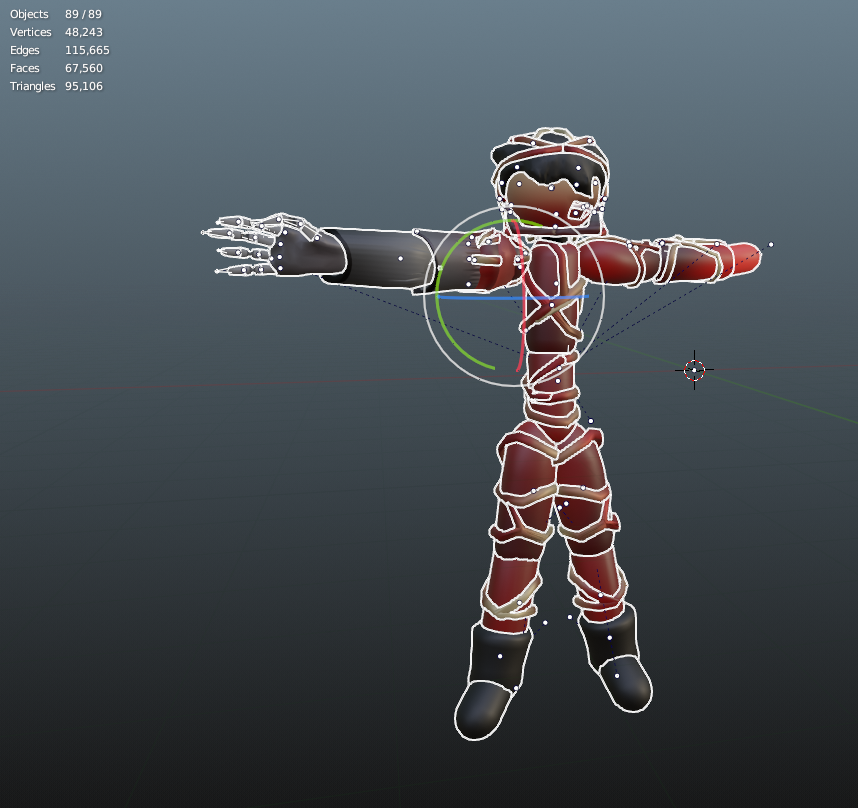
As of today, all my models will undergo an optimization, as seen below with Falkor.
From millions to mere tens of thousands.
I can finally animate with Falkor! He doesn’t make it laggy! >:D
Stick Nodes®
A stickfigure animation app created for mobile devices!
Create your own stickman animations on your Android or iOS device!


bro just now understood why ps1 graphics looked the way they did
Basically.
I’m pretty new to 3D so it’s always great to figure new stuff out.
Plus I never had the poly count statistics enabled so I wouldn’t know.
I saw the Lara Croft gif.
it wasn’t the true ps1 graphics so i had to get rid of it lmao
now we’re talking
me when exist
Who tf are you
huh
is every body part a separate object.
Yerp, they’re joined by the rig tho
It’s to avoid weird bends
wh..
well i imagine that would clutter the outliner very fast
you should probably merge them all together to the same object, parent that mesh to the rig, and dont select “automatic weights”
when parenting a mesh to a rig, you can either select “automatic weights” or “empty weights”, and when the body parts are all disconnected like this, in most cases you should probably just select empty weights and assign the vertices manually
then go to the vertex groups panel in the object data properties tab, and select a vertex group (there should be a group for each bone in the rig, but only for bones with the “deform” option checked)
in edit mode, select the vertices to be assigned to the group. you can hover over a mesh “island” and press ctrl+L to select every vertex in the island.
if i didnt explain it very well this video should help
Willow, you’ve gone off the script. They know now. They’re realizing this is just a figment. We have to get out of here, we have to restart. We’re going to the new timeline. Now. Take my hand.
oopsies :3
brother..
It’s a style choice, it’s all rigged.