
-

Tastylemon16


 2020-06-18 23:20:59 UTC
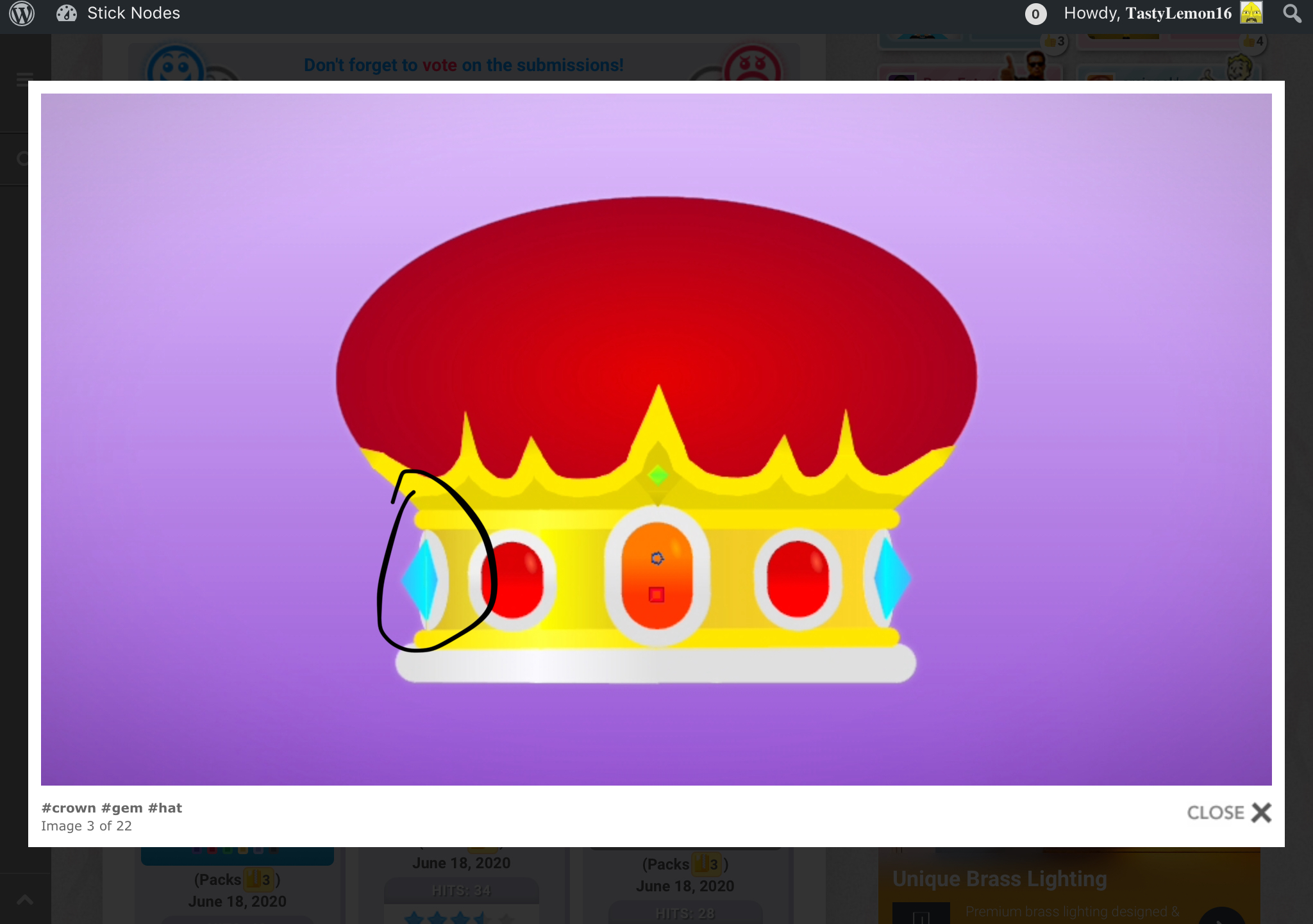
 Just thought i’d offer a pointer here:
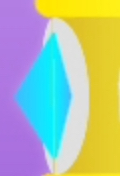
When creating two flat nodes in some opposing direction it will leave a line through the middle of where the nodes began this is because a small gap gets left and nothing was there to fill it like how a rounded segment automatically would.
A fix for this is as follows:
1. You can use two triangles as they are thick at the bottom and fade to thin at the top which is useful for stopping little poke-outs if you were to use a segment as their thickness follows throughout the entire node.
2. You can use a segment or rounded segment if the opposing shapes are longer so poke-outs wont occur as easily.
Don’t use something like a polyfill to fill it by creating four points against each opposing shape and filling it as it will leave gaps because polyfills are sharp shapes and won’t fill additional shapes. It’s unlikely anyone would do this because it’s so precise and complex of an alternative.
I will be uploading tutorials where I provide this information on Youtube so check out my channel here: https://www.youtube.com/channel/UCDTv10Qni7kvWs6MpvEb1ZA
Stick Nodes®
A stickfigure animation app created for mobile devices!
Create your own stickman animations on your Android or iOS device!


Thanks for the pointer, I didn’t of this when I was making it.
Noobs , I was doing that since WW2