
-
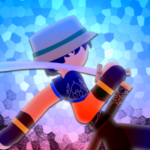
anisash

 2018-04-19 03:37:38 UTC
 I went to test out some of the features and I used the “add tweened frame” button a lot. Any complements? Complaints? Complimentary complaints?
Stick Nodes®
A stickfigure animation app created for mobile devices!
Create your own stickman animations on your Android or iOS device!

I want to give a big shoutout to YouTube for lowering my animation quality.
YOU. ARE. SO. LAZY.
If you’re going to respond negatively without offering constructive criticism/advice then don’t bother at all.
If you’re a 12 year old who has to spend a third of their whole day and and another 6th of the day doing homework, you barely have time to finish the animation, especially if you want to spend time with your family and other stuff. I was actually working on this before the 2.3.4 update came out for iOS. I’ve been working on this for around 2 and a half months. Also, when I said YouTube turned the quality down, I meant that some frames couldn’t even show up correctly, specifically during the sword slashes on the giant. But I will be honest, I did kinda procrastinate last minute to wait for the 2.3.4 update.
I thought it was summer
Not for me, the school district makes us endure through 3 months more of extreme labor.
Woah, thats some freaky school
Too bad i have to move schools
sad
Man, i had the best
Male classmates
(There were only 5 of us, but we ALL CAN DRAW SURE AS HECK)
Sorry, for some reason it showed me a different video. It is nice, but like Ralph said, “not enough used input”
Know how easing works, especially HOW to apply it in certain movements ( some actions has less time slowing down at its end than in its start, and vice versa). Also not moving the core node of the whole figure = huge no no, try your best to move every limb in every frame even if its subtle, this makes their movement more humane.
Other than that pretty nice!
Thanks for the tip! I knew that the easing for many of the movements were off, and the jumps were really weird. I just liked slowing the jumps down because I thought they looked nice, even if it cost me overall animation quality (or something like that).
lol, I know you were just experimenting/getting used to the “add tweened frame” button so I won’t go overboard criticizing anything
it just seemed a bit overly used without much user-input, as in it seems you just let the app create tweened frames but never went in and “tweaked” any of them a little so everything is just a bit *too* linear
that made sense in my head
but overall, neat
“a bit overly used” I can definitely admit that I overused it A LOT. I did kinda tweak the legs but that was all I really did. Though in my opinion this animation was better than most of my other animations. Thanks for the tips!
no yeah it’s definitely good, it’s a useful tool that helps
I’m one to talk, I spammed the hell out of this with my “part5” animations lol, specifically with the movements between text poses
but also with more “complex” moves like walking, where you need to modify the auto-generated tweened frames otherwise it really doesn’t look like a walk
True but I only did jumping and dashing because I was too lazy to animate walking lol