
-

supermint

 2022-03-04 09:02:38 UTC
 ~💘💞~ may we have a color update, pretty please ? ~💘💞~
Simple ( or not ) really, have nicer, better colors for stickfigures, backgrounds and such, make it easier to choose colors rather than picking a color in the color space and sliding the brightness bar to find that perfect shade for 40mins straight.
Hell, even Lemon made a color palette stk and it was a hit, just shows that it’s a damn good idea
I’d be satisfied if there were new color presets to choose from other than the 7 colors we have at the top of the color space.
A really good idea would be to add a color preset-er that automatically calculates a color preset from darkest to brightest, saves some hours trying to find good color palettes of a specific color, we ( sorta ) already have that but it’s a slider and you can’t really fine-tune colors with fat sweaty fingers can you ?
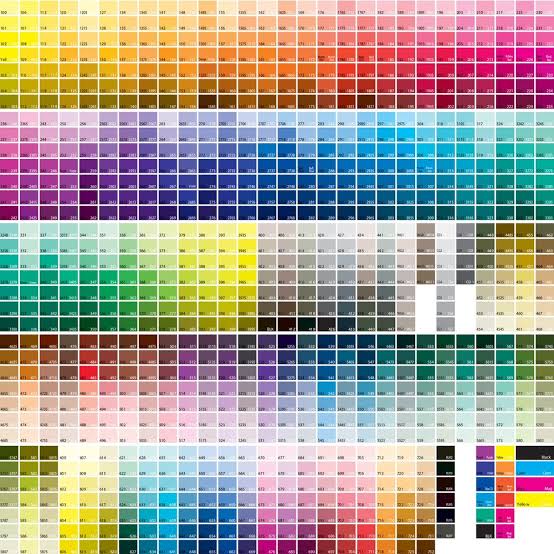
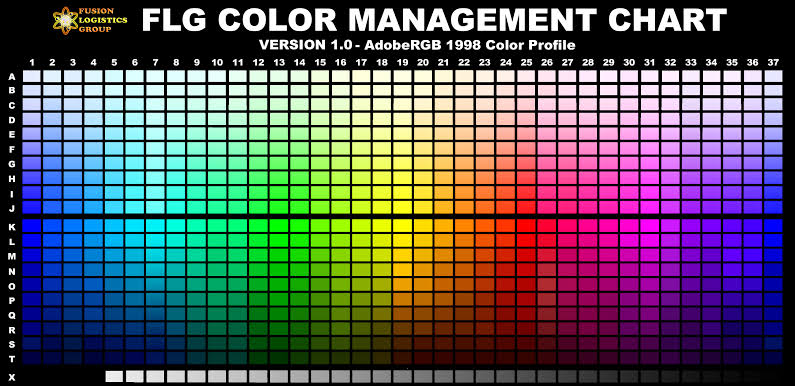
Here’s some colors if that helps :
Stick Nodes®
A stickfigure animation app created for mobile devices!
Create your own stickman animations on your Android or iOS device!


Actually it was tools lol, but still a hit :
http://sticknodes.com/sticks/basic-stick-nodes-tools-pack-zip/
just save one of those color palette images and load it into app
use the color picker tool
boom
i just want a better color picker overall like photoshop’s color wheel or something similar
the color picker rn in sn is atrocious to deal with but you get used to it
not to mention with that color palette image technique it might work on sprites
if sprites ever come out :copium:
A decent option, atleast for now…
But I don’t wanna switch between color palette and back to tracing an image over and over again ( or else I’ll go insane )
Oh hey maybe I should make a color palette node and upload it to the site ( 4-dimensional big brain business and marketing for noobs 2022 edition )
download a photo editing app
put the color palette and reference image into one png
boom
probably too much of a hassle but you do you
It’s eas for simple stickfigs and stuff with big bold colors.
But for stuffs that has gradients everywhere ( like guns ), sticking to one palette is meh, if there’s a dominant color, better have different shades of it ( metal on guns looks dull with no gradients or variation ).
L 35 is the color of my spiderman
You can utilize Imagecolorpicker.com to pick a certain color on your pallete
never really thought it to be that important but i get some of you guys are more color-obsessive than i lol
the color picker may be due for a revamp
spends some 20 minutes trying to find a color that doesn’t make a gun look wack
Another one trying to find a good gradient for it
Didn’t save stickfigure
( L4D witch cry )
stop im gonna have a breakdown i love this image set i lovwe colorz s yoo 8u ido ont sunders tanhd i o lo9ve s iocolors