
-
Z-PLAY.U


 2024-07-04 01:30:44 UTC
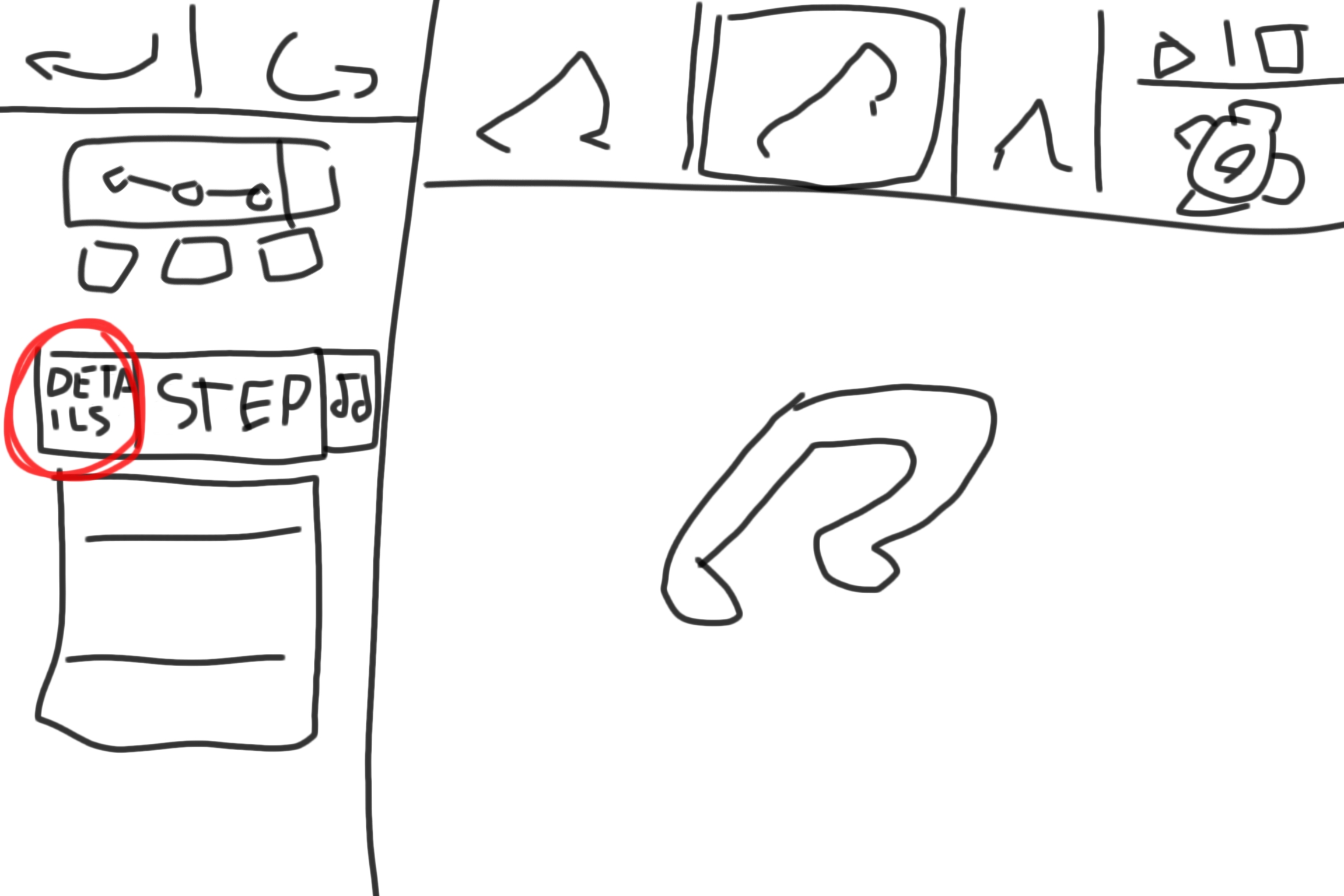
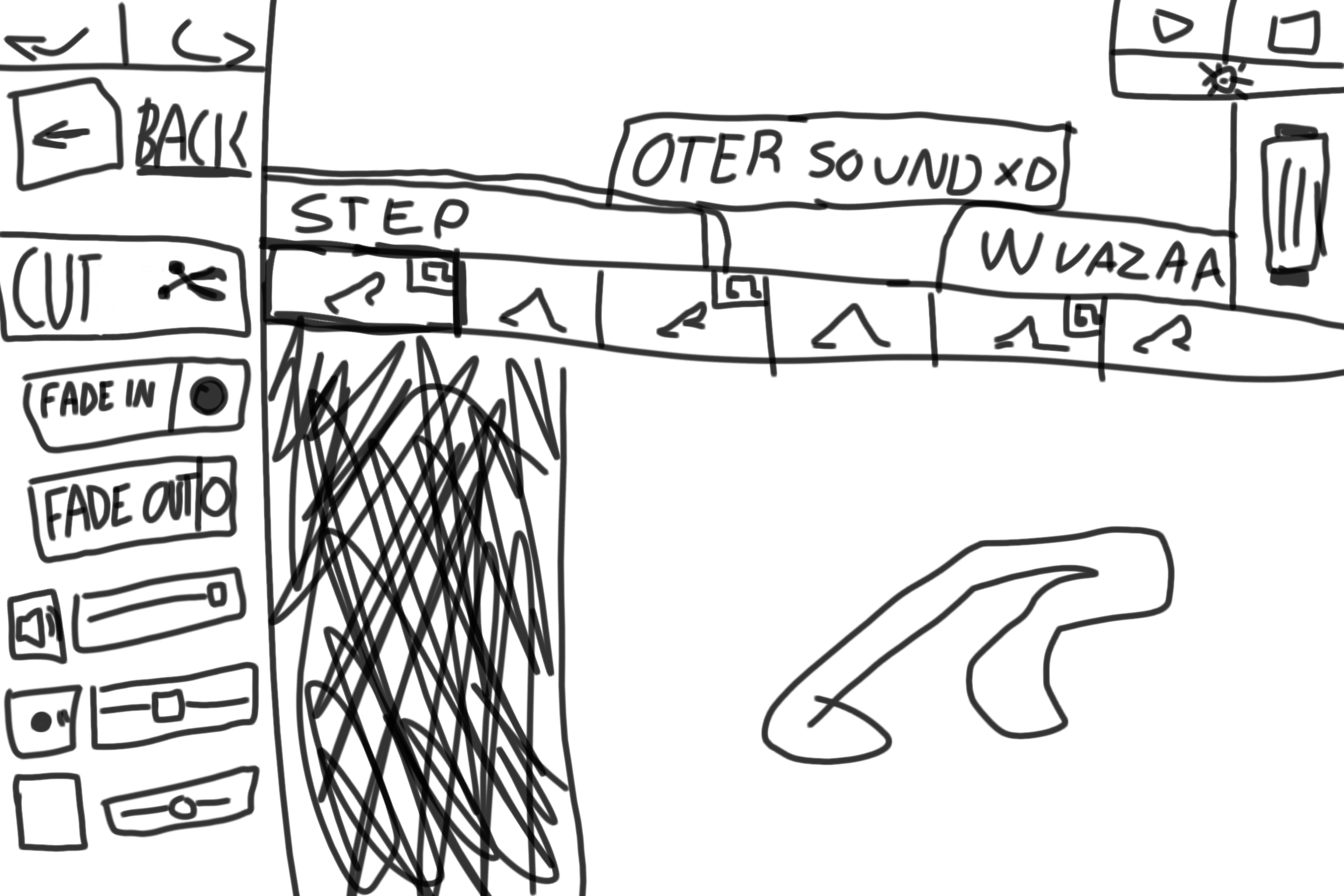
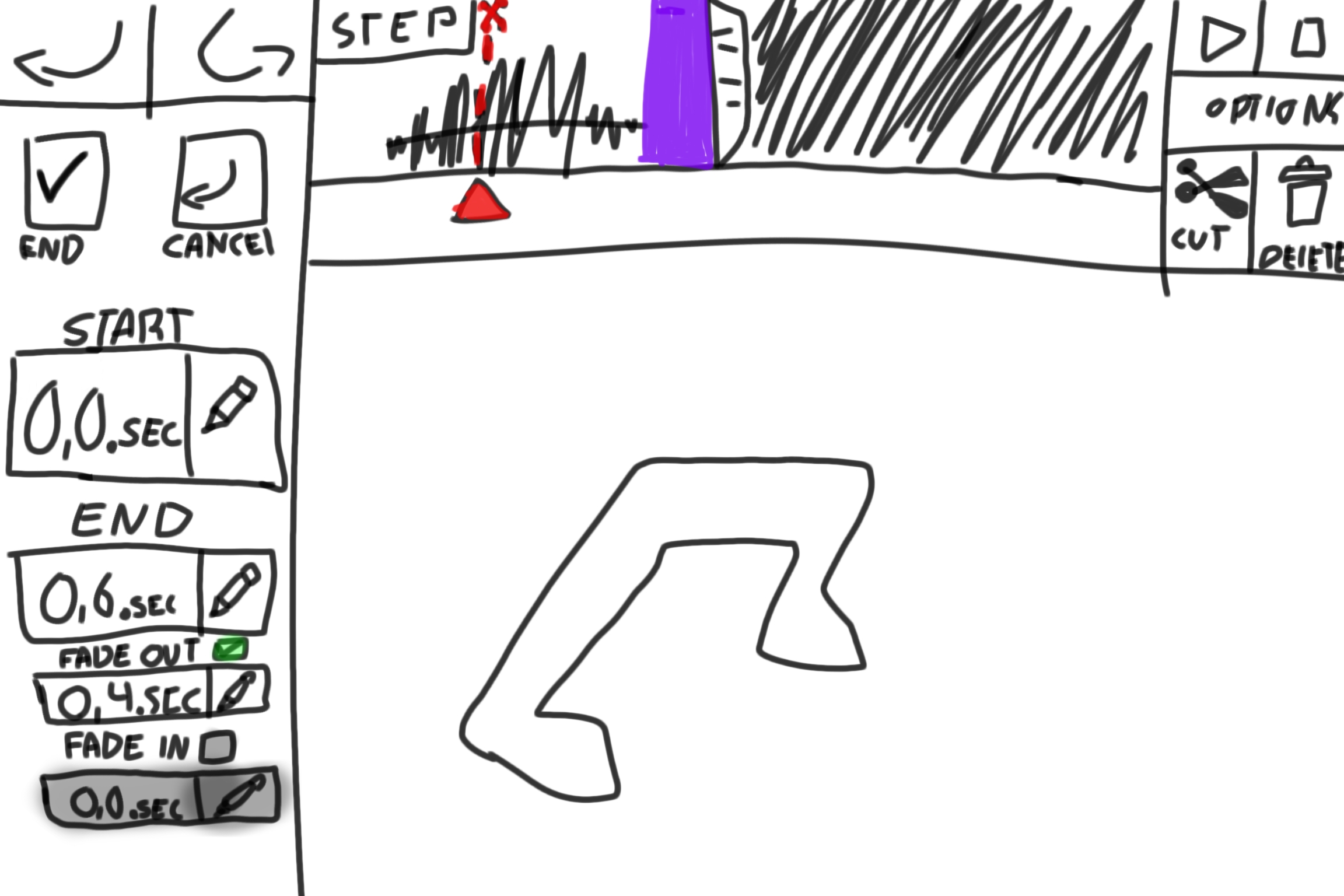
 @ralph Hey Ralph! I thought of something that can be added to future versions of Stick Nodes. It’s complicated but very useful. I made some drawings to have visual context. I propose adding an extra tab in the sound options called “details” or “more” where you would find the “Cut” options that I will then give you more details about this option, “degrade sound at the beginning” or “fade in” and “degrade sound at the end” now the details of “Cut” which will have an extra section where we could drag to decide where to cut the sound, with two buttons at the top right which are “cut” to cut the sound and “delete” to delete a cut line, fade out and fade out that would be guided by the same mechanics that when selecting it the arrow turns purple and that instead of trimming it will move to decide where it will begin to degrade. And in the main options that I forgot to say that you could see the frame that starts the sound and the one that ends, in addition to being able to move this same frame to another frame in case you make a mistake. What do you think of my idea Ralph :3, I know that you will most likely reject it for being too complex but hey, I wouldn’t lose anything by trying, remember that I am a Spanish speaker and that if the text has errors it is because of the translator. Greetings crack 😀
ESPAÑOL:
Oye ralph! se me ocurrio algo que se puede añadir a futuras versiones de Stick Nodes es complicado pero muy útil hice algunos dibujos para tener contexto visual. yo propongo añadir una pestaña extra en las opciones de sonido llamada “detalles” o “más” donde se encontrarian las opciones de “Cortar” que luego te daré mas detalles de esta opcion, “degradar sonido al inicio” o “fade in” y “degradar sonido al final” ahora los detalles de “Cortar” que tendira una seccion extra donde podriamos arrastrar para decidir donde cortar el sonido, con dos botones en la parte superior derecha los cuales son “cortar” para cortar el sonido y “borrar” para borrar algun trazo cortado, fade out y fade out que se guiarian por la misma mecanica que al seleccionarlo la flecha pase a color morado y que en vez de recortar se mover para decidir en que lugar empezará a degradarse. Y en las opciones principales que se me olvido desir que se podria ver el fotograma que inicia el sonido y el que termina, ademas de poder mover este mismo a otro fotograma por si te equivocas. Que te parece mi idea Ralph :3, se que lo mas probable es que la rechaces por ser demasiado compleja pero bueno no perdia nada intentandolo, recuerda que yo soy de habla española y que si el texto tiene errores es por el traductor. Un saludo crack 😀
Stick Nodes®
A stickfigure animation app created for mobile devices!
Create your own stickman animations on your Android or iOS device!


