
Edit November 26th – This update is now live on the App Store, Apple got their one app-review employee up from his nap and he finally got around to it.
This sub-update gets its own post because while it is generally just a bug-fix patch, it does introduce a few new features.
Changelog (3.0.4)
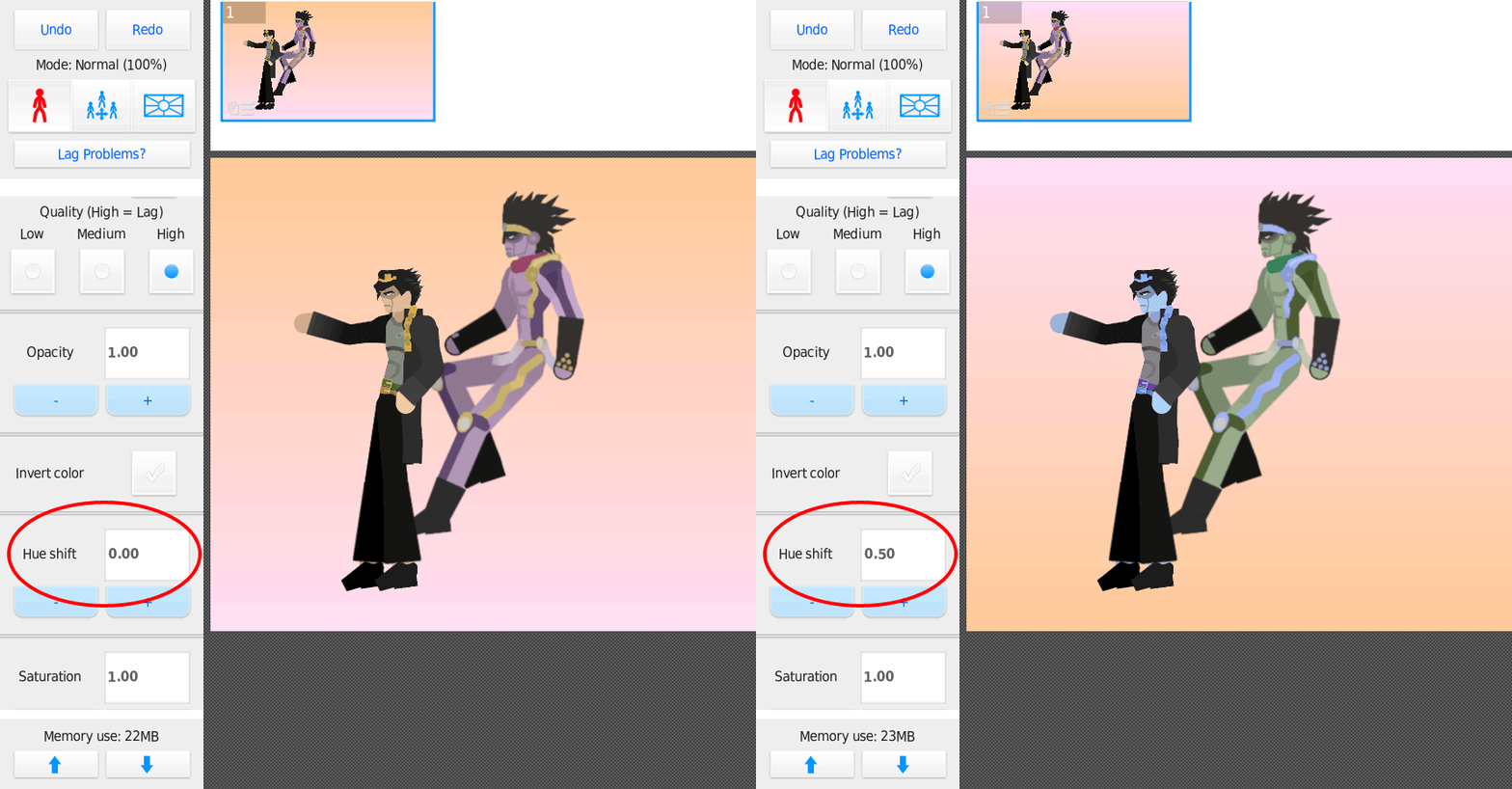
- Added new filter, “Hue shift” (Pro only).
- (IOS) Fixed issue where downloading project/movieclip files would (1) break the file and (2) not be recognized as as Stick Nodes file.
- (Android) Fixed bug regarding using the back button to leave Movieclip Editing mode.
- Fixed bug where movieclip name would change upon save, causing duplicates in the library.
- Fixed bug where scaled-up movieclips would look weird.
- Fixed other rare bugs regarding movieclips.
- Fixed filter issue with tint & opacity.
- Added proper Japanese font to textfields, will only work with actual Japanese characters.
- Added “Nudge amount” input on the Arrows window to make each nudge a specific number of pixels.
- The Magnifier window can now zoom out. Also, you can choose to hide nodes. This makes it useful for you to see the entire scene while you’re working zoomed-in.
- Fixed a “Split segment” layering issue.
- Many small miscellaneous tweaks and changes
Okay so a neat new feature for Pro users is a new filter, Hue Shift. This was added because a certain member of the site was having temper tantrums and literally crying daily because this wasn’t a thing, but I won’t name names. It’s as it sounds, it shifts the hue of a stickfigure. Now you can truly recreate iconic JoJo scenes as shown in the GIF below-left.
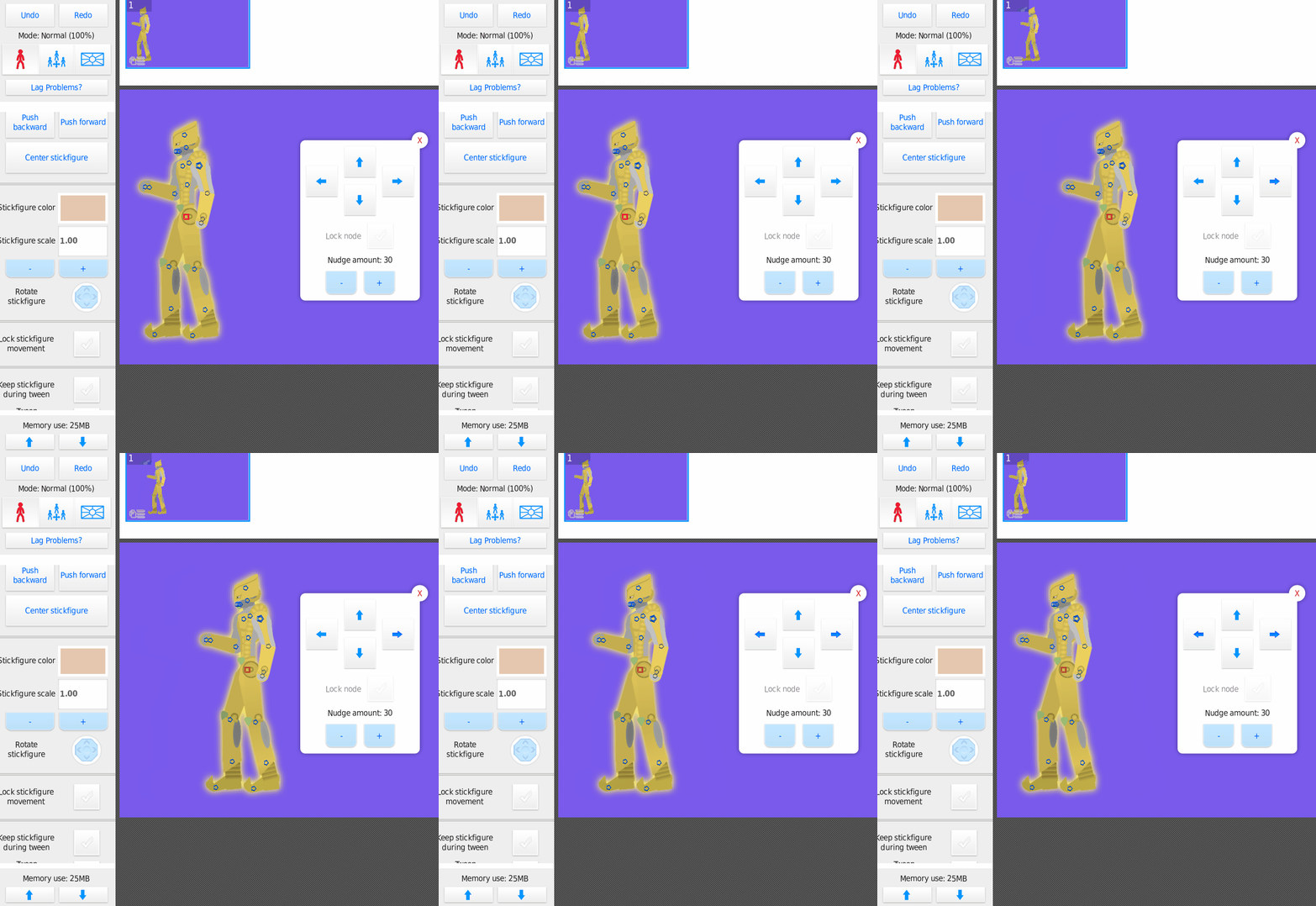
Another minor addition is a change to the Arrows/Nudge window. You can now change the nudge amount which helps when repeating a certain movement amount over and over and is generally quicker than just 1 pixel movements. You can see this in action above-right.
And the final change is to the Magnifier window, allowing you to now zoom out and to hide the nodes. As you can see below, this allows you to see the overall scene while you’re zoomed-in working close-up to the nodes.
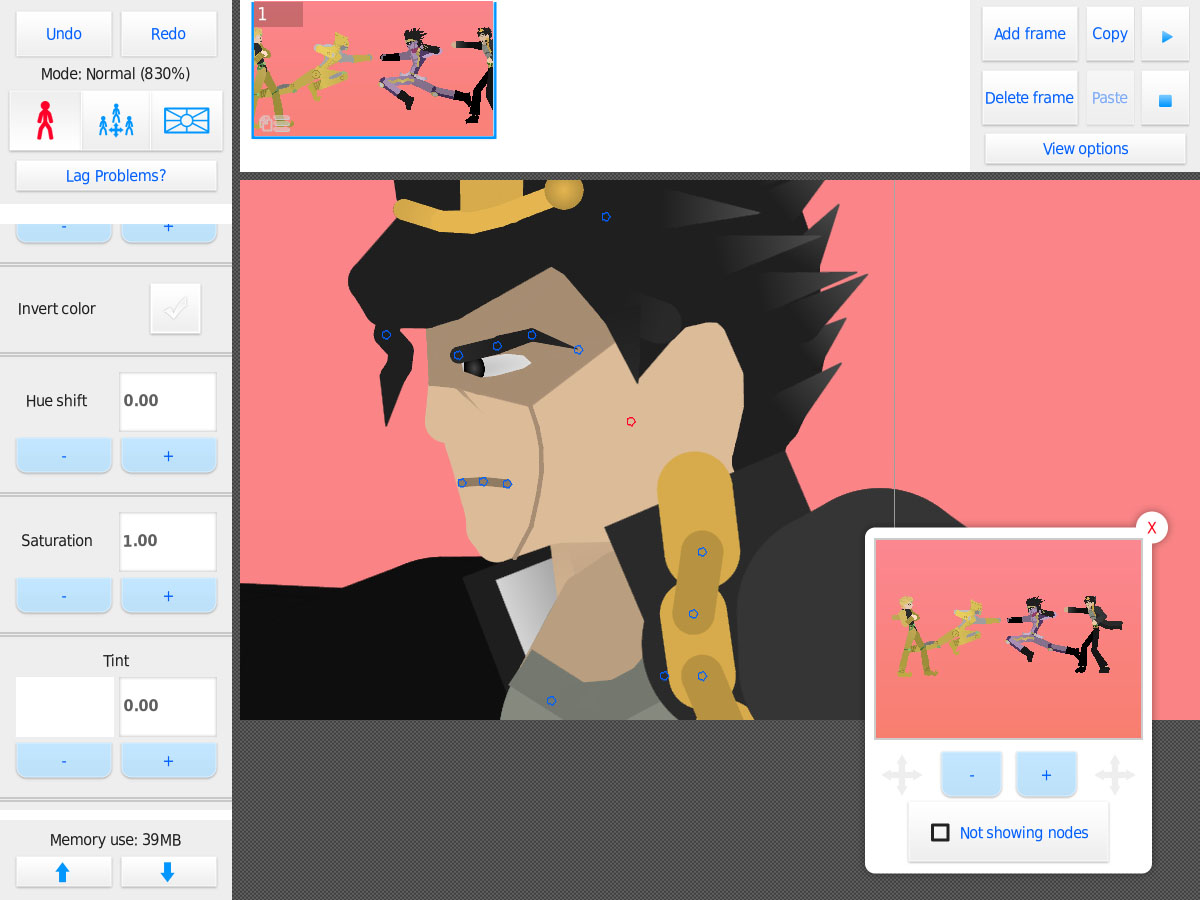
Also shout out to Nicky1612 for the epic JoJo figures used above.
There are more changes in this update. A lot of bug fixes, specifically involving movieclips.
I did add a proper “Japanese” font to textfields so Japanese users can now write properly. There’s a bit of a usability issue with Android keyboard with this where you need to press “enter” or select a suggestion to actual input your typed words, I hope to fix this eventually.
Resolved IOS Issues With Project/Movieclip Files
There was a long-running issue with IOS where, if you downloaded a project (.STKNDS) file with Safari (or I believe any browser/email app/etc) – the IOS system automatically would decompress it when it saved the file to your device. (It detected the file was compressed, which all project (not stickfigure) files are.)
This was not desired behavior and there seems to be no way around it. So in this update, I’ve added “nonsense data” to the beginning of project (and movieclip) files. Stick Nodes knows to skip this data when reading files, but the IOS system doesn’t – so it can no longer automatically “corrupt” project and movieclip files upon downloading them.
(This means even with this update, IOS users will not be able to *download* project/movieclip files that were not saved with 3.0.4+ because the IOS system corrupts them upon download. So if someone is sending you a file to download and it’s not opening in SN properly, it wasn’t saved with 3.0.4, probably. It needs to be re-saved.)
In addition, I’ve also added fixes to get the IOS system to properly recognize movieclip (.NODEMC) files as Stick Nodes files, so you can now “Open with > Stick Nodes” those files.
Thank You For Attending My TED Talk
Many other minor-minor things were changed, as well as fixing low/med “blur” and “glow” appearance to be more accurate, fixed anti-aliasing for circles, made the Smart-Stretch UI more responsive, when tapping the textbox text field the menu scrolls up to give you the best view of that box which is sometimes hidden behind the keyboard, optimizations for rounded segment performance, and probably other stuff I forgot.
Wow this is a long-ass post.
Fun fact, 3.0.3 was skipped because I borked uploading it to the App Store and Apple throws hissy fits if version numbers are the same, even for unused builds. Shame, too, because 3.0.3 had unlimited nodes.

This is a nice update
IF I HAD PRO
frubucking boonnoob
well i mean first off wrrryyy don’t you and second it’s just 1 Pro thing and 10 non-Pro things
It’s like $5
What is spamming
Boi. Ur on the Internet.
https://www.google.com/search?q=spamming+definition
In the new version, will it be possible to upload and download movie clips?
you can download movieclips always (tho this update fixed an ios issue with that)
submitting them, no that’s not built in yet, sorry
soon tho
mega
How can i enbale the “show guides” option, i dont see it, was it removed
it’s in “View Options” at the top right for easier access
Habilitate it for Windows and Mac pleace!!!!!!!!!!
No, stop, think about what you just did, be ashamed
Dude what is up with you and jojo?
HAHAHHAHAHAHAHAHAHAHHAHAHAHA
…oh boy, does apple suck!
no really though, something went horribly wrong with this one
i think some asshole employee is too busy sucking ass flakes to do his job properly
Sick?
Get well soon.
Get well soon.
Well, soon get.