

Joined:Jun 8, 2019
Uploads:21
Features:15
UC Wins:17


Need 3 thumbs for Users Choice badge!
 1st
1st
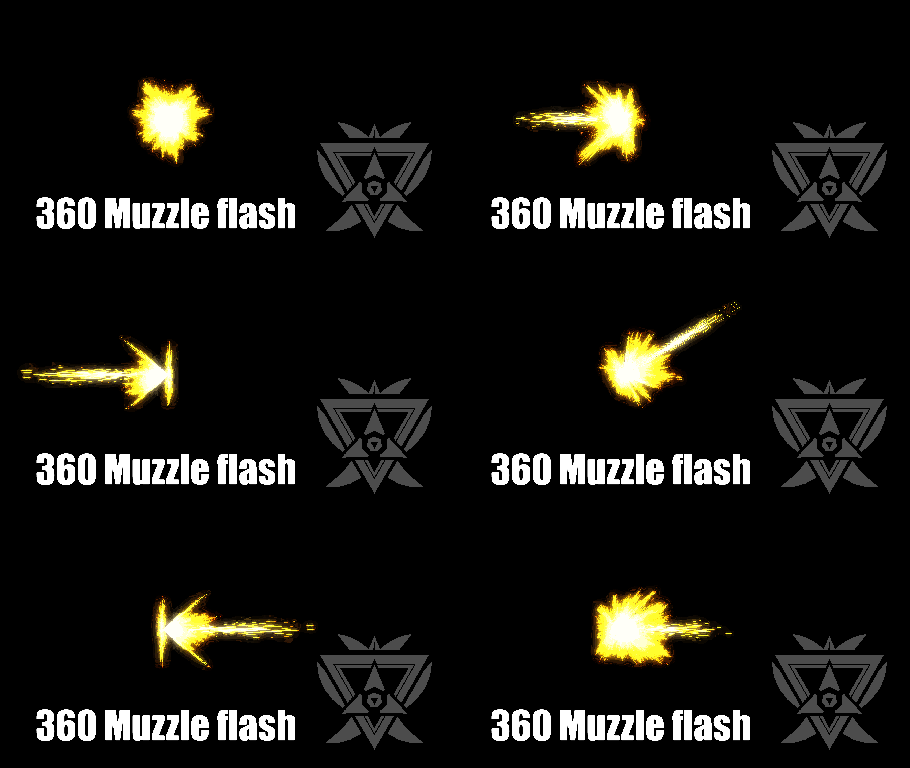
Another useful essential that I made, with reference image included and BONUS radial glow sprites for enhancing the muzzle flash glows.
Everything is sprite base, so have fun skewing, stretching and spam filters.
Unless you want some animation advice about muzzle flash???
Fine... Ralph, Ctrl + B' bolden the text of this tips below:
[Muzzle flash is recommended to appear only a frame. 1st frame: Idle >>> 2nd frame: trigger pulled, recoil and muzzle flash appears >>> 3rd frame: recover and repeat.]
#Gun #muzzleflash #breakplasticchair
Everything is sprite base, so have fun skewing, stretching and spam filters.
Unless you want some animation advice about muzzle flash???
Fine... Ralph, Ctrl + B' bolden the text of this tips below:
[Muzzle flash is recommended to appear only a frame. 1st frame: Idle >>> 2nd frame: trigger pulled, recoil and muzzle flash appears >>> 3rd frame: recover and repeat.]
#Gun #muzzleflash #breakplasticchair
Need 3 thumbs for Users Choice badge!
1stHow to use: This download is a Movieclip file. If it contains a joined figure, you can access it by going into the Movieclip object (edit it) and then copying the entire assembled figure inside.Filters: Remember, Movieclip objects may use filters, and if you don't have Stick Nodes Pro these filters will not work and the Movieclip may look very different.
Download File
Downloaded 133 times
(Downloaded 133 times this week)
Problem with this submission?
Please log in to report this file.


Other submissions by Darren Zcon


gif is the equivalent of “so anyway, i just started blasting”
Wheres the fire slash?