

Joined:Feb 22, 2025
Uploads:52
Features:4
UC Wins:3


Divine Visionnaries,I only made:
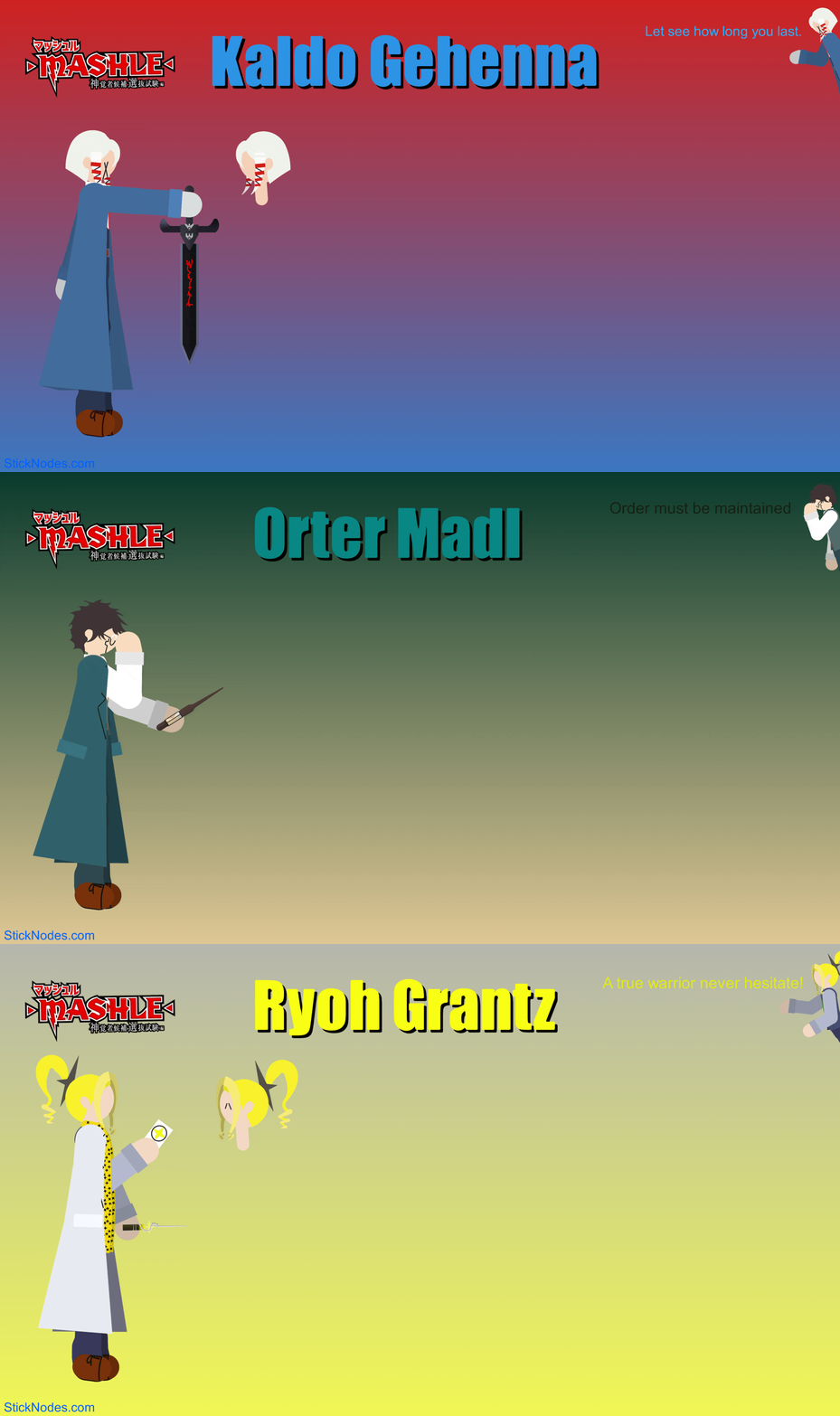
Kaldo Gehenna (Flame Divine Visionnary) Orter Madl (Sand Divine Visionnary) Ryoh Grantz (Light Divine Visionnary)
The're are the ones who were the mostly shown in S2 of Mashle,The others will on be published when S3 comes out. Sorry,I had to do the coat of Orter and Ryoh without polyfill so it may appear inefficient will moving it.
Enjoy 😉
#Mashle #Magic #Divinevisionnaries
Kaldo Gehenna (Flame Divine Visionnary) Orter Madl (Sand Divine Visionnary) Ryoh Grantz (Light Divine Visionnary)
The're are the ones who were the mostly shown in S2 of Mashle,The others will on be published when S3 comes out. Sorry,I had to do the coat of Orter and Ryoh without polyfill so it may appear inefficient will moving it.
Enjoy 😉
#Mashle #Magic #Divinevisionnaries
How to use: This download is a Movieclip file. If it contains a joined figure, you can access it by going into the Movieclip object (edit it) and then copying the entire assembled figure inside.Filters: Remember, Movieclip objects may use filters, and if you don't have Stick Nodes Pro these filters will not work and the Movieclip may look very different.
Download File
Downloaded 850 times
(Downloaded 5 times this week)
Problem with this submission?
Please log in to report this file.









Other popular submissions in people category


no comments
