
Joined:Apr 5, 2018
Uploads:6
Features:0
UC Wins:0
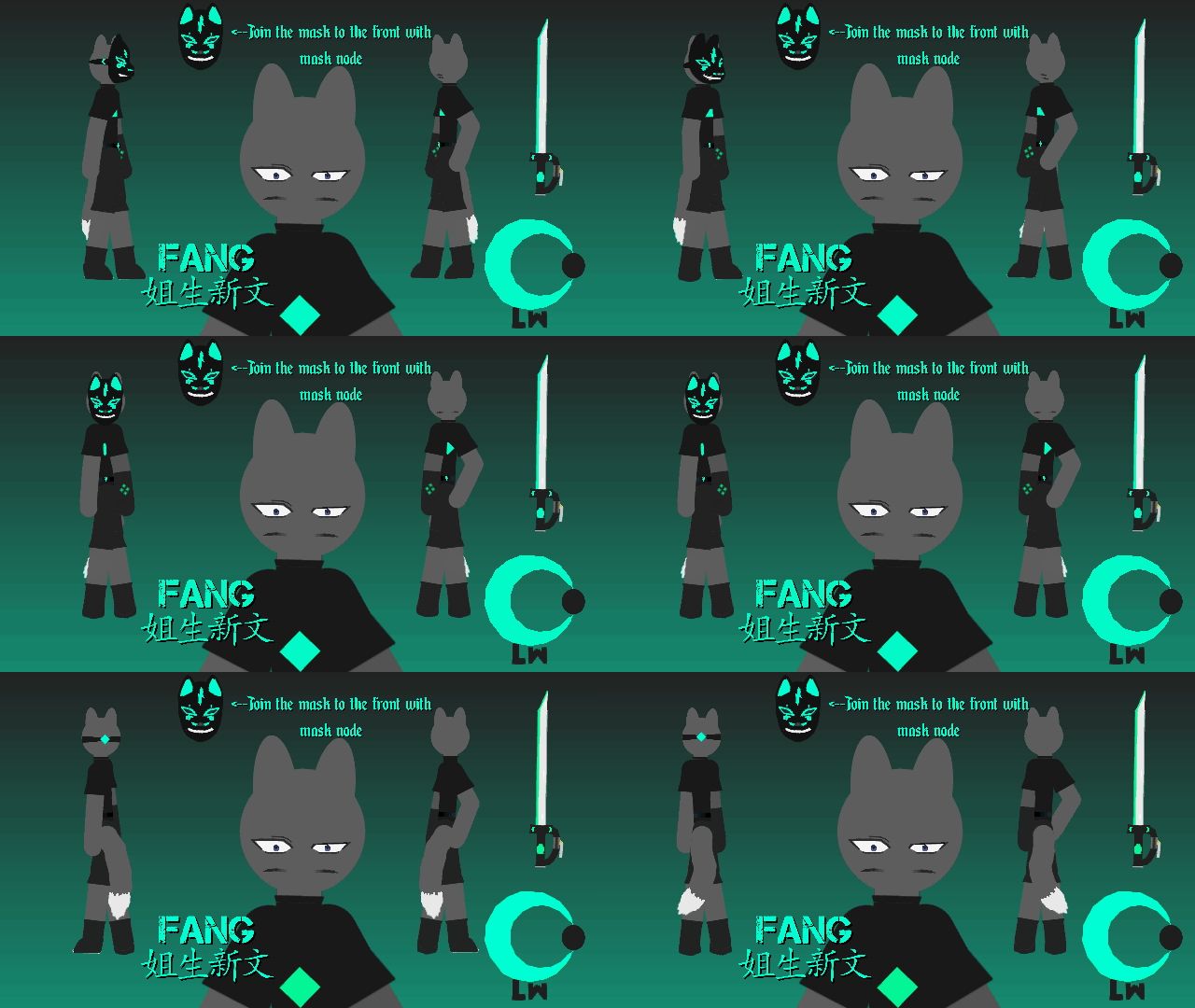
I decided to put the backstory on hold cause i really wanted to make this...im not gonna lie tho the struggle was real with the node limit so i gotta ask explosive bullet how do you do it man the hardest part was trying to get the mask to fit lol....im gonna add the eye and the sword along with just expect more later on and yea when you tryhard to get the mask in lol.
#OC #NodeLimit
#OC #NodeLimit
This download is a ZIP of 15 files
Fang-Eye Blue (6.60kb)
Fang-With Mask (26.11kb)
Fang-With Mask Half Front (25.01kb)
Fang-With Mask Front (12.83kb)
Fang-Mask Front (18.05kb)
Fang-With Mask Half Back (11.72kb)
Fang-With Mask Back (10.94kb)
Fang-No Mask (14.87kb)
Fang-No Mask Half Front (14.64kb)
Fang-No Mask Front (13.38kb)
Fang-No Mask Half Back (11.33kb)
Fang-No Mask Back (10.55kb)
Fang-Mask Prop (15.22kb)
Fang-Mask Half Front (14.50kb)
Fang-TokiBeast Sword (11.86kb)
Problem with this submission?
Please log in to report this file.










Other popular submissions in people category


