

Joined:Jan 27, 2020
Uploads:65
Features:0
UC Wins:4


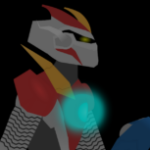
Blade of the future is the smartest and strongest hero of the year 2049, Tadashi at the age of 35 and with three children Maxwell, Jonathan and Evelyn.
Tadashi lived well with his family until Tuesday 15, 2049 when he died in combat fighting against The Master of Time, Jonathan the son of the middle of Tadashi to avenge the death of his father takes the mantle of Blade at his young age of 15 years and he decides to look for the master of time for the different realities and years to assassinate him.
The new abilities of this version of Blade have the best of the best, he can camouflage himself, Remove swords from his arms, he has blades hidden in his feet, Night Vision, X-rays, etc. Figure base made by @Nicky1612
#Blade #Futuristic #BladeVerse #Oc
Tadashi lived well with his family until Tuesday 15, 2049 when he died in combat fighting against The Master of Time, Jonathan the son of the middle of Tadashi to avenge the death of his father takes the mantle of Blade at his young age of 15 years and he decides to look for the master of time for the different realities and years to assassinate him.
The new abilities of this version of Blade have the best of the best, he can camouflage himself, Remove swords from his arms, he has blades hidden in his feet, Night Vision, X-rays, etc. Figure base made by @Nicky1612
#Blade #Futuristic #BladeVerse #Oc
This download is a ZIP of 8 files
Future Blade Body (24.92kb)
Future Blade Arm (6.11kb)
Future Blade Helmet (4.22kb)
Future Blade Bracelet (3.14kb)
Jonathan (16.27kb)
Jonathan (Jacket) (17.13kb)
Maxwell (16.19kb)
Maxwell (Jacket) (18.22kb)
Problem with this submission?
Please log in to report this file.










Other popular submissions in people category


Is the guy in red future HotShot