
Joined:Jun 17, 2021
Uploads:39
Features:17
UC Wins:27


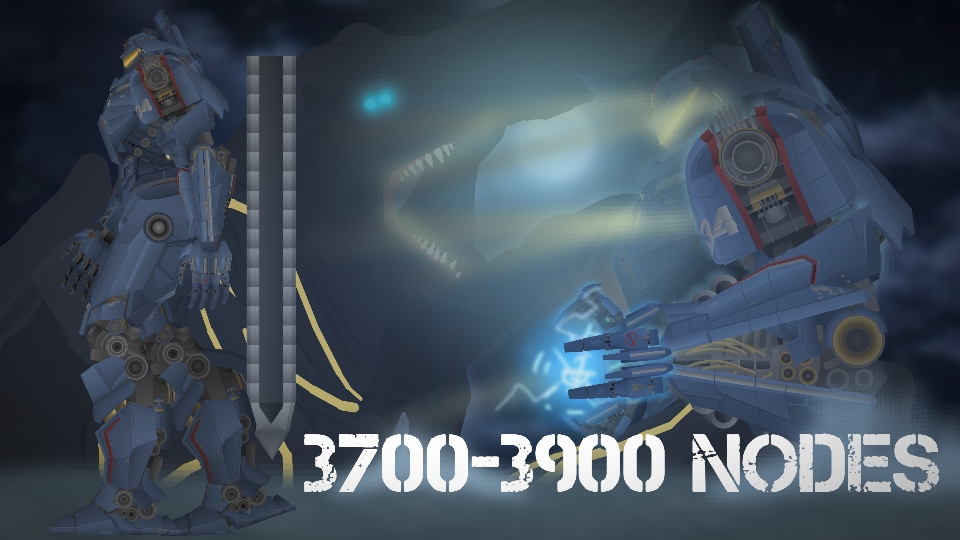
The prominent figure of Pacific Rim in the 2013, or 2025 in its timeline. It is a nuclear powered mark 3 jaeger with a build in core. That actually can function as a nuke.
Unfortunately AND fortunately, it was destroyed during the battle with knifehead, taking one live of becketts brother the pilot. Though it was later repaired and upgraded, reasons do support that this is because the Jaeger program was discontinued leading to a stop of Jaeger producing. In the end, it sacrificed itself to close the breach, cancelling the apocalypse
anyway, this figure is made with the best possible accuracy to the film, so expect it to have lots of moving parts. If you dont like it though? Well, just lock it then. Besides that, it has everything Gipsy Danger did in the film, from the swords, the cannon, elbow rocket. Even the cooling weapon shown with Otachi.
I hope you guys enjoy this figure because I still have one more to complete the squad.
#JAEGER #MECH #mecha #PACIFICRIM
Unfortunately AND fortunately, it was destroyed during the battle with knifehead, taking one live of becketts brother the pilot. Though it was later repaired and upgraded, reasons do support that this is because the Jaeger program was discontinued leading to a stop of Jaeger producing. In the end, it sacrificed itself to close the breach, cancelling the apocalypse
anyway, this figure is made with the best possible accuracy to the film, so expect it to have lots of moving parts. If you dont like it though? Well, just lock it then. Besides that, it has everything Gipsy Danger did in the film, from the swords, the cannon, elbow rocket. Even the cooling weapon shown with Otachi.
I hope you guys enjoy this figure because I still have one more to complete the squad.
#JAEGER #MECH #mecha #PACIFICRIM
How to use: This download is a Movieclip file. If it contains a joined figure, you can access it by going into the Movieclip object (edit it) and then copying the entire assembled figure inside.Filters: Remember, Movieclip objects may use filters, and if you don't have Stick Nodes Pro these filters will not work and the Movieclip may look very different.
Download File
Downloaded 61 times
(Downloaded 61 times this week)
Problem with this submission?
Please log in to report this file.
Other popular submissions in people category


OUR MAN IS BACK!!!