

Joined:Jan 5, 2019
Uploads:33
Features:11
UC Wins:14


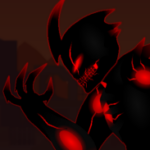
After Carl's death,Nightmare was filled with hatred and anger against E.L.I.T.E Corp and his Boss,however he could not collect the revenge he wanted so much.Repenting of not having done something about it,he decided to look for the new Prince who can change the world,someone who is Light in the darkness.
In search of the new Prince,Nightmare using the knowledge and wisdom of the universe,managed to find the right person,one who had a mentality equal to or similar to Carl's.
Taking him with him,he gave him the corresponding powers,taught him what he could become,and that boy managed to observe what happened to the former Prince,obtaining a reason to change the world,but that depended on choosing to be the light or the dark.
From now on he would fight alongside Nightmare,naming himself Golden Light
#Prince #Golden #Light #oc
In search of the new Prince,Nightmare using the knowledge and wisdom of the universe,managed to find the right person,one who had a mentality equal to or similar to Carl's.
Taking him with him,he gave him the corresponding powers,taught him what he could become,and that boy managed to observe what happened to the former Prince,obtaining a reason to change the world,but that depended on choosing to be the light or the dark.
From now on he would fight alongside Nightmare,naming himself Golden Light
#Prince #Golden #Light #oc
This download is a ZIP of 4 files
Golden Light (Body) (22.77kb)
Golden Light (front arm) (3.38kb)
Golden Light (back arm) (7.73kb)
Golden Light (Chain) (8.05kb)
Problem with this submission?
Please log in to report this file.










Other popular submissions in people category


Peak