

(Guest)
Oct 7th, 2025
( 3 thumbs )
( 3 thumbs )
 1st
1st 2nd
2nd 3rd
3rd
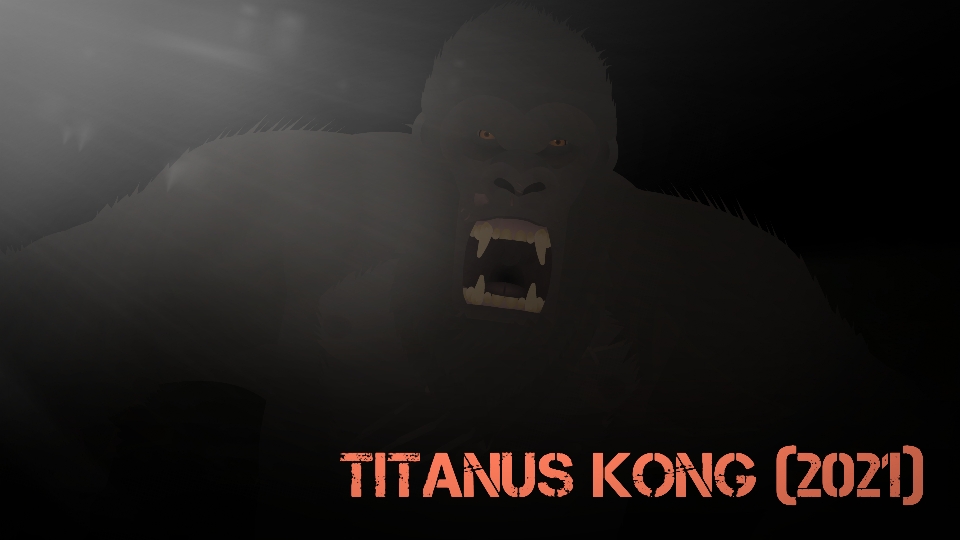
Rules:No NSFW,No Claiming As Yours,You Can Edit As Long As You Give Credit | History:After the events of "Kingdom Kong" Kong had to be isolated in a dome after a perpetual storm arrived on Skull Island and made the island uninhabitable. But as Kong had grown too large, he had to be transferred to Hollow Earth. But on the way, Godzilla sensed Kong's presence and began hunting him, causing several fights between the two until they arrived in Hong Kong. Where they fought in the final round, where Godzilla won. But while Kong was unconscious, Mecha-Godzilla had escaped from the Apex Facility and fought Godzilla, where Mecha-Godzilla had the advantage. When Mecha-Godzilla was about to kill Godzilla, Kong, with the help of the humans, had awakened and joined the fight, saving Godzilla and helping him defeat Mecha-Godzilla. Resulting in the two winning and the two making an agreement not to cross each other's paths.
#Kong #Kaiju #Godzilla
#Kong #Kaiju #Godzilla
Oct 7th, 2025
( 3 thumbs )
( 3 thumbs )
1st2nd3rdHow to use: This download is a Movieclip file. If it contains a joined figure, you can access it by going into the Movieclip object (edit it) and then copying the entire assembled figure inside.Filters: Remember, Movieclip objects may use filters, and if you don't have Stick Nodes Pro these filters will not work and the Movieclip may look very different.
Download File
Downloaded 4,654 times
(Downloaded 2 times this week)
Problem with this submission?
Please log in to report this file.







Other popular submissions in miscellaneous category


Why is this not on your other stick nodes channel?
Wdym I only have one YouTube channel /: but I stopped posting videos due to Issues with kinemaster’s video resolution but as soon as I get a PC or find a new video editing app I will start posting more videos again But Im Still Making Yt Posts
I mean about why it’s not with the rest of your stks like Godzilla or sonic.
Idk
Mmm Monkey
Blucky,can you make stks of the 1933 Kong (a more semirealistic version)? Also can you do the same for Kiko too? Not necessarily as a front view but if you’re okay with it, you do do both a side view version and a front view.
Good Ideia,i Will Try To make Them If i find a good side View reference Photo Of both
Thanks
I want side view of Kong 2021 please