


Joined:Nov 20, 2014
Uploads:30
Features:0
UC Wins:14


Need 3 thumbs for Users Choice badge!
 1st
1st
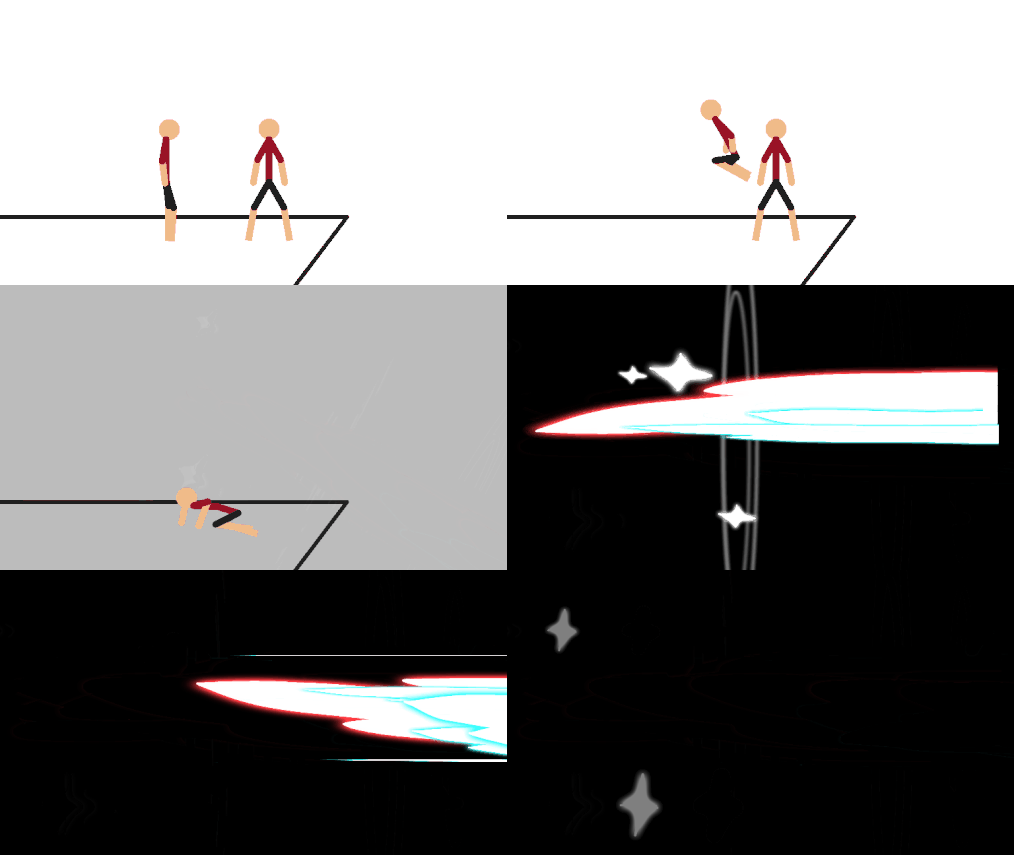
All six Kamehameha stickfigures in one convenient zip file!
Need 3 thumbs for Users Choice badge!
1stThis download is a ZIP of 6 files
Kamehameha Beam (0.11kb)
Kamehameha Blast 1 (3.19kb)
Kamehameha Blast 2 (2.60kb)
Kamehameha Blast 3 (2.57kb)
Kamehameha Build Up (0.08kb)
Kamehameha Beam End (2.14kb)
Problem with this submission?
Please log in to report this file.








Other popular submissions in effects category


How do you ge them
Hey Eli.
If you’re having trouble with the ZIP, maybe you can try download the files individually. Then just follow these instructions to import them.
Hey ralph if you take the file right click it and click extract all then double click on the non zip file it allows you to throw it all in 😛 just wanted to let you know.
Lol my name’s Eli too
When the new updates came out on iOS, I updated then immediately went on the website just to download this.
Sorry to keep you waiting 2 years lmao.
i can’t navigate file sharing!
So what are you seeing exactly?
After you plug in your device, you open iTunes right? Then, go to the “Apps” tab of your device (you might have to click the iPhone/iPad icon in the top-left corner). Scroll down, and there is the “File Sharing” section.
Ralph how do u post videos on utube export gif or (comment)
You just said I always say “FAQ” and then you ask a question that is answered on the FAQ page.
Not sure if troll.
Ralph u always say FAQ HQ LOL!!!
Well I wouldn’t need to if people would just look at the FAQ page on their own.
Lol.
I imagine goku yelling while he poops (wtf)
How do I use it.
What do you mean? How to get the ZIP file to work? There are instructions for that on the FAQ page.
Heh kool
As soon as those updates come out on iOS, I’ll be able to just click a pack and download it without external help!
Thanks in advance, Ralph!
HADOEKEN
No. Just no.