

Joined:Jul 28, 2019
Uploads:9
Features:1
UC Wins:1


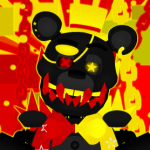
This thing was supposed to be private, but now I'm giving it to all of you peeps!
But this thing has a few rules when used:
1. No recolors of this model. Once I see a recolored version of this fig in the wild, I won't post any of my private figs for the public.
2. No NSFW.
3. Never EVER claim this as your own fig.
4. Have fun using this for some animations!
Take care, Stay Safe and have a nice day!
#FNaF #ShadowFredbear #StaySafe
But this thing has a few rules when used:
1. No recolors of this model. Once I see a recolored version of this fig in the wild, I won't post any of my private figs for the public.
2. No NSFW.
3. Never EVER claim this as your own fig.
4. Have fun using this for some animations!
Take care, Stay Safe and have a nice day!
#FNaF #ShadowFredbear #StaySafe
This download is a ZIP of 8 files
Shadow Fredbear - Head (22.64kb)
Shadow Fredbear - Torso (29.78kb)
Shadow Fredbear - Front Arm (V1) (27.59kb)
Shadow Fredbear - Back Arm (V1) (27.59kb)
Shadow Fredbear - Front Arm (V2) (23.92kb)
Shadow Fredbear - Back Arm (V2) (23.92kb)
Shadow Fredbear - Front Leg (27.52kb)
Shadow Fredbear - Back Leg (27.13kb)
Problem with this submission?
Please log in to report this file.










Other popular submissions in people category


ngl we get a lot of fnaf stuff but this looks fresh
We’ve been making much more FNaF Stuff actually.
try to make glichtrap
Looks cool
what is NSFW?
Not safe for work. What is not safe for work is p*rn or anything else
hey wait isn’t his name nightmare
He kinda like him but if he exists as an animatronic before the bite of 87.
He’s just a fanmade model.
I’m using this model for a collab. One question, can you invert the colors of this model?
What do you mean by, invert?
To make him be like a clone of white rabbit from FNaF world
you can invert the color on stick nodes models
It makes the colors negative
When you invert the color on this model most of it turns light green and the hat turns blue
Oh, of course!
Just don’t recolor until you got permission from me.
One question, can we invert the color?
This is a very great model 10 out of 10
Yes
Can we use hue shift??
It’s not actually recolored
Yup.