

Joined:Nov 6, 2020
Uploads:97
Features:4
UC Wins:35


NOTE: Thjs figure is full of connectors that may limit the range on some parts of the body like the torso, neck, legs, etc.
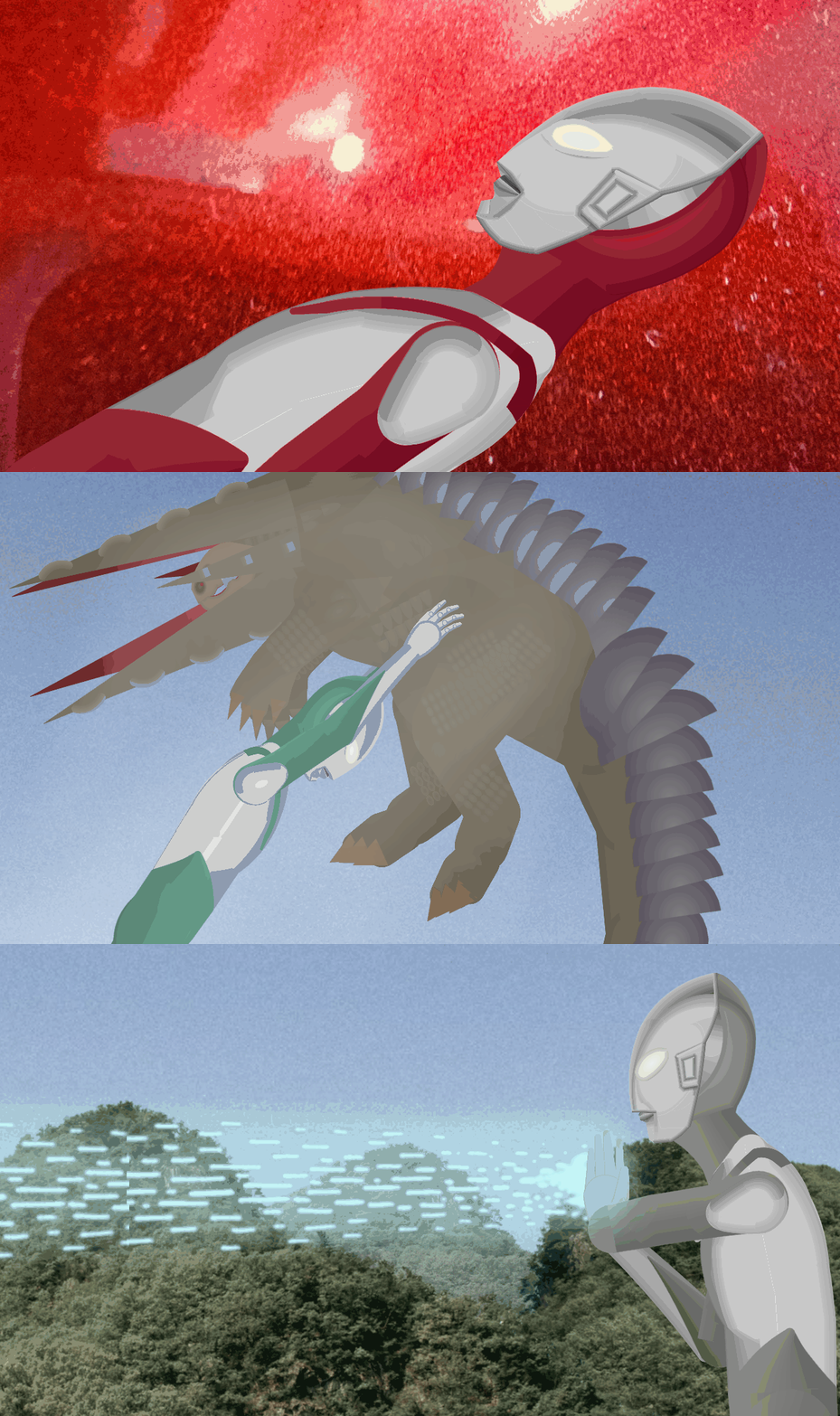
A movieclip consisting of Shin Ultraman's Three forms seen in the 2022 movie Shin Ultraman.
The forms are as followed(Ordered from first frame to last frame):
Shin Ultraman(Red). Low Energy Form(Green). First Contact Form(Grey with a face akin to that of the original 1966 Ultraman suit used in the first batch of episodes).
#Shin #Ultraman #Shuwatch
A movieclip consisting of Shin Ultraman's Three forms seen in the 2022 movie Shin Ultraman.
The forms are as followed(Ordered from first frame to last frame):
Shin Ultraman(Red). Low Energy Form(Green). First Contact Form(Grey with a face akin to that of the original 1966 Ultraman suit used in the first batch of episodes).
#Shin #Ultraman #Shuwatch
How to use: This download is a Movieclip file. If it contains a joined figure, you can access it by going into the Movieclip object (edit it) and then copying the entire assembled figure inside.Filters: Remember, Movieclip objects may use filters, and if you don't have Stick Nodes Pro these filters will not work and the Movieclip may look very different.
Download File
Downloaded 1,702 times
(Downloaded 26 times this week)
Problem with this submission?
Please log in to report this file.







Other popular submissions in miscellaneous category


