

Joined:Mar 23, 2021
Uploads:5
Features:0
UC Wins:1


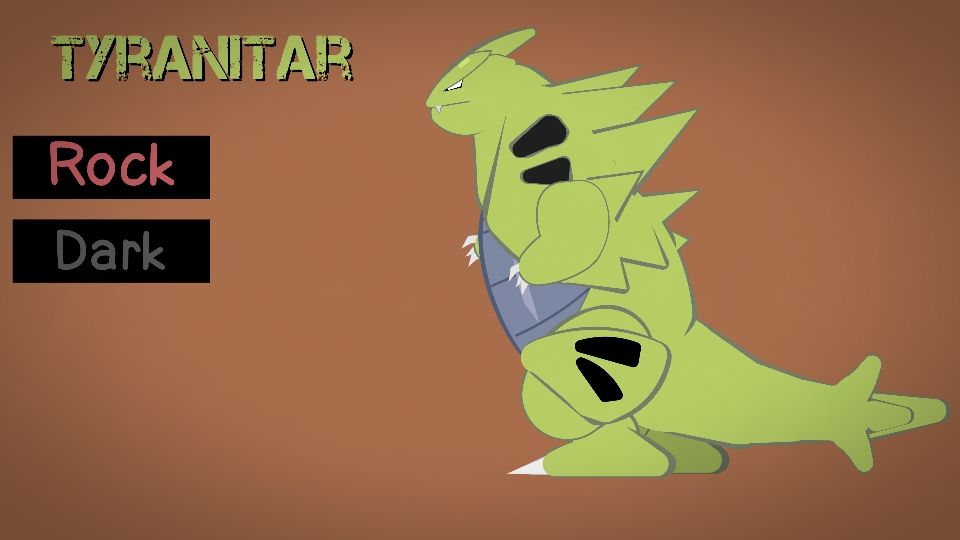
Bueno, como la figura no le parecía muy buena, decidí modificarla paraque estuviera mejo4r presentada.
asique tecnicente esta es versión .
jaja usenla como quieran, pronto empezaré a publicar más pokemón y otras cosas.
Ralph's free translation:
Well, since the figure didn't seem very good to me, I decided to modify it to make it look better.
So technically, this is the version.
Haha, use it however you want. I'll start posting more Pokémon and other things soon.
#pokemon #tyranitar
asique tecnicente esta es versión .
jaja usenla como quieran, pronto empezaré a publicar más pokemón y otras cosas.
Ralph's free translation:
Well, since the figure didn't seem very good to me, I decided to modify it to make it look better.
So technically, this is the version.
Haha, use it however you want. I'll start posting more Pokémon and other things soon.
#pokemon #tyranitar
How to use: This download is a Movieclip file. If it contains a joined figure, you can access it by going into the Movieclip object (edit it) and then copying the entire assembled figure inside.Filters: Remember, Movieclip objects may use filters, and if you don't have Stick Nodes Pro these filters will not work and the Movieclip may look very different.
Download File
Downloaded 860 times
(Downloaded 0 times this week)
Problem with this submission?
Please log in to report this file.







Other popular submissions in miscellaneous category


 Yare yare daze
 wpDiscuz


