

Joined:Nov 28, 2017
Uploads:100
Features:53
UC Wins:58


Apr 1st, 2020
( 3 thumbs )
( 3 thumbs )
 1st
1st 2nd
2nd 3rd
3rd
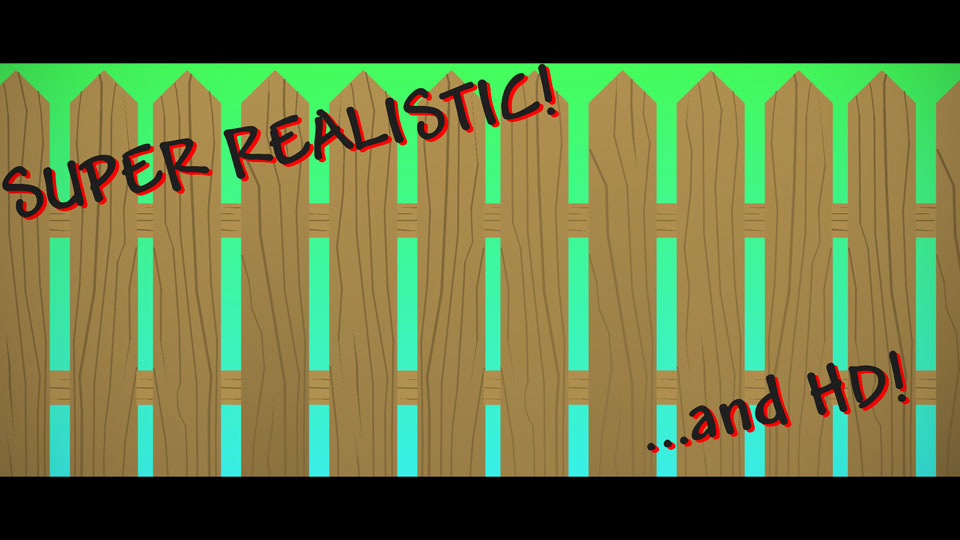
You might recognize this; I uploaded it a few years ago. It was one of my first uploads - It even hit the old node limit - but then I asked Ralph to take it off the site because I'm dumb or something.
Anyways, here it is again with literally one extra node so you can join multiple pieces together.
..i really wasnt sure if i should reupload this
..guess you could say i was on the fence about it
#fence #outside #humanbarriertopreventintrusion
Anyways, here it is again with literally one extra node so you can join multiple pieces together.
..i really wasnt sure if i should reupload this
..guess you could say i was on the fence about it
#fence #outside #humanbarriertopreventintrusion
Apr 1st, 2020
( 3 thumbs )
( 3 thumbs )
1st2nd3rdProblem with this submission?
Please log in to report this file.


Other popular submissions in backgrounds category


auto-angel with the brand new technique of taking down old figures, waiting, and re-uploading them for double the exposure
sinister
I gave this UC just for the description joke
*uploaded on april 1st*
am i a joke to you
i like how a fence is users choice