

Joined:Aug 19, 2019
Uploads:41
Features:0
UC Wins:0


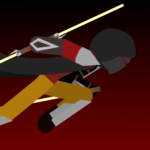
The Energy Harnesser Rod is a weapon resembling an unsharpened sword at first, however, upon activation, if any sort of electricity, plasma, or hard light is launched at it, a containment field catches, and holds the electricity, plasma, or hard light, for other uses.
When at maximum capacity, the blade of the Energy Harnesser Rod takes on the appearance of a lightsaber, the color determined by the over all mixed colors of everything in the containment field. (mixing green and blue makes cyan, mixing red and green makes yellow, mixing purple, red, and green makes a really pale pink, ect.), and the effectiveness being determined by what mixture of energy is contained.
from leas effective to most effective the energy types and mixtures go
Electricity Plasma-Electricity Plasma Plasma-Electricity-Hard light Electricity-Hardlight Plasma-Hard light -Hard light
When at maximum capacity, the blade of the Energy Harnesser Rod takes on the appearance of a lightsaber, the color determined by the over all mixed colors of everything in the containment field. (mixing green and blue makes cyan, mixing red and green makes yellow, mixing purple, red, and green makes a really pale pink, ect.), and the effectiveness being determined by what mixture of energy is contained.
from leas effective to most effective the energy types and mixtures go
Electricity Plasma-Electricity Plasma Plasma-Electricity-Hard light Electricity-Hardlight Plasma-Hard light -Hard light
Problem with this submission?
Please log in to report this file.


Other submissions by Glitching Darkness


