I see a couple things wrong here.
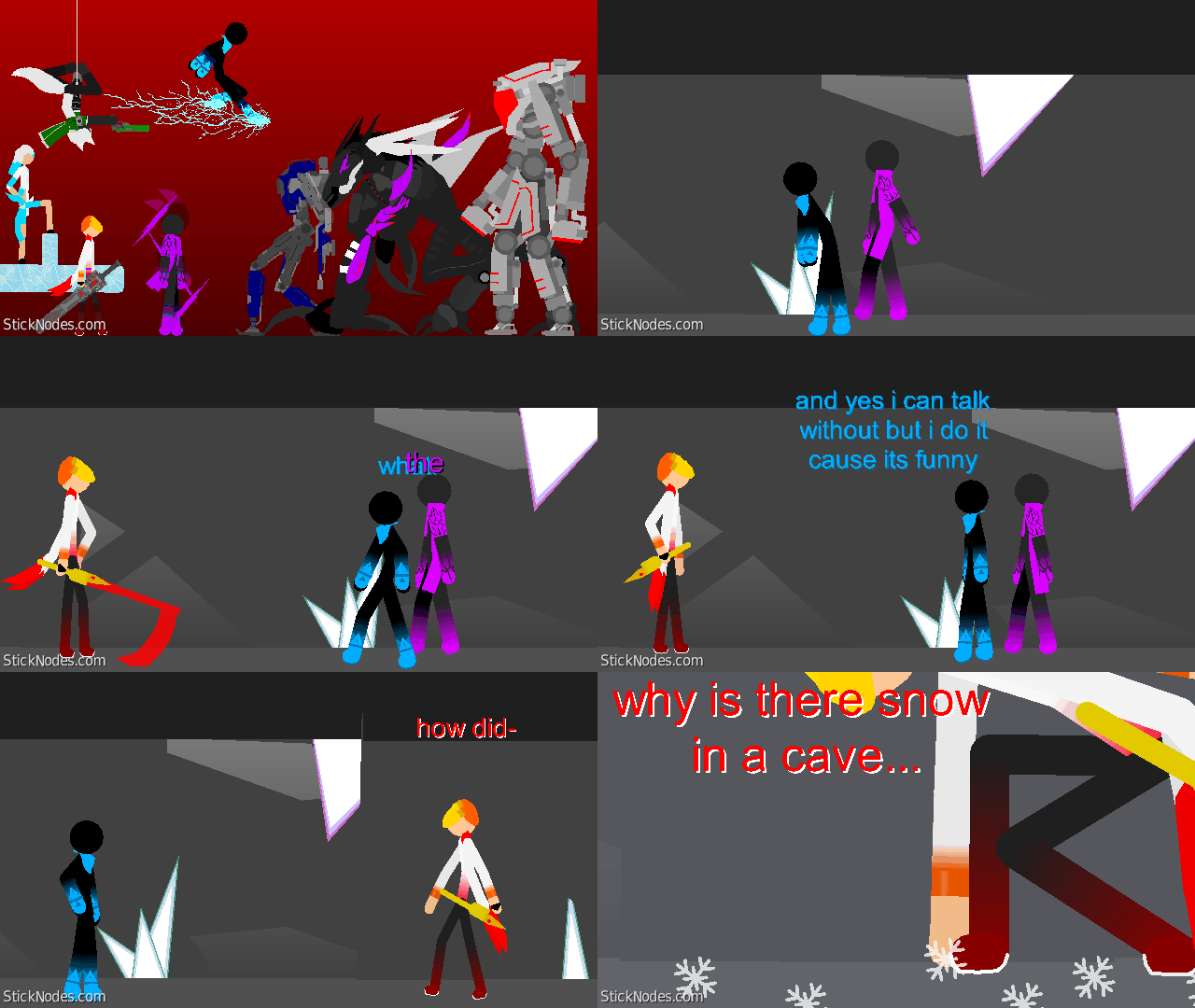
The movement has no easing so you should do that.
You’re using tween so the text just moves all over the screen and changes and that doesn’t look very nice.
The effects when they appeared looked very stiff and then just disappears.
The purple one completely changes sizes when they go after the blue guy.
Im not going to tell you what to do. However, I do advise you get better at the basics before you do anything big. Or anything at all in general.
Replying to:Andrew TateI see a couple things wrong here.
The movement has no easing
I do actually have a in Universe reason for why fist changes size I still need to explain it in the episode and I will to be better with how I move but I am still a novice animator and I’m not even using so I’m trying to do better I just want to point that out
No easing, needs to move slow then fast then slow again whenever something moves, but not all the time.
The fps is too low, it looks like your using 10 fps with tween, maybe you should bump it up or just use non tween. Plus you should use a different textfield for every sentence spoken, or else youll just have one flying across the screen.
You really need to work on movement, all parts of the body should be moving, you have to move everything, for example, you can just move the legs when making a running animation, you have to move the body and arms.
You need to work on your camera movement, the camera also has to ease to look nice and clean. Try using the “Move during delay” option after everything has moved.
Also PLEASE learn how to use “do not tween this frame” its just moving all over the place.



User Banned
Me not good at critizism spelling
It fine
I see a couple things wrong here.
The movement has no easing so you should do that.
You’re using tween so the text just moves all over the screen and changes and that doesn’t look very nice.
The effects when they appeared looked very stiff and then just disappears.
The purple one completely changes sizes when they go after the blue guy.
Im not going to tell you what to do. However, I do advise you get better at the basics before you do anything big. Or anything at all in general.
Completely true
I do actually have a in Universe reason for why fist changes size I still need to explain it in the episode and I will to be better with how I move but I am still a novice animator and I’m not even using so I’m trying to do better I just want to point that out
Ok quick criticism:
No easing, needs to move slow then fast then slow again whenever something moves, but not all the time.
The fps is too low, it looks like your using 10 fps with tween, maybe you should bump it up or just use non tween. Plus you should use a different textfield for every sentence spoken, or else youll just have one flying across the screen.
You really need to work on movement, all parts of the body should be moving, you have to move everything, for example, you can just move the legs when making a running animation, you have to move the body and arms.
You need to work on your camera movement, the camera also has to ease to look nice and clean. Try using the “Move during delay” option after everything has moved.
Also PLEASE learn how to use “do not tween this frame” its just moving all over the place.