-

Lemonpie129

 2024-03-21 20:55:11 UTC
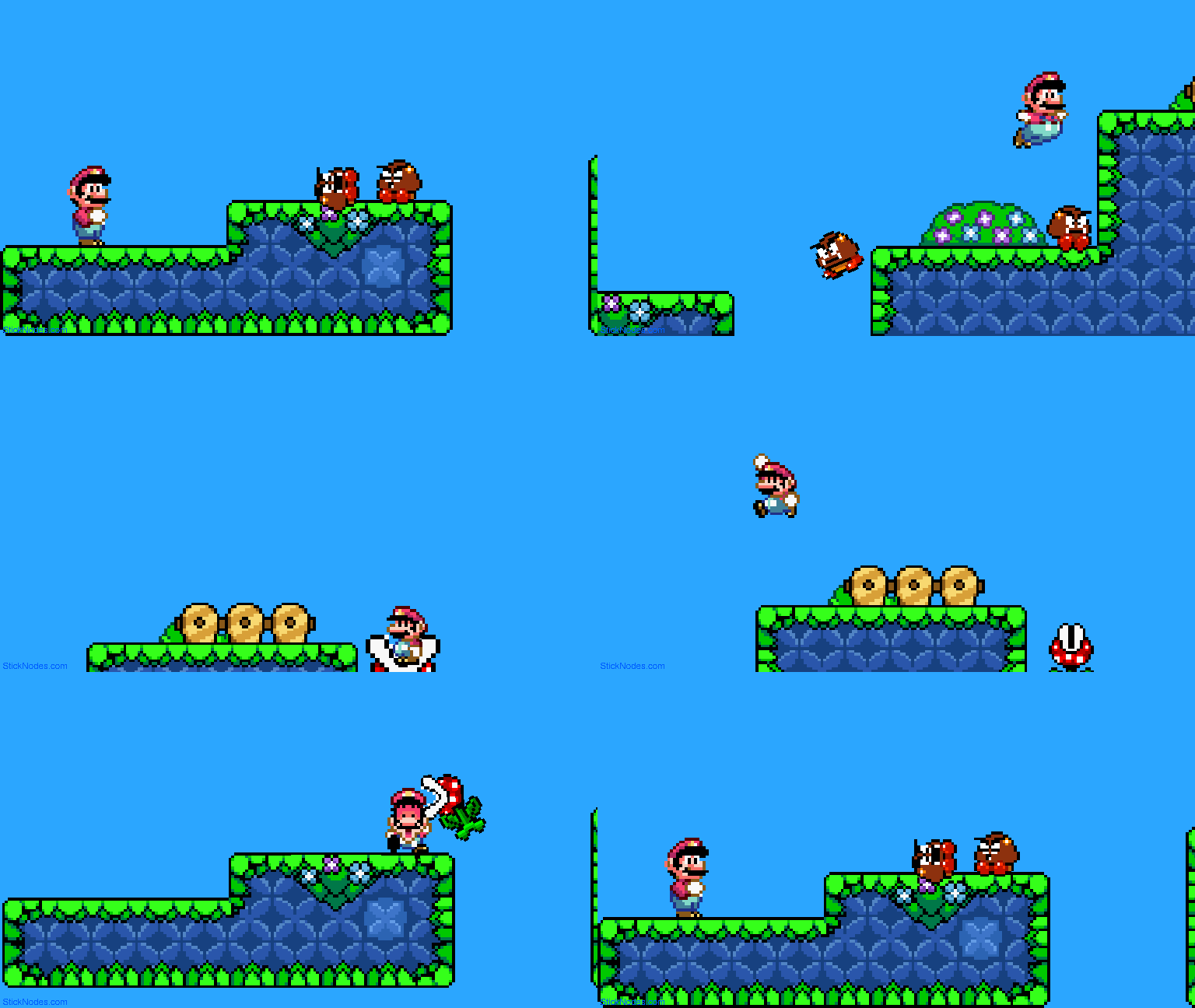
 Hey! I’m posting, I’m still in Afterschool right now, and I just made this! Could you guys rate this from 1/10?

Stick Nodes®
A stickfigure animation app created for mobile devices!
Create your own stickman animations on your Android or iOS device!
Lemonpie129 2024-03-21 20:55:11 UTC
Hey! I’m posting, I’m still in Afterschool right now, and I just made this! Could you guys rate this from 1/10?


Some pretty solid sprite work, 8/10!
Okay, and what could I do to make that 10/10?
Honestly my rating is a bit arbitrary lmao, don’t have too much experience in sprite work myself to give you much advice
Makes sense
9/10
And How could I make it 10/10?
there was one part where mario goes forward and then goes back to stomp on the goomba which looks a bit off, so if you could fix that it would be a 10/10
Yeah, I was trying to make that trick in 64 called the Long Jump. Yah know, Wahoo, Wahoo, W-w-w-w-WAHOO
use less “add tweened frames” and animate by hand
you get better control over physics and other stuff
How’d you know I was using tweened Frames?
once you animate long enough, it gets easy to spot numerous details or flaws. really makes you appreciate certain game/movie animations for having to animate all that, or vice versa.
anyways,
try autocamera for smooth cam movement
lemme give you an example
on frame 170 you set the cam position to point A
then you go to frame 210 and set the cam position to Point B
Then you go back to frame 170 and go to camera options. Click Autocamera, then set the slider to frame 270. Once youre all done its gonna smoothly move the camera from Point A to Point B
The gap of frames between the auto camera matters
If its a 5 frame gap from point A to B (165 to 170), its gonna be a quick auto camera
However if its from fame 180 to 225, its gonna be a long and slow auto cam
as chalas said, I also would like to be tagged everytime you release some stuff. your work is great!
good luck 👍
…
what?
Okay, I think I understand.
Oh, You mean being tagged? Okay, sure
As Manny said, a solid 8/10.
How to make it a 10/10? I’ll give you some suggestions to enhance your neat animation.
Firstly, focus on smoother and more engaging camera movements. Currently, it feels a bit choppy and inconsistent at times. However, it’s not the worst I’ve seen!
Secondly, refine the dynamics of all elements. Some parts move a bit too quickly, while others may be a bit too slow. An animation like this would be perfect if it were smoothly paced and well-balanced. Aim for that satisfying feel!
Keep up the good work. Especially someone your age, you’ve got a lot of potential! Wouldn’t mind being tagged in posts regarding your work. I’m curious to see how you’ll improve as time goes on!
Extra note: Sound really improves an animation. You’d be surprised how many animations seem to be better animated when they have sound. Auditory (sound) cues often help the audience understand what is happening.
Thanks, but For the sound option, I can’t put it in a gif. I can make it a video, but I don’t know how to Get it into here.
Yes I understand that. Gifs dont have sound unfortunately.
If you want to export Mp4’s and post them here, you’ve got two options.
Either upload them on youtube, or use a site.
I personally use: https://streamable.com/
You grab the link of your video and it’ll work here.
In posts, put the link in the “video link” area, or else it won’t work.
Thanks So much! You’re my favorite Animator now
is there alternatives to streamable? it gets the view number wrong. if I were to rewatch my animation 10 times, it counts it as 10 views even though its just 1. It also deletes alot of my stuff over time
also you dont have to put the streamable link in the video link area
you just paste it and it shows. how else do you think I can put some additional text under the video link?
You’re right!
Thank you for correcting me!
To answer your question, I personally do not know of any other video streaming services on the internet.
The frame delay on impact gives major accuracy, 9/10.