
-
🎄🏳️⚧️René (F)🏳️⚧️🎄


 2024-06-29 18:57:30 UTC
 Separating Filter effects
@ralph fuck you , unless you also add this :3
This seems “easy” on a quick thought but probably isn’tStill it would be cool if filters could be toggled on and off to affect each other
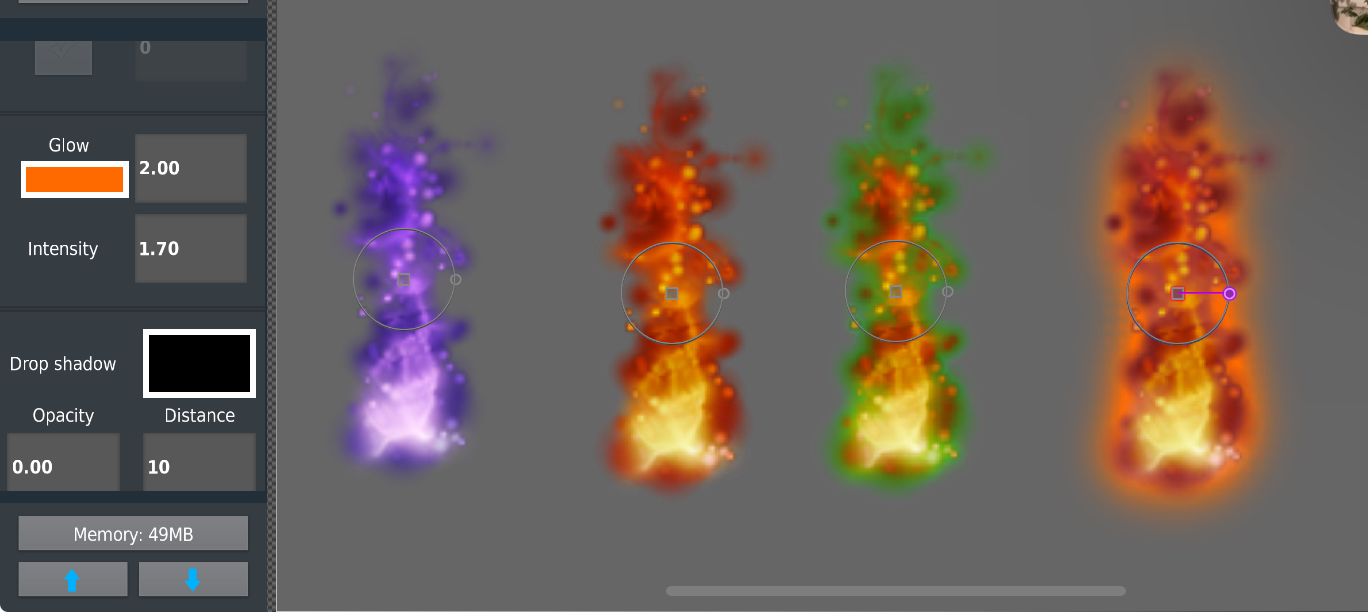
In this example , left to right
•There is the default movieclip with the purple fire
•The fire with hue shifting to give it a more “natural” color palette ,
•and thar same hue shifted effect but with glow , but obviously the hue shift affects the color that I picked out for the 3rd movieclip so it appears as green instead of red
•4th effect is basically just the concept showing off both the glow and hue shift effect being used without interference of each other
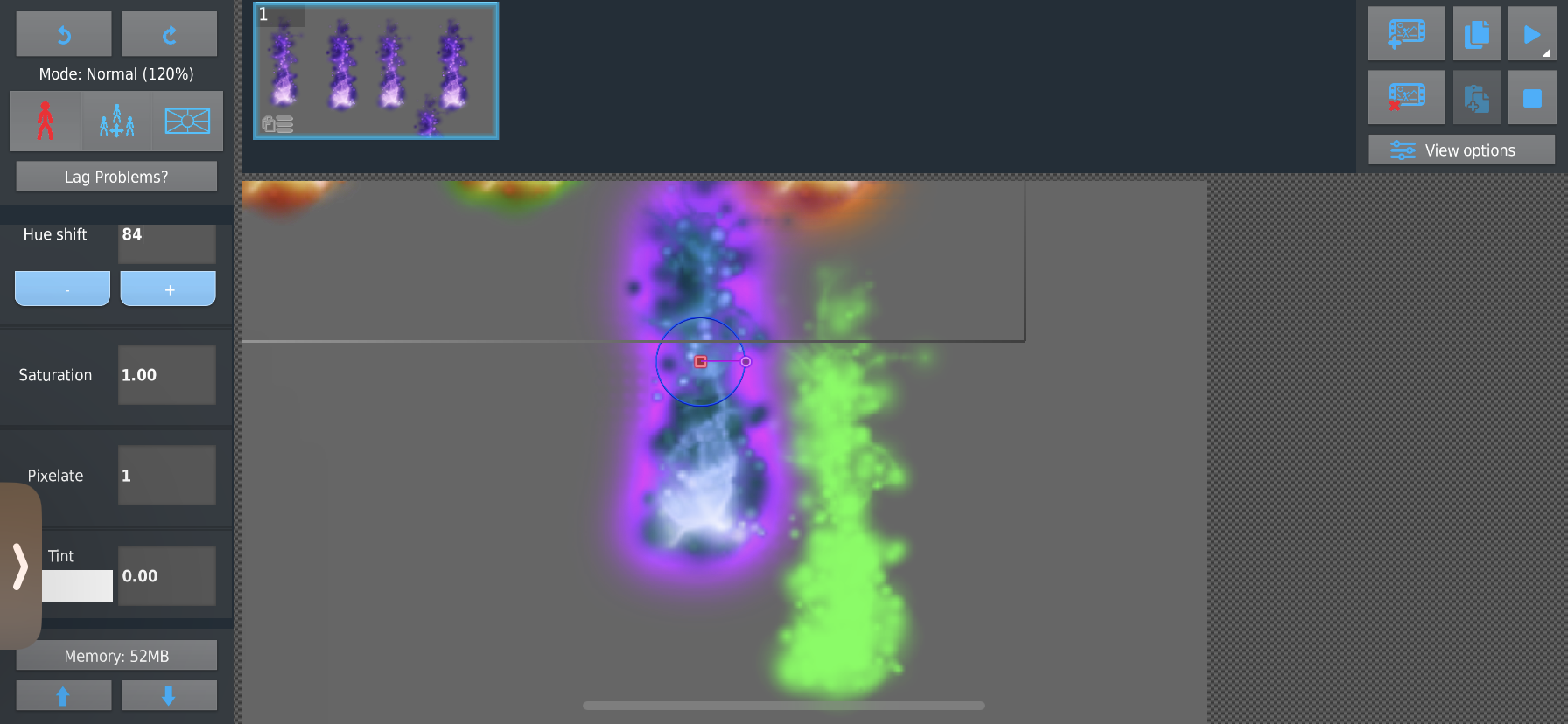
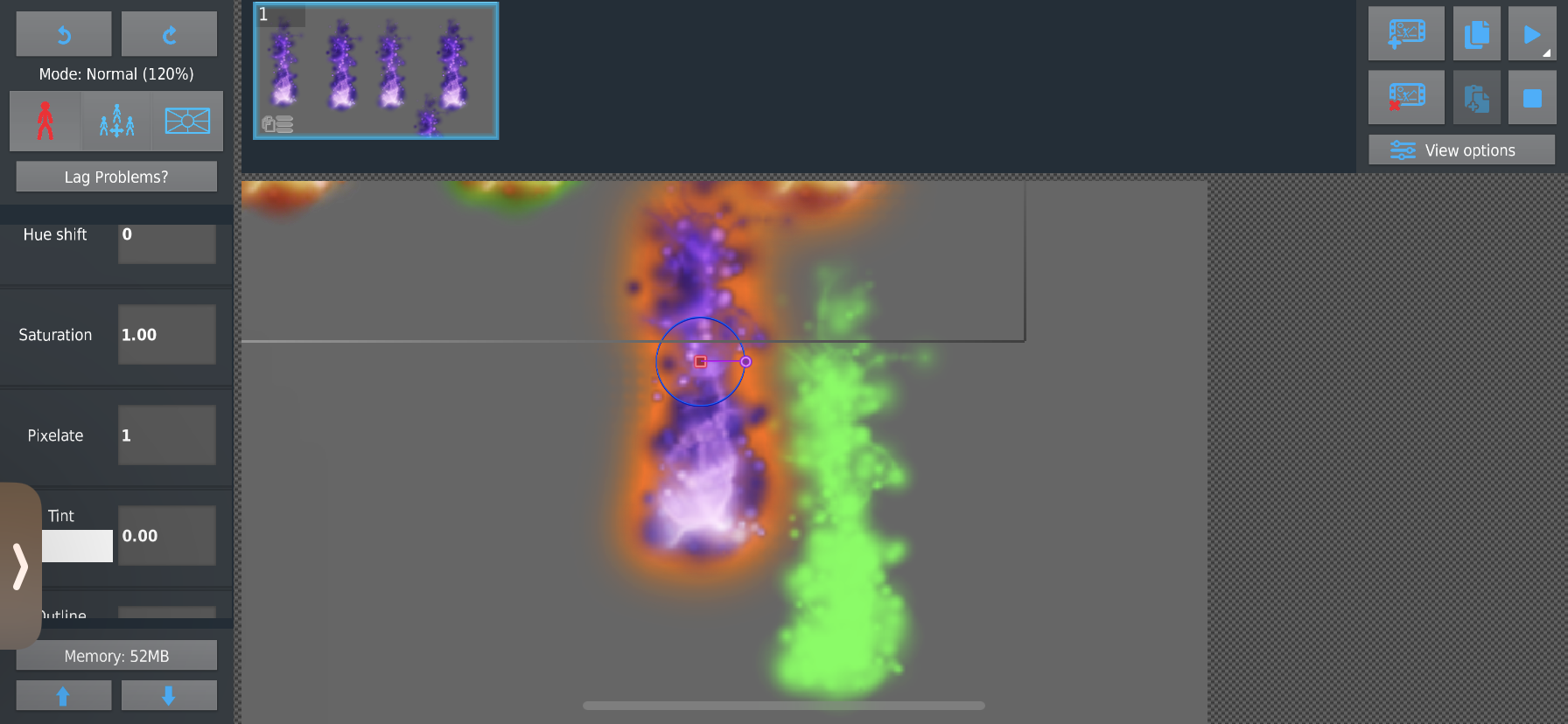
______This idea mainly popped up into my head becuase of 1, it’s possible usefulness but also because the drop shadow effect isn’t affected by the other filters (here in the bottom 2 screenshots we have hue shift being used but the green drop shadow isn’t changed at all , unlike the glow filter)
Stick Nodes®
A stickfigure animation app created for mobile devices!
Create your own stickman animations on your Android or iOS device!


lmao just use sticknodes free
Pay 2 lose
thats a cool effect ngl
if/when the “filters” update happens, things like this will be addressed, but def not easy
the way SN is, I have custom shaders written for nearly every possible combination of shaders, that way no matter the options, it requires just 1 render call to draw it
– blur/tint/glow = all done in 1 call
– tint = also 1 call
– inverse/blur/outline = same
this makes it more efficient but much more rigid in terms of the “order of operations”
so it definitely is gonna require some creative thinking to get it to behave as you’re describing while still performing as (shittily) as it does now and not worse
fuck you