-
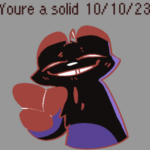
I made Hunter credits: melon lord. Go support them not me!

Stick Nodes®
A stickfigure animation app created for mobile devices!
Create your own stickman animations on your Android or iOS device!
I made Hunter credits: melon lord. Go support them not me!


I like it! the hint of rot cyst on him is pretty creative
Thanks!
Beautiful! Anyways go support Inv slugcat, not me
Anyways, send the file using whatever and I can animate them and surv together, canon be damned
(Might also make some alterations, but only if you’re ok with that)
And yes I’m fine with that
How do I make it downloadable
Could share it using Google Drive, like I did. https://fileport.io/ Works fine for me, so if you are able to upload onto that even if you can’t download from it, then that’s also an option
Is there any tutorial?
Google drive on apple computer: https://youtu.be/ElabHPB3Urw?si=Th_785DqYosczOAc
Mobile: https://youtu.be/NmkOydXXayo?si=LCIFvs3IH7KbQI97
I still don’t quite understand because I’m trying to share my Hunter and I don’t know how to put it in a file
It should already be a file. Open google drive, press the plus button (for mobile), upload file, search for whatever you named the file for your hunter edit, then upload it to drive. Then you can press the three dots, make it accessible for everyone with the link, and send that link here.
Ima quit trying