
-
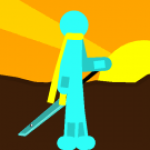
My no-tween animation.Originally,i made this with tweening,but curiosity got me.Some effects are not really clear since i am not yet used to ‘un-tweening’.I need your opinions for future vids,those are really useful…

Stick Nodes®
A stickfigure animation app created for mobile devices!
Create your own stickman animations on your Android or iOS device!


15 frames….
Hmmmmm.
* thinks and succ facts instead of tea *
Well its better than tweening, but what are the effect used on your gif ?
Can’t remember them all…
Try ur best.
-dash
-explosion effect
-explosion effect(the last explosion in the gif)
-Kamehameha
(its a pack)
-spinning blade remastered
-Punch effect
-sword slash effect
-DBZ BR effect pack
-groundwind
-Idk
And also Dark Pulse,Rasengan pack,Sword spin slash,sword slash effect pack,movable dash limbs,and aura pack
too many dash effects and the sword effects are lazy add the 2k pack instead of punch 3 for the attacks shake the screen little and get a better kamehameha effect but the punches are cool they have skill and everything i would make it a smidge smoother or turn fps but please teach me those awsome 3d effect me do not no doe wae
Can’t put blur since i dont know how,also i tried but it turned out bad because its a no-tween animation.I liked better the punch 3 but i’ll take your suggestion uder consideration.I still don’t know how to animate a kamehameha perfectly, so i’m still watching tutorials,ad it’s also hard cuz it’s a no-tween,ad i agree with using another kamehameha effect.Btw,what do you mean by lazy sword effects?
like when they stop moving and it slashes a punch it looks cool other animators do it i would recommend checking out joker exuction and check out how he uses the the stop screen sword effects also do you have pro
Yeah,i use pro.Tnx for the suggestion…
Btw,Joker Execution uses different effects.And that thing that you call ‘stop moving and it slashes a punch’ is a ‘late slash’ style.I already know how to do it,but since i prefer nonstop action,i do not use that style
User Banned
Don’t listen to Joshtick.
He uses 60fps and his animations look absolutely horrendous.
My, legit tip, from a veteran here, would be to take it slow. Tween ain’t for babies, i still use it cause it’s super useful. I’d say try tween at 10 fps to start with. Once you see your motions looking mighty fine (should take a month at least) move up by 5fps. Rinse and repeat till your at the intended FPS.
Practice using tween in combination with the ‘do-no-tween-frame’ button, this will get you ready for pure non-tween.
Finally, after what should be a year or two of hardcore practice, you should be animating really well with non-tween.
Practice makes perfect, taking shortcuts and saying “yeah but i don’t want to” will ruin you. I ignore the value of taking your time and i’m only just trying to up my FPS
Thanks for the tip,bro.I really appreciate the thought.
mine or no i use 20 fps
how many fps?
User Banned
Intended FPS: the one you want to learn and stick with
This is beyond science
10/11
Needs more sword scenes
Yeah lol😂