-

Orange, Leader of the Holy Orange Reich


 2020-04-12 19:54:46 UTC
 Someone help me… I have the file to add to sticknodes… How do I do it?

Stick Nodes®
A stickfigure animation app created for mobile devices!
Create your own stickman animations on your Android or iOS device!
Orange, Leader of the Holy Orange Reich 2020-04-12 19:54:46 UTC
Someone help me… I have the file to add to sticknodes… How do I do it?

Do you have the setting set stick nodes skins active on in the app settings?
Yes… But its still not working :p
@arcionek
Help plz
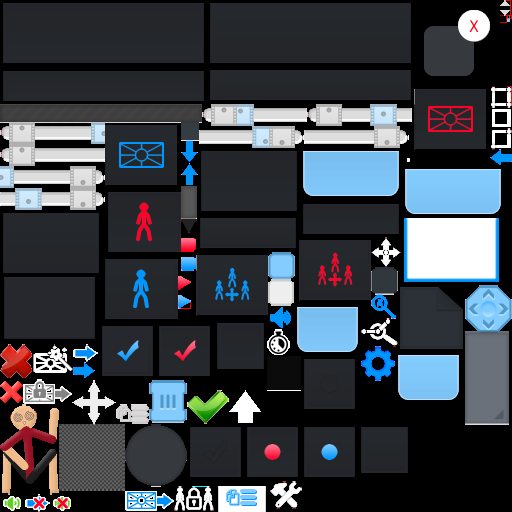
the image needs to go into a folder that you create called skin, and in that skin folder you make two folders called HD and SD. HD has animationMenuAtlas.png that is 1024×1024 pixels large, SD has the half of that – 512x512px
There’s also textcolor.txt which is put inside the skin folder where HD and SD folders are.
Wait…animationMenuAtlas.png is just the regular skin?
animationMenuAtlas.png is basically being looked by the program, if it finds it then it replaces the current skin with the one in the folder you just put.
It’s case sensitive and format sensitive.
so it needs to be .png and capitalized on Menu and Atlas.
the picture you sent is .jpg so it’s already wrong + won’t be transparent so rip.
OK… And also… When you said SD has half… How would I make that half?
some image editor.
you can change image resolution.
OK… I put the 512×512 in the SD, and the 1024×1024 in the HD… What do I do now…?
it should work if both folders are in skin folder in a folder called Stick Nodes where you have all the files in.
… So… What do I do with the mod…?
The mod?-
(The skin)
i mean… if you put all the files where they are supposed to be then it should work
Oh… Ok I’ll try it… Thx