
-
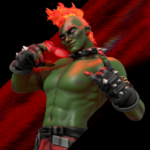
Humble Damien


 2022-07-19 22:48:52 UTC
 @lighterstudios15 completely forgot to ask, can you send me the Humble Damien figure if you don’t plan to upload it? Sorry about that, it slipped my mind. Thank you.
Stick Nodes®
A stickfigure animation app created for mobile devices!
Create your own stickman animations on your Android or iOS device!

Of course, here you go
https://www.mediafire.com/file/wy8ab8lnkhz47xa/Lighter+Studios+Damien+Remake.nodes/file
Until I figure out how to submit figures using the gmail app I don’t think i’ll be submitting my remakes or any of my figures. Do you have any idea how I could do that?
I have the same issue myself, Gmail refuses to become my primary email for Stick Nodes even after changing my settings around. It’s an annoying system, but what I do is send myself the figure to Gmail with whatever email SN uses. Then I send the figure file to submit sticknodes Gmail. I copy and paste the figure format and add the subject. It takes a few minutes. Then I send the whole email. Don’t just send the file to Ralph then the format separately. It has to be one email of course
I know there are ways to change Gmail to primary, it just hasn’t worked for me yet. I hope that helps. And thanks for the figure.
You’re welcome.
I’m gonna have to read this again a few times to fully understand but I got it, thanks for the advice.
I wrote it a little weirdly, sorry about that. Once you fully get it’s really simple to do.
I’ll rewrite it a little better to keep it easy.
First- Press send figure on the app, press any figure files you want to send, and fill out the format.
Second- Change the receiver of the email to your gmail.
Third- Once you get the email, copy the figure format. Then press the figure file, a screen should pop up with the name of it.
Fourth- In the top right corner, press the send icon, then press the gmail app when it gives you the choices on where to send it.
Fifth- Paste the format that you sent to yourself, and add the figure subject. As well as the submit figure gmail.
Sixth- Send it.
I hope that works better for you. Again, it’s annoying, and I’m sure there are better ways to do it, it’s just what I get to work for me.
Thanks again