
-

Infiniteguess


 2022-07-28 18:30:22 UTC
 Lesson 10: Stickfigure SubmissionsThis is a question that gets asked a lot, so why not make an official guide on how to submit a stickfigure? Anyways, here’s a simple explanation of how to submit a figure in a step-by-step process.
ㅤ
Step 1:
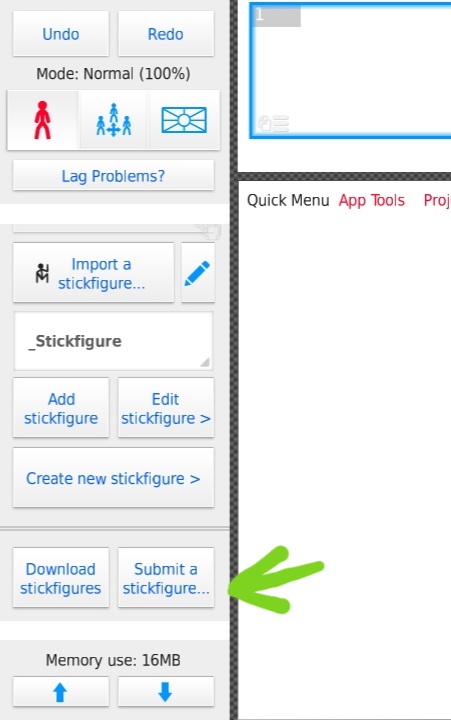
Go to the stickfigure library table, there should be a button that says “Submit Stickfigure”, click it and a box should pop up asking what you want to submit, as of now movieclip submissions aren’t a thing yet, so you should be submitting a stickfigure.
ㅤ
Step 2:
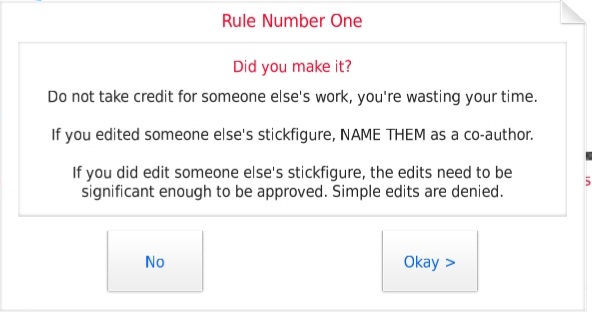
Once you have selected which type of file you are going to submit, three rules will appear. Actually read and follow these rules and if you want your figure to appear on the site.[Rule 1] If you reupload someone else’s figure under your name, it will not be accepted. (On the occasion that the person who accepts the figures doesn’t know that it’s stolen) Also if you edit someone else’s figure (actual changes, not simple recolors and whatnot) make sure to credit the original author of the figure, preferably in the username section or description.
[Rule 2] Submit figures that are appealing and useable. Stickfigures should have non-static nodes only for parts that should be moveable, so make sure to make undesired nodes static. Also, stickfigures should be comprehensible enough to use, so don’t make a mess of segments and call it a day.
[Rule 3] Make sure to properly size your figures, so that everyone else doesn’t have to resize it just to use.

ㅤ
Step 3:
Once you have followed all the rules, a page will pop up for you to select what you would like to upload. Choose the stickfigure you wish to submit, next fill out the required boxes, those being your username, and the name of the figure/submission.
ㅤ
Step 4:
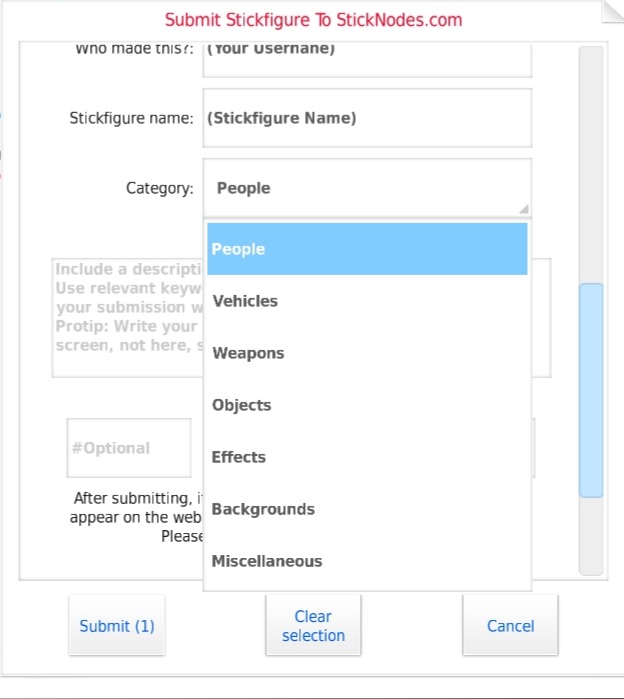
If your submission isn’t a pack (submission with more than one figure), select which category the figure should belong in, those being People, Vehicles, Weapons, Objects, Effects, Backgrounds, or Miscellaneous.
ㅤ
Step 5:
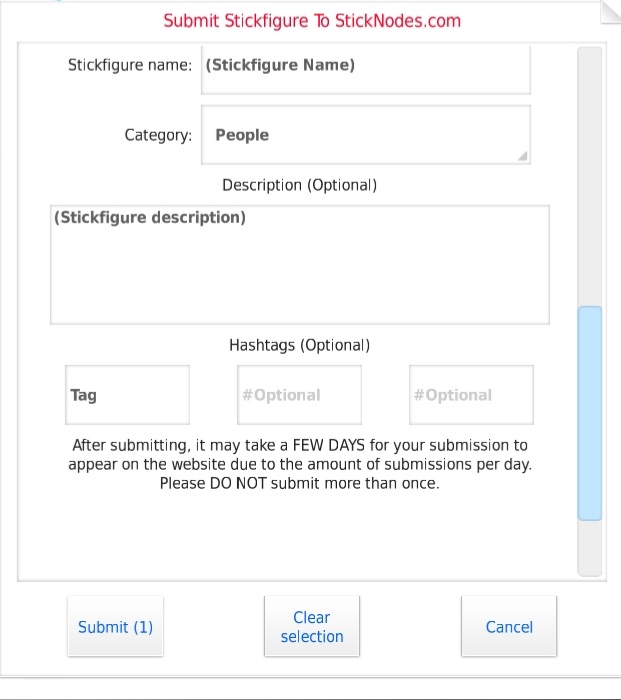
Lastly, add a description to the figure. You can also add a hashtag or two if you want to, but once you’ve done everything mentioned above, click submit and choose to send the submission through email or Gmail. The email you should be sending the submission to is [email protected]. IF YOU DON’T WANT IT TO END UP ON A DIFFERENT ACCOUNT, SEND IT THROUGH THE SAME EMAIL YOU USE TO LOG ON TO THE SITE.After you’ve finished submitting the figure, wait for it to be submitted (It isn’t automatically uploaded, you have to wait a maximum of 2 weeks or so. If it isn’t uploaded by then, it got rejected or was missed. If you are positive your submission was good enough to be accepted, @ ralph and whine about how it isn’t up yet)
But that is all you need to do to submit a stickfigure, the format was a little different but hopefully, this helped in some way. I might also do a guide on how to submit thumbnails apart from this one, so look out for that. Anyways, that’s all for now, see ya next guide.
Stick Nodes®
A stickfigure animation app created for mobile devices!
Create your own stickman animations on your Android or iOS device!


So Guess
How do you submit a figure?
Like this
😮
Oh wow, this is an actual tutorial.
I thought it was going to be very, very sarcastic.
10/10, very informative.
I have a track record of breaking Rule 3 of Step 2
Oh hey cuss
Hola
Here’s a fun fact for those who didn’t click “Oldest First” on my profile…
I already learnt how to submit a stickfigure and I made some before I OFFICIALLY joined this site lol
When hair guess guide #1
Hey that was my thing-
When hair guess guide #2
When hair guess guide número tres
When hair guess guide shi (4 in japanese)
When hair guess guide fünf (5 in german)