



@kingrajan-animations
Joined on September 27th, 2021, this user has been a member for 1,754 days and is the 61,771st person to register an account.
Has 2 submissions, the first one uploaded on November 21st, 2025 and the most recent on November 22nd, 2025.
Of those, 0 have been featured and 0 have won Users' Choice.
On average, each submission earns 1,879 downloads.
In total, they have been download 3,759 times.
Counting every individual stickfigure, including the contents of all packs, this user has technically made and submitted 10 stickfigures.
On average, when this user rates stickfigures, they are 100% positive.
Has made 1 comment on non-activity pages of the site. Alternatively, this user has made 12 comment on actual activity pages of the site.
This member is not a Users' Choice voter.
Show More
-

Green Rex Animations and
 Downwardghostly are now friends 4 months, 3 weeks ago
 -
Green Rex Animations and
 Chrisshark are now friends 7 months, 3 weeks ago
 -
Green Rex Animations and
 WWeirdGlazer are now friends 7 months, 4 weeks ago
 -

luckyoldkid 14 and
Green Rex Animations are now friends 8 months ago -
@nsnarcadeactual Hey Arcade, You do Military Vehicles yeah?
-
-
-
@jhosefgamer Hello, Are You Sticknodes Creator that Went By a the Name “Dakojira Animations”??
I Have Asked Your Permission For me To Publicize All Of Your Godzilla and Kaiju STKs That We’re Unavailable on Your YouTube Channel.
You Will Be Taking All of The Credit.
Thank You-KingRajan Animations
-

If they wanted them public, they most likely would just submit them-
Why would you submit their sticks-
2024-01-21 17:29:29 UTC
-
-
New Tripleverse Video On my YT channel Has Dropped, Feel Free to Watch it!! hope you Enjoy
-
-
Replying to comment by:
Thank You, I’ll Let you Know On a Update 👍
-
Replying to comment by:
Which anti-aliasing you Strongly Recommend??
V1 or V2?? -
Replying to comment by:
Idk Either, but all I know That It Happens when Filters are used. Saturation, Blur, Glow, Hue shift, and Intensity. It\’s Very odd for it to Do That.
-
Replying to comment by:
Hey I Need a Little Help, Check in on my Activity for More Details.
-
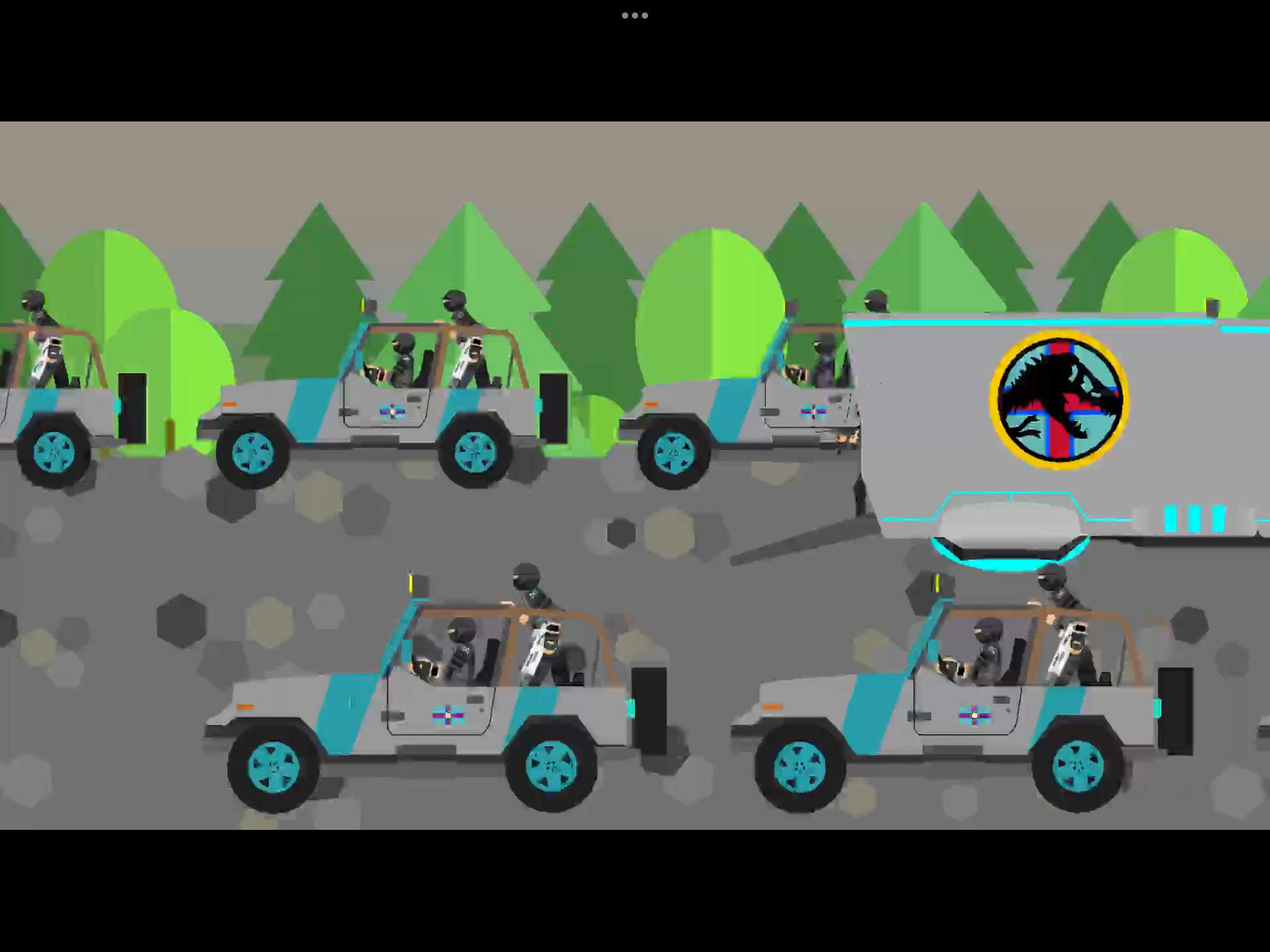
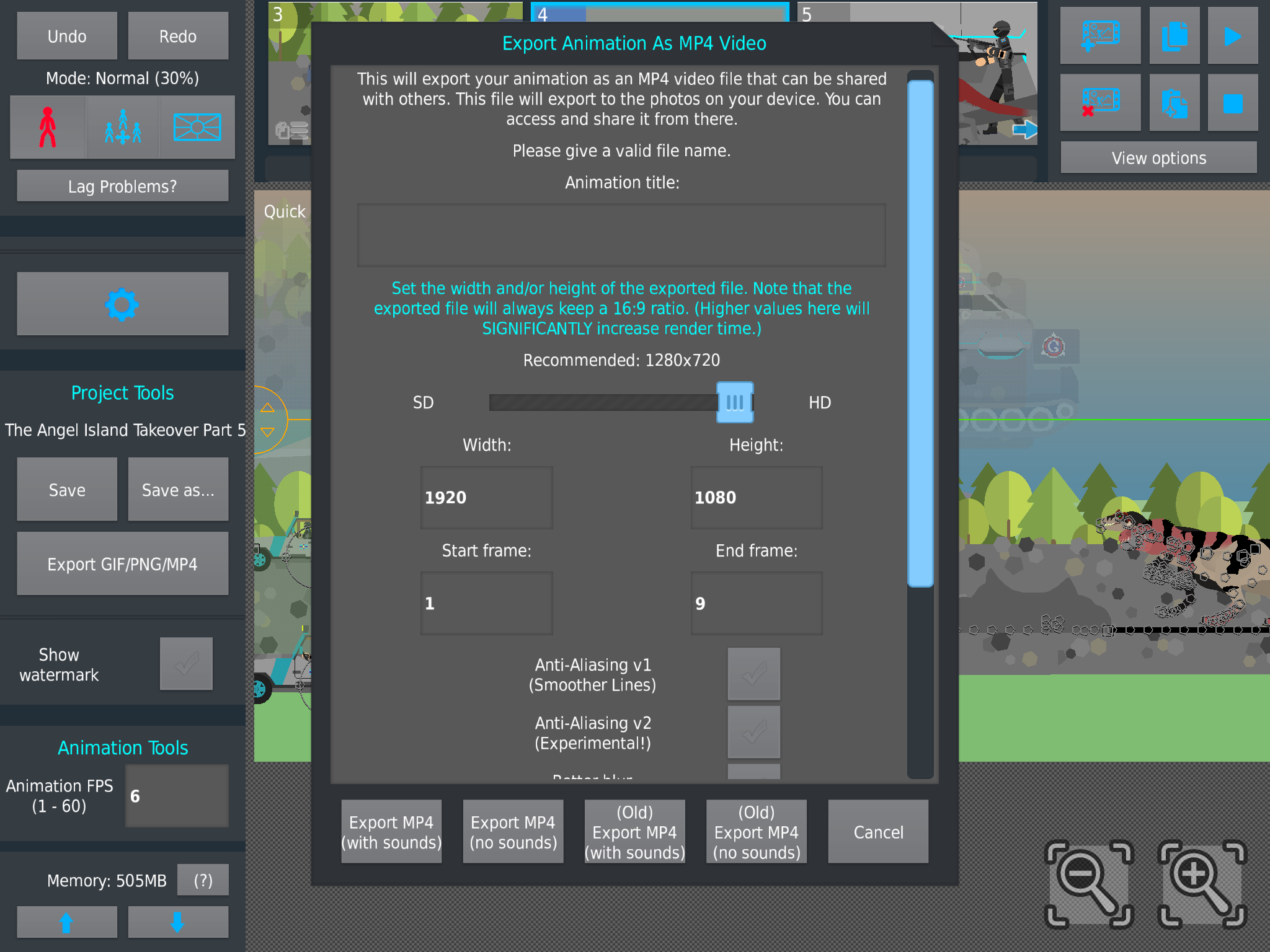
To My Fellow Animators and To Mr.Ralph, Is This Normal When The Animations are Exported. this Is My Exported Animation After Exporting, It Came Out Fuzzy and Not High Quality. The Screenshot Shown here is what Ratio and Quality it is Intend to Be, Clear and With Good high Quality. It is Very odd, This All Started Around Early April.
I’m Trying to Figure it out but To No Avail.
-

Hello
The answer to this is,
I don’t know
2023-07-29 22:56:58 UTC-
Replying to:
Idk Either, but all I know That It Happens when Filters are used. Saturation, Blur, Glow, Hue shift, and Intensity. It’s Very odd for it to Do That.
2023-07-30 00:16:06 UTC-
 Replying to:
filters seem to interfere with the quality, try turning on “Better Blur” , and one of the “Anti-Aliasing” options
2023-07-30 00:28:43 UTC-
Replying to:
Which anti-aliasing you Strongly Recommend??
V1 or V2??2023-07-30 00:54:40 UTC-
Replying to:
V2 is better in my experience
2023-07-30 01:32:36 UTC-
 Replying to:
?!
 2023-07-30 01:39:08 UTC
-
Replying to:
Yes
2023-07-30 01:41:06 UTC
-
Replying to:
Thank You, I’ll Let you Know On a Update 👍
2023-07-30 02:52:29 UTC
-
 Replying to:
no i not
2023-07-30 02:33:38 UTC
-

i’d need to see the actual video tbh
from what i think i can see, that screenshot shows a scene where there’s a lot of moving objects across a semi-complicated background
this results in a lot pixel changes across frames
this results in bitrate quality having problems, and can result in fuzzy video
its somewhat unavoidable2023-07-30 01:36:41 UTC-
Replying to:
go to 3:15
2023-07-30 01:37:04 UTC -
 Replying to:
Actually based to link a Tom Scott video
2023-07-30 02:06:03 UTC
- Load More


