-

Andrew Tate


 2022-06-04 14:33:00 UTC
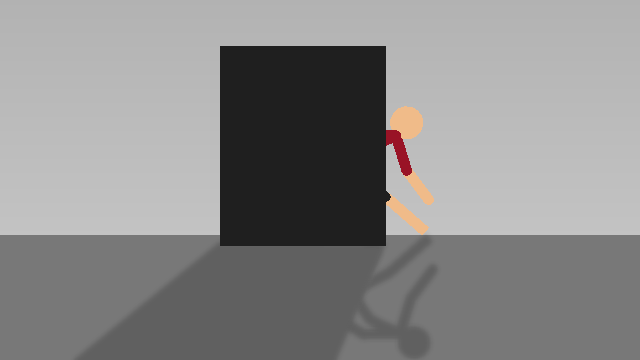
 I found a way to make shadows blend with other shadows.
I am the prophecy. 🙏
Unless it was already solved 💀

Stick Nodes®
A stickfigure animation app created for mobile devices!
Create your own stickman animations on your Android or iOS device!
Andrew Tate 2022-06-04 14:33:00 UTC
I found a way to make shadows blend with other shadows.
I am the prophecy. 🙏
Unless it was already solved 💀


How?
I’ll be making a knock off guess guide in the near future because it’s kinda hard to explain without seeing it
Easy, make a shadow by taking a figure and making it translucent and tinted.
Use color picker tool and copy color of the translucent figure to make a solid colored shadow(For example, black block could have a grey shadow instead of being translucent black) and then just add blur
Do the same for default shadow and they now blend in
I had hope that they would both be translucent, perhaps a true 2 blended shadows will never come to be 😔